6-24
6.1.13 Removing the LED Light Bar from Upper Base
1. Remove the Springs as described in the preceding section 6.1.12.
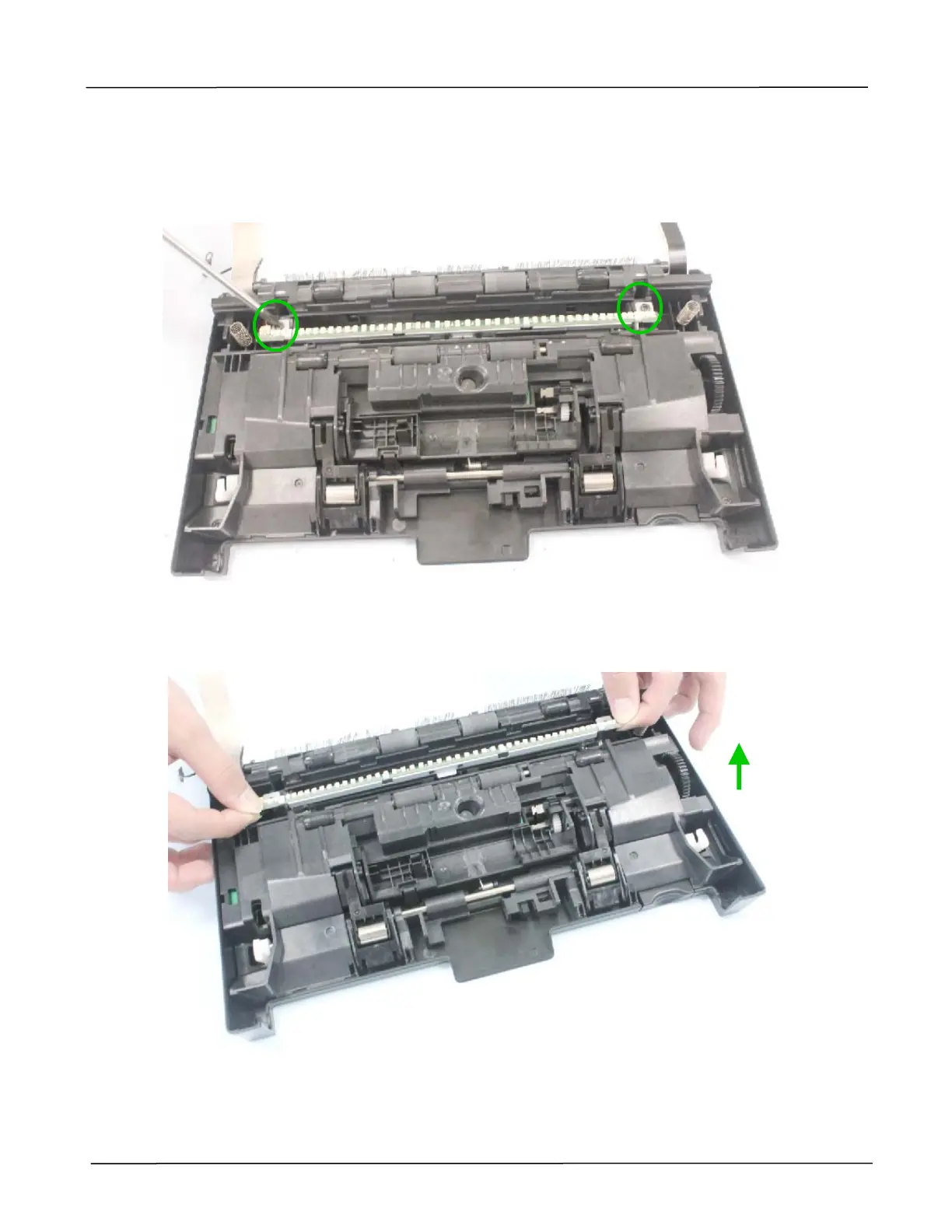
2. Remove 2 fixing screws on the LED light bar, as indicated below:
(Torque:8±0.5Kgf.cm / Screw Type: +B-H, TAP-2, 3x10 / PN: 077-1010-0)
3. Lift the LED light bar, as indicated below:



 To Next Page