6-30
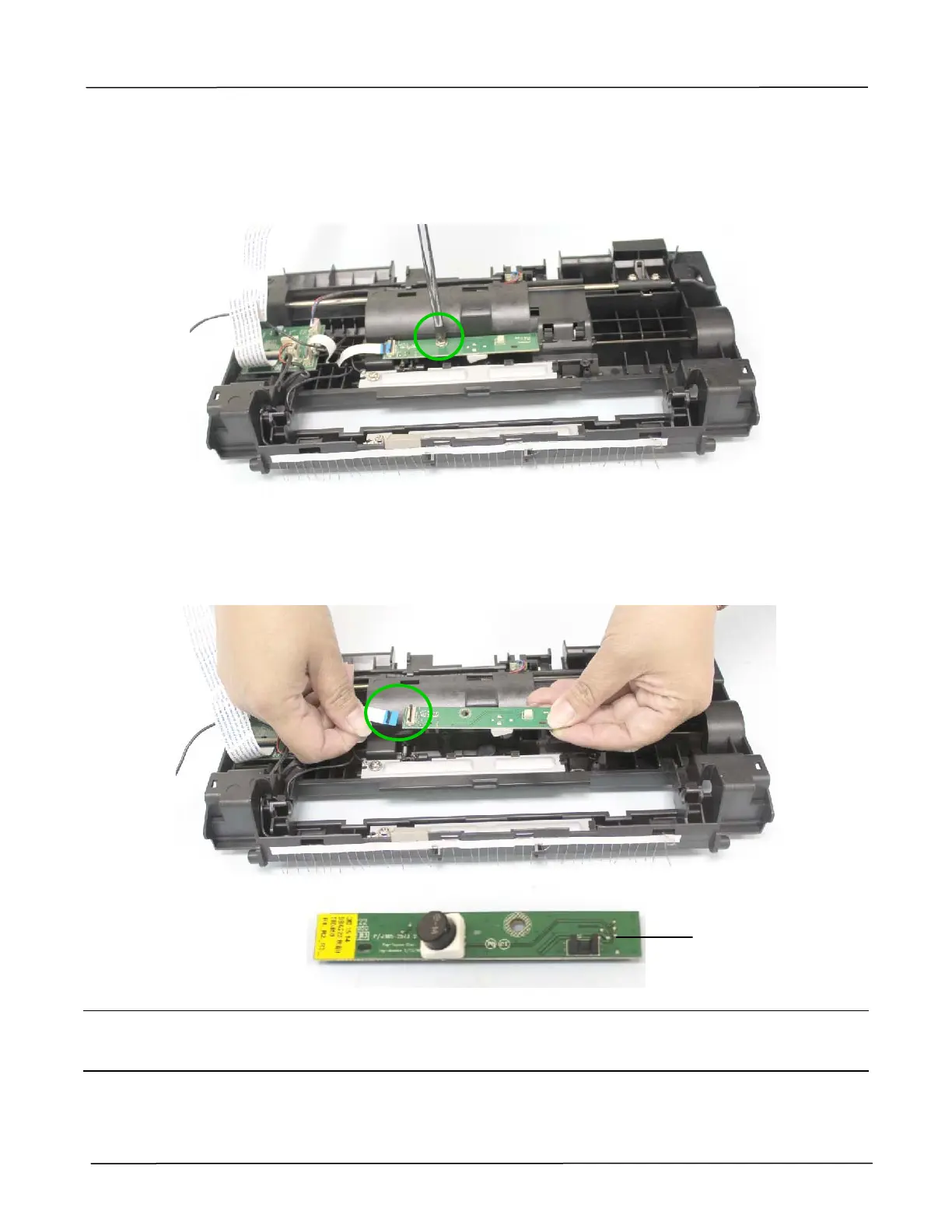
6.1.16 Removing the Ultrasonic Transmitter from the Upper Base
1. Remove the CCD Assembly as described in the preceding section 6.1.15.
2. Remove the fixing screw on the ultrasonic transmitter, as indicated below:
(Torque:6±0.5Kgf.cm / Screw Type: M3x8 / PN: 077-8023-0)
3. Disconnect the cable from the ultrasonic transmitter to remove the ultrasonic transmitter, as
indicated below:
(Tip: Unlock the black cable connector switch, and remove the cable.)
Reassembling:
While connecting the cable of the ultrasonic transmitter, please refer to the cable connection
drawing described in the preceding section 3.2.2.
Ultrasonic
Transmitter



 To Next Page