6-44
6.1.23 Removing the Paper-in Sensor from the Upper Base
1. Remove the Upper base and Bottom Base as described in the preceding section 6.1.10.
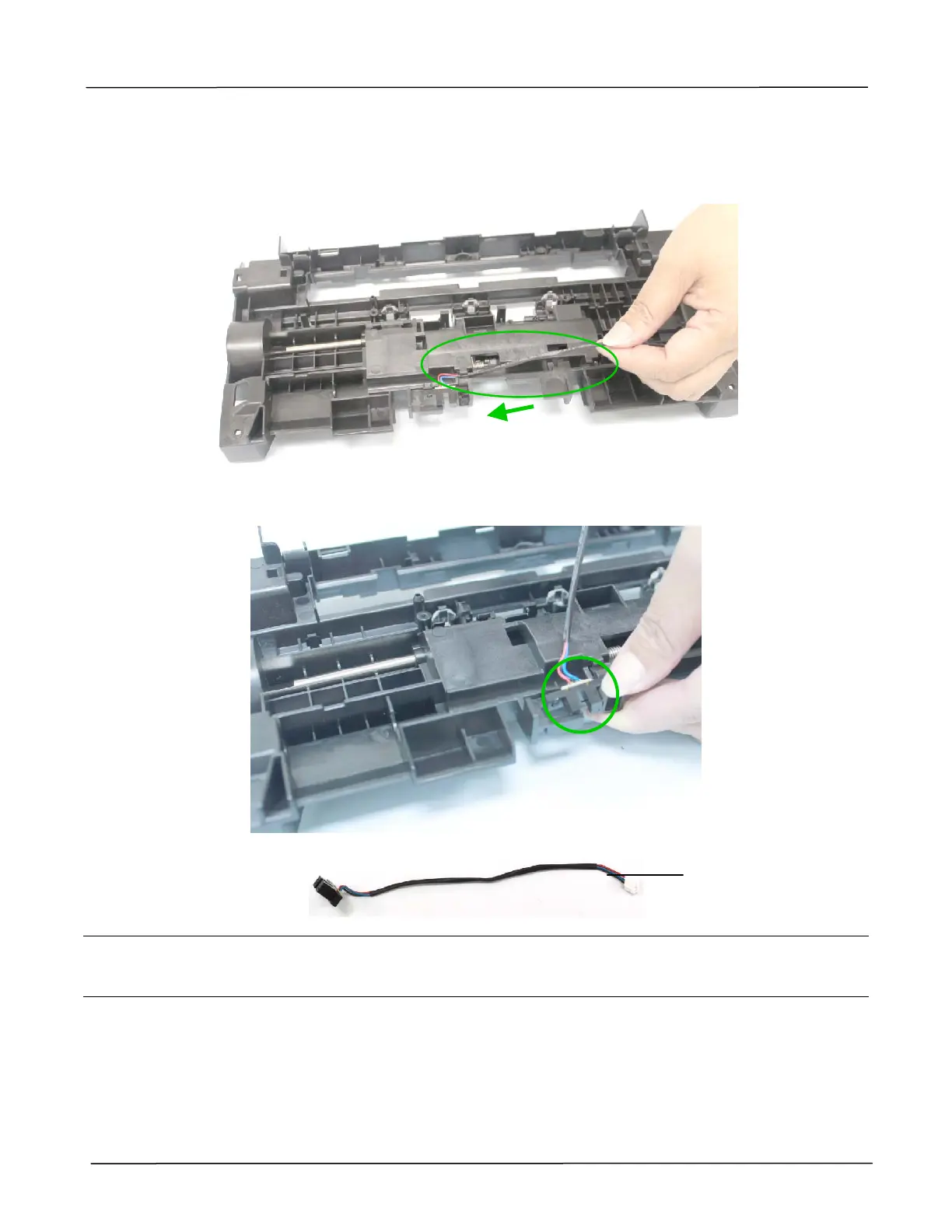
2. Remove the paper-in sensor cable along the slot, as shown below:
3. Remove the paper-in sensor together with its cable from the slot, as shown below:
Reassembling:
For correct cable connection of the paper-in sensor, please refer to the drawing described in the
preceding section 3.2.2, Cable Connection.
Paper-in Sensor



 To Next Page