6-41
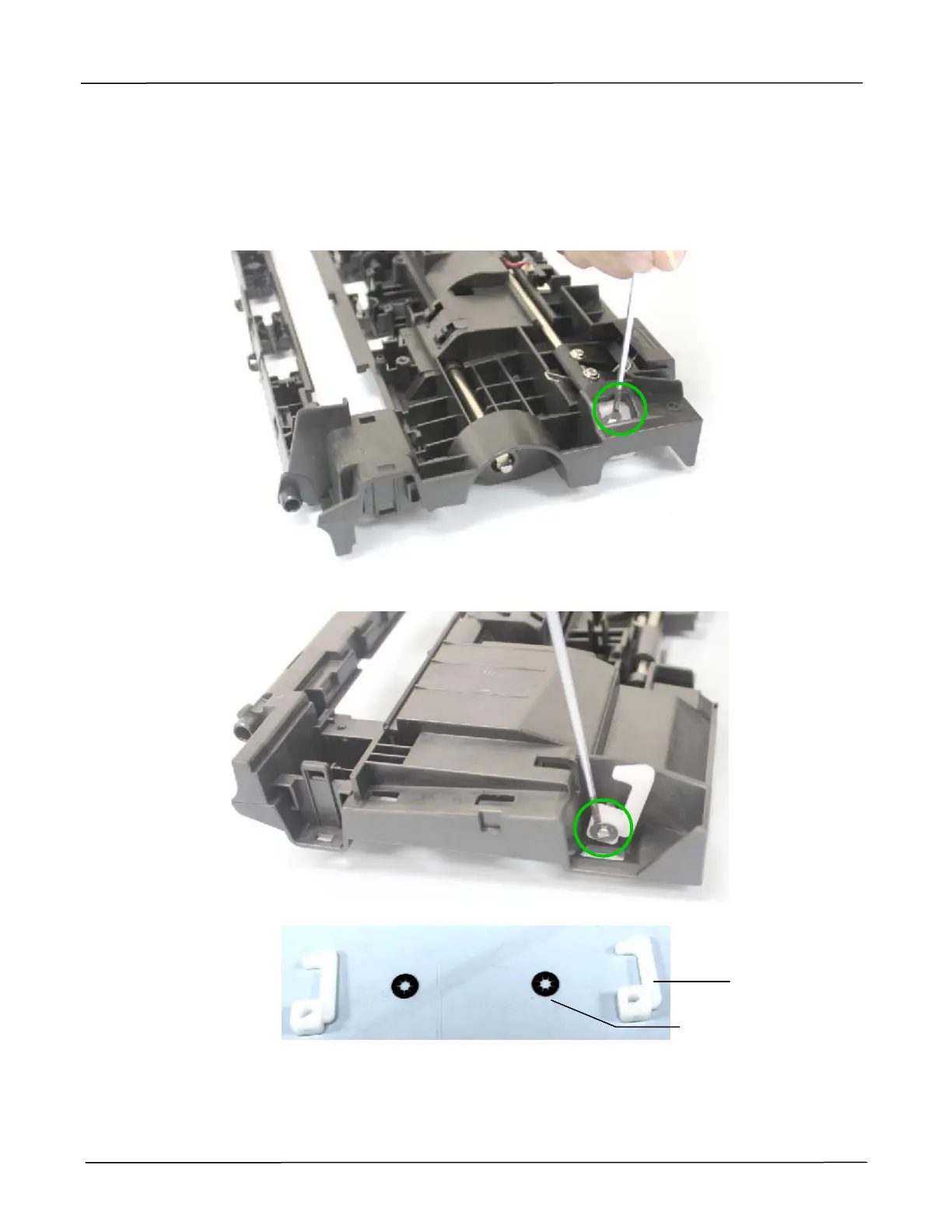
6.1.21 Removing the Plastic Hooks from the Upper Base
1. Remove the Upper base and Bottom Base as described in the preceding section 6.1.10.
2. Remove the plastic hook from the one side of the upper base with a flat screw driver inserted
to the inside of the washer, as indicated below:
3. Remove the other plastic hook from the other side of the upper base, as indicated below:
Plastic Hook
Washer



 To Next Page