6-53
6.1.28 Removing the Roller Cover from the Bottom Base
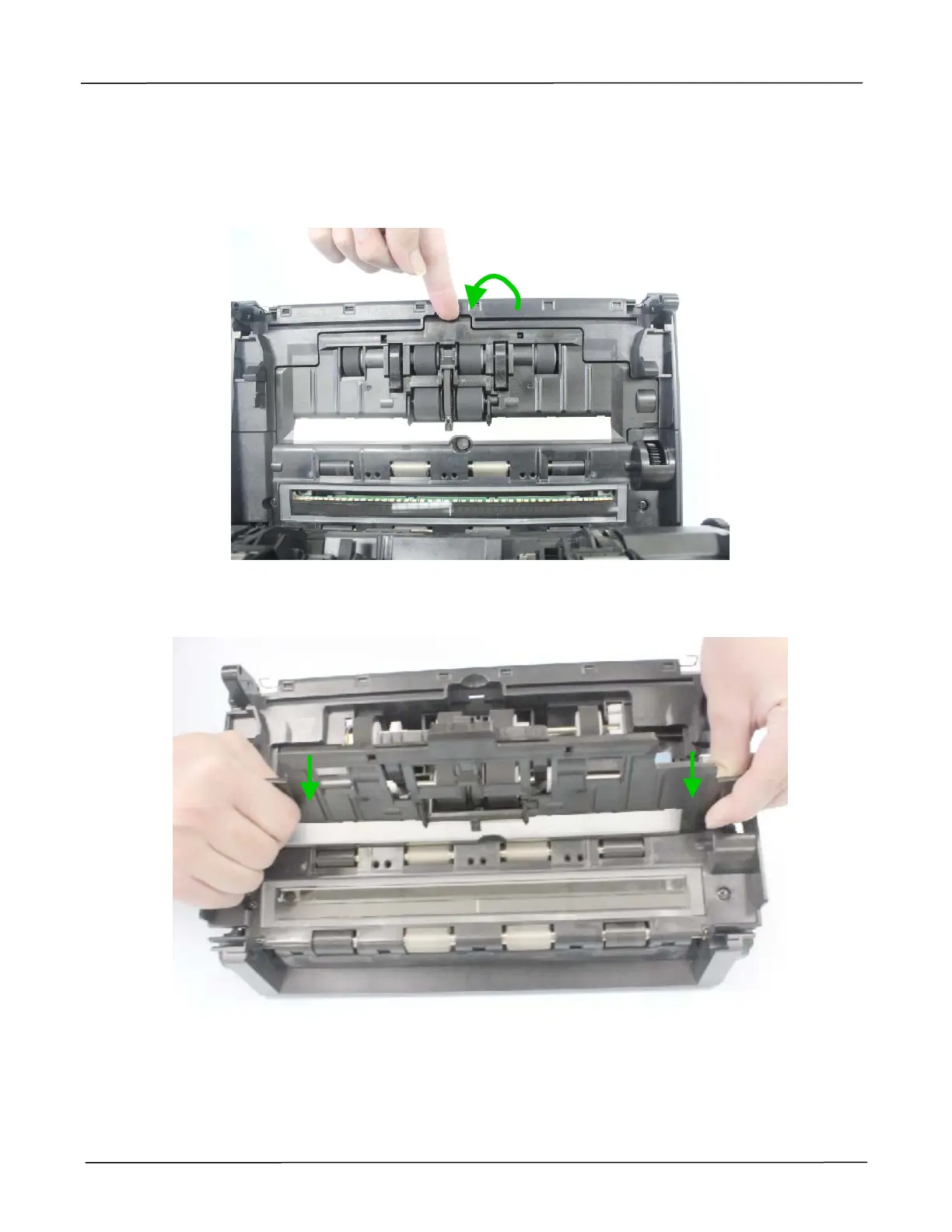
1. Remove the Upper base and the Bottom Base as described in the preceding section 6.1.10.
2. Pull out the center of the roller cover to open it.
3. Have the surface of the roller cover convex by pressing two sides of the roller cover outward,
and remove the roller cover, as shown below:



 To Next Page