6-72
Reassembling:
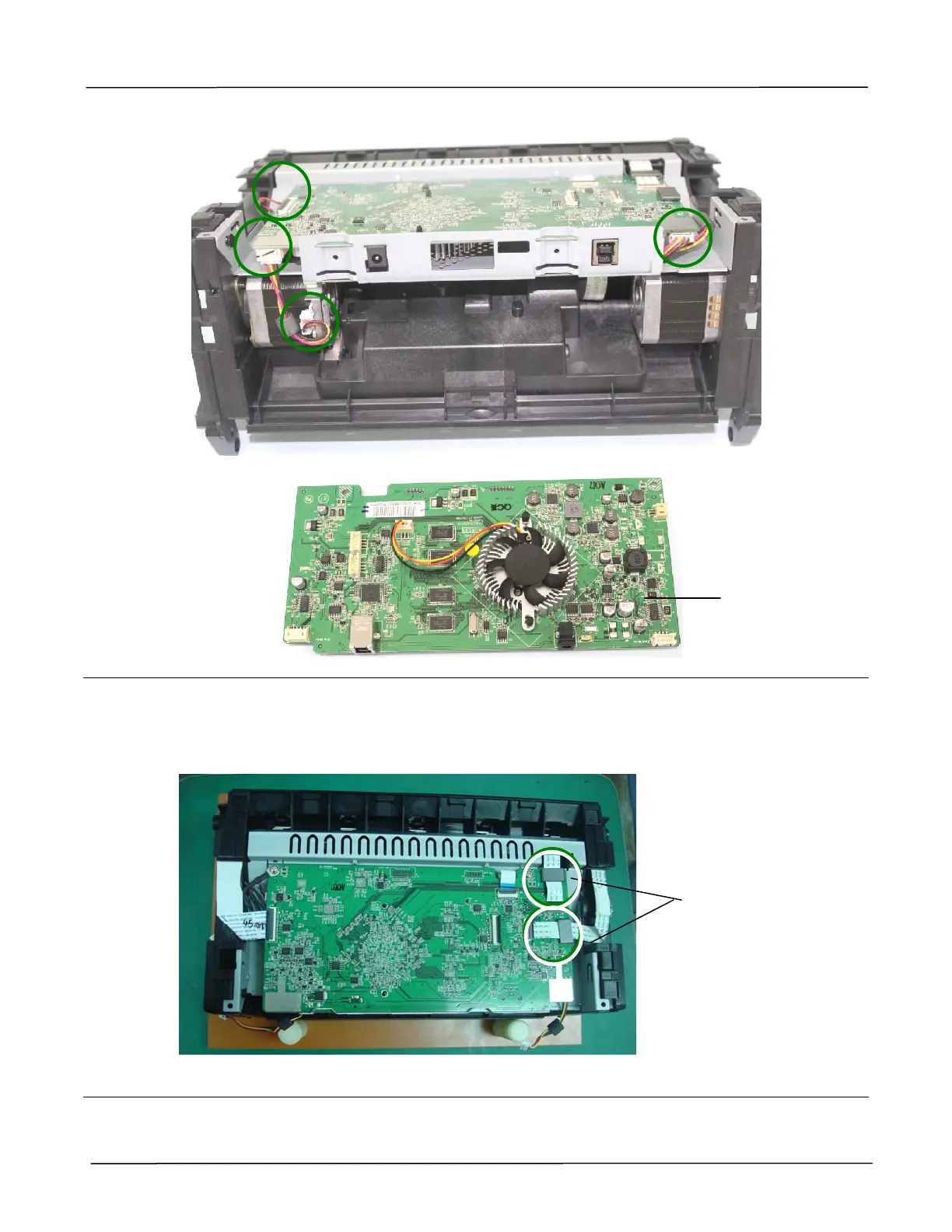
1. While connecting the main board, have the 2 flat cables from the 2 CCD assemblies
respectively through the 2 EMI cores, and then connect them to the main board, as shown
below:
2. While connecting the cable of the main board, please refer to the drawing described in the
preceding section 3.2.2, Cable Connection.
Main Board
Make 2 flat
cables pass
through the 2
EMI cores
respectively



 To Next Page