19
Menu structure/device functions
6.1.1
Main menu > Rate, volume & time
The device oers the option of entering the
delivery rate, avolume or a time limit. Ifthe
volume limit and infusion time are entered,
the rate will be calculated automatically.
6.1.2
Main menu > Drug
Menu Meaning
Stations Select station
Patient
prole
Select patient prole:
Default patient prole
or a previously created
prole
Categories Select drug categories
Drugs Select drug
Concentra-
tions
Select concentration
Note: All menu items except “Drug” are
optional and are only requested if there are
corresponding entries in the database.
6 Menu structure/
device functions
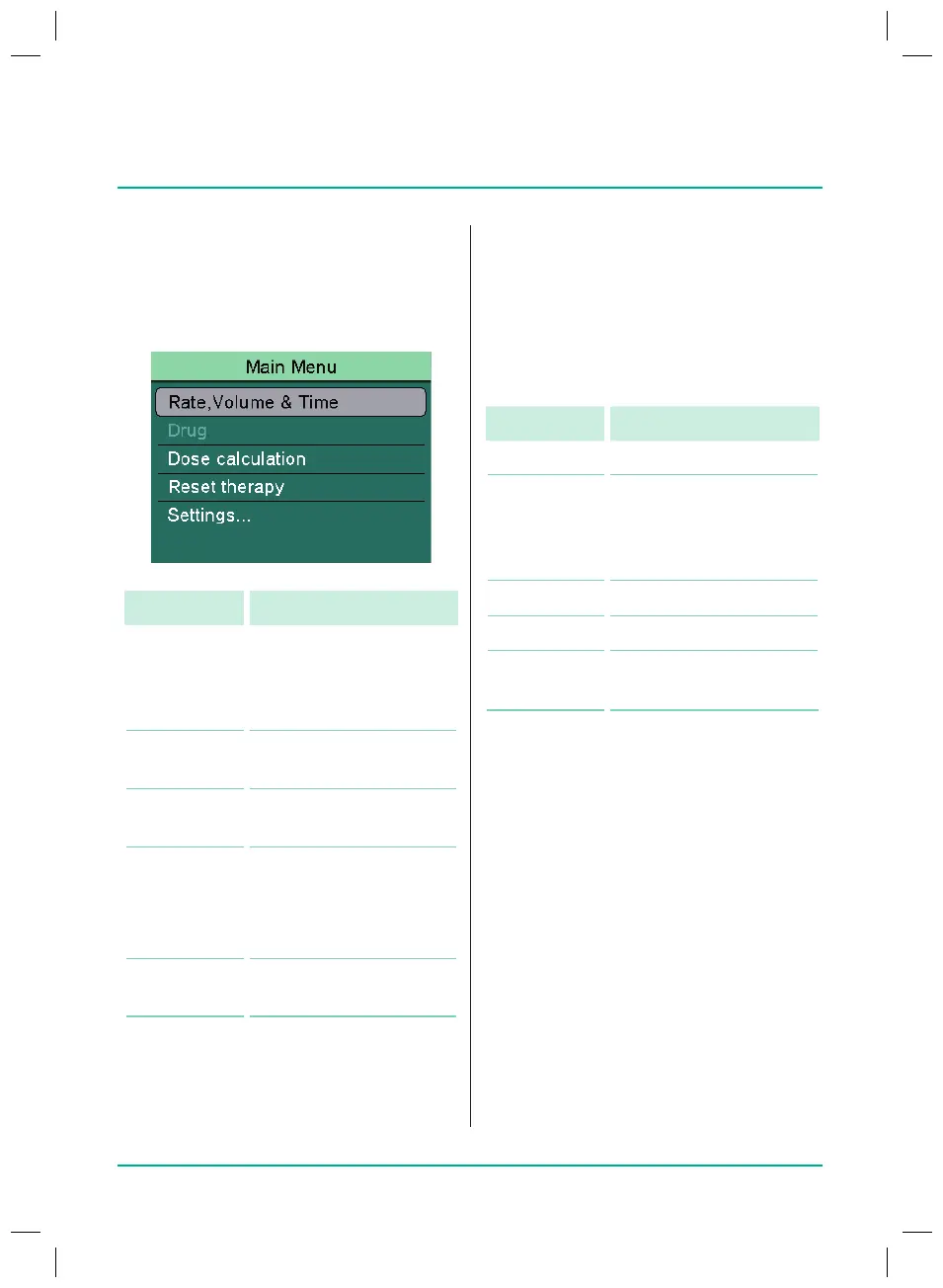
6.1
Main menu
Menu Meaning
Rate,
volume &
time
Enter/change infusion
rate or calculate rate by
entering the volume limit
and infusion duration
Drug Select the drug for the
intended use
Dose
calculation
Calculate the rate of
administration
Resetting
the therapy
Delete all therapy
settings
Note: the infused volume
(inf. vol.) is not deleted.
Device
options...
Congure the device
settings
38932401_Infusomat_compactPlusP_EN_IFU_1020_v5.indd 19 15.10.2020 17:47:26















 To Next Page