16
Description of the device
5.3
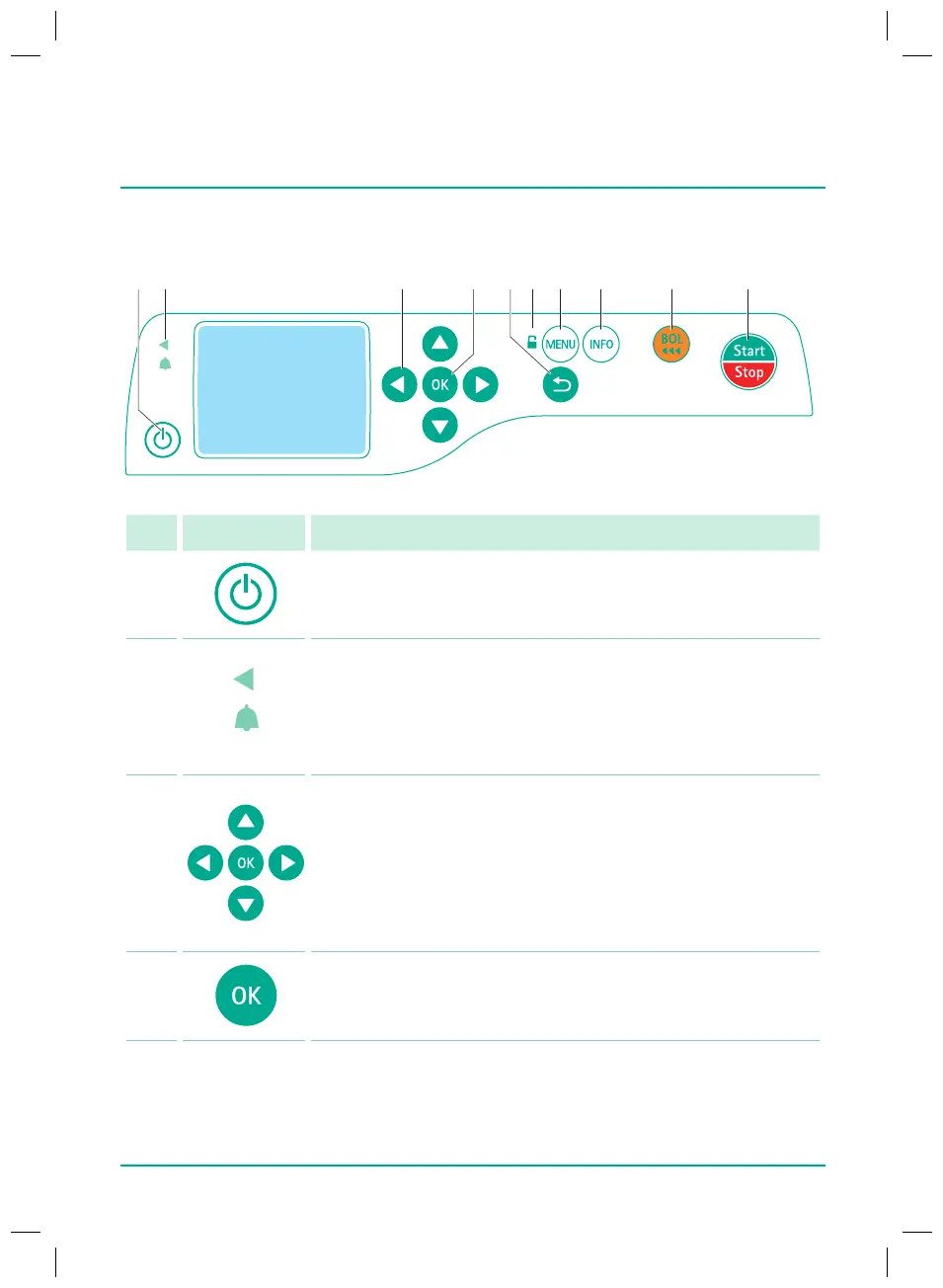
Display and control elements
No. Element Meaning
1
On/O key:
Switches the device on and o
2
Status display
Green LED: Delivery
Two-coloured LED (alarm indicator):
- Yellow LED: Pre-alarm (only if enabled in Service Tool)
- Red LED: Technical alarm, operating alarm
3 Arrow keys:
Q
Scroll through menus
Q
Change settings
Q
Answer yes/no questions
Q
Select scale values and change between digits when inputting
values
Q
Open a function while the infusion is ongoing or suspended
4
OK key:
Q
Select/conrm function
Q
Conrm value/settings/input/alarms
38932401_Infusomat_compactPlusP_EN_IFU_1020_v5.indd 16 15.10.2020 17:47:25















 To Next Page