28
Operation
8.5
Setting the infusion values
Q
Infusion line inserted and selected
Note: Depending on the last therapy, the
pump starts either when the delivery rate is
entered or when a drug is selected.
8.5.1
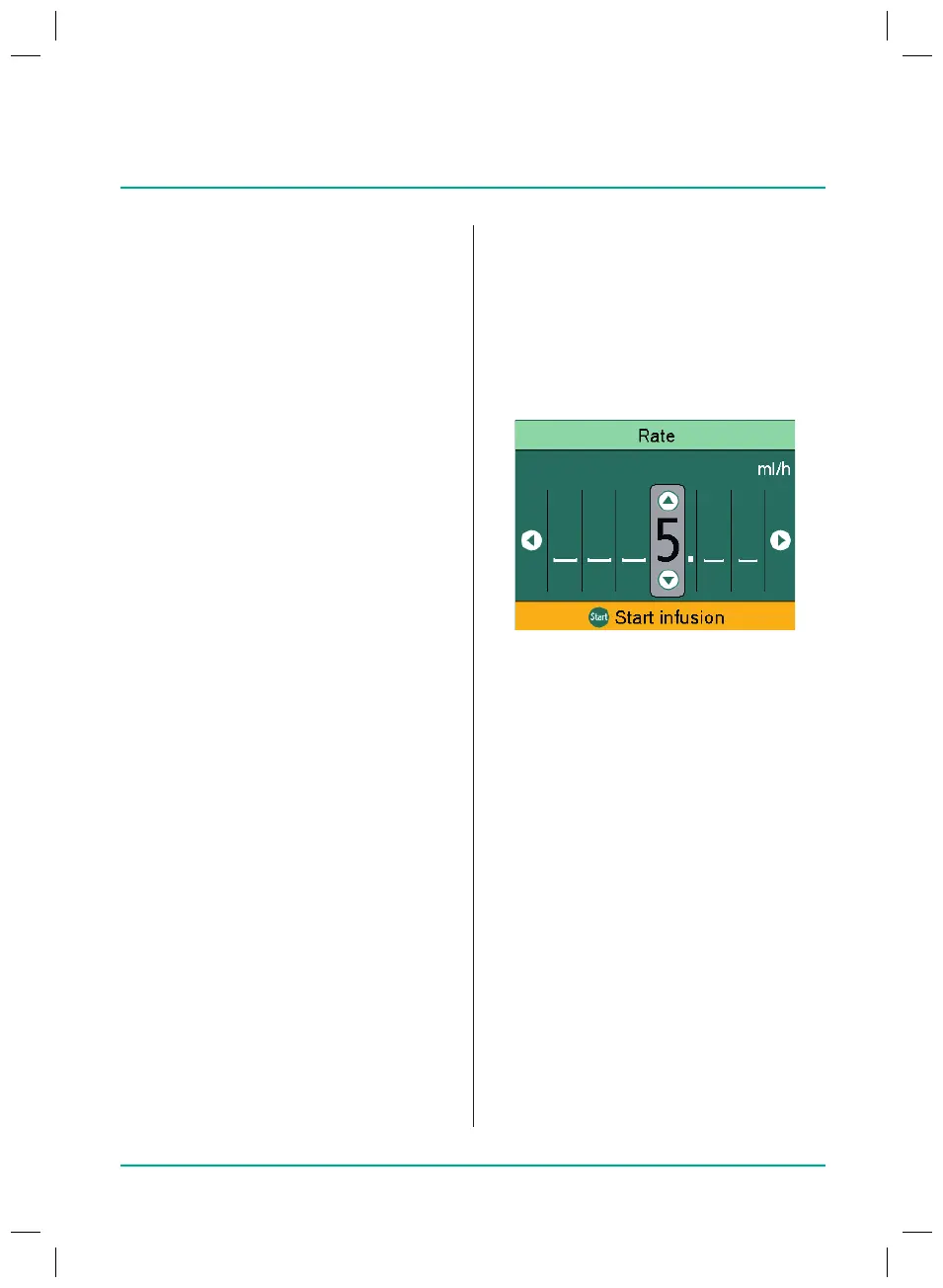
Entering the delivery rate
Q
Enter the delivery rate using the arrow
keys.
Q
Start
the infusion with
the Start/Stop
key
.
- or -
Q
Press OK to conrm the rate.
The Overview screen is displayed.
Q
Select Vol./Time and press OK to con-
rm.
Q
Enter the volume or time limit and
press OK to conrm.
Any values still missing are automati-
cally calculated and displayed.
Note: In addition to the volume and time
limit, the infusion rate can also be adjusted
in the Overview screen.
Q
Start the infusion with the Start/Stop
key.
8.4
Use with Intrax® SafeSet
Note: If Intrax® SafeSet is used, a VTBI is
not required.
A special airtight lter membrane acts as
a barrier and helps prevent air entering the
line.
Ifthe uid level reaches the membrane,
the upstream alarm is triggered and the
pump stops so that no air passes through
the AirStop lter. For this reason, no addi-
tional priming is required when quickly
changing
to the next container.
In the case of an upstream alarm, the
upstream sensor detects a low pressure
inthe infusion line between the pump and
the drip chamber. Therefore, always check
whether the roller clamp is open, the line
is bent or the bag and/or drip chamber is
empty.
The pump should not be restarted until the
upstream alarm has been resolved.
If the pump is started too many times
without the problem having been rectied,
the upstream sensor calibrates to the low
pressure in the line at the time and air can
pass through the air stop membrane. Inthis
case, ensure that the drip chamber is
relled, then open the ap to recalibrate
the upstream sensor.
38932401_Infusomat_compactPlusP_EN_IFU_1020_v5.indd 28 15.10.2020 17:47:28















 To Next Page