23
Set-up and start-up
7.3.4
Conguring the pressure
alarm limit
WARNING! Danger to the patient
from an incorrectly set pressure
alarm limit.
Q
Ensure that the pressure alarm level
limit is set so that the alarm can be
triggered in good time.
It may be necessary to change the pressure
alarm limit due to various inuencing fac-
tors, e.g. temperature, line length and inner
diameter and the lter used in the system
set-up.
Note: The set pressure level aects the time
to alarm. Inorder to minimize the time to
alarm, itis recommended that you start
with a low pressure level and increase it if
required. The set pressure level aects the
alarm time.
Note: In the event of a pressure alarm, the
post occlusion bolus will be automatically
reduced.
Q
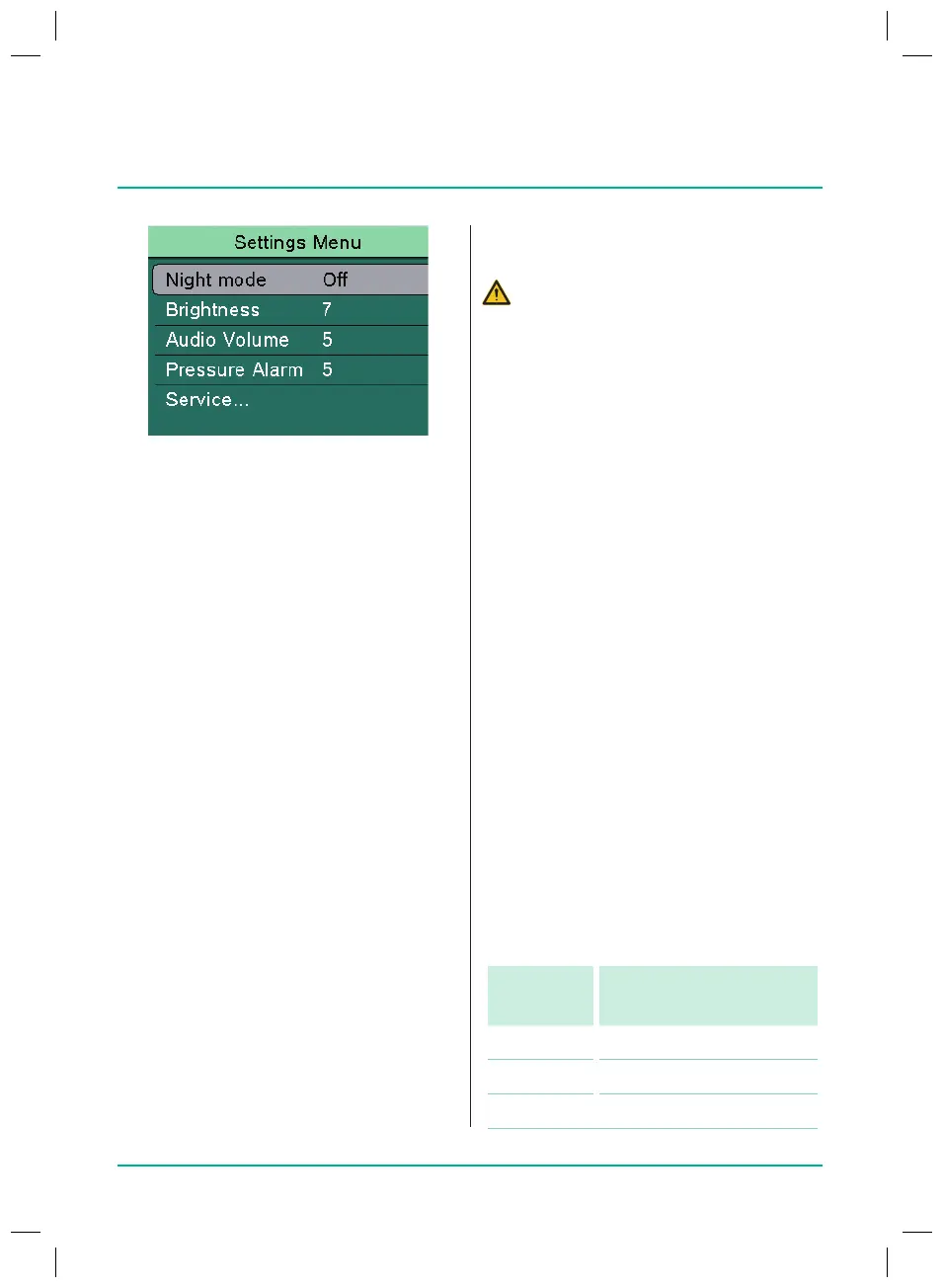
Select Pressure alarm and press OK to
conrm.
Q
Select alarm level and press OK to
conrm.
–
Level 1 (=lowest level)
- to -
–
Level 9 (=highest level)
Alarm
level
Pressure value
1 0.067 bar (50mmHg)
2 0.133 bar (100mmHg)
3 0.200 bar (150mmHg)
7.3.1
Turning night mode on/o
In night mode the display brightness is
reduced.
Q
Select Night mode and press OK to
conrm.
Q
Select On / O and press OK to conrm.
7.3.2
Setting display brightness
Q
Select Brightness and press OK to
conrm.
Q
Select brightness level and press OK
to conrm.
–
Level 1 (=lowest level)
- to -
–
Level 9 (=highest level)
7.3.3
Setting the audio volume
Q
Select Audio volume and press OK to
conrm.
Q
Select Audio volume level and press
OK to conrm.
–
Level 1 (=lowest level)
- to -
–
Level 9 (=highest level)
38932401_Infusomat_compactPlusP_EN_IFU_1020_v5.indd 23 15.10.2020 17:47:27















 To Next Page