30
Operation
Note: Manual bolus administration is
limited to a maximum of 10s. The bolus
administration is automatically stopped,
butit can be continued by pressing the
Bolus key again.
Note: An acoustic signal sounds for every
1 ml of bolus volume delivered
8.8.2
Administering a bolus with
preselected bolus volume/bolus
duration
WARNING! Danger to the patient
from an overdose. At a bolus rate of
1,200 ml/h, 1 ml is reached after 3 s.
Q
Press the OK key to interrupt bolus
administration.
Q
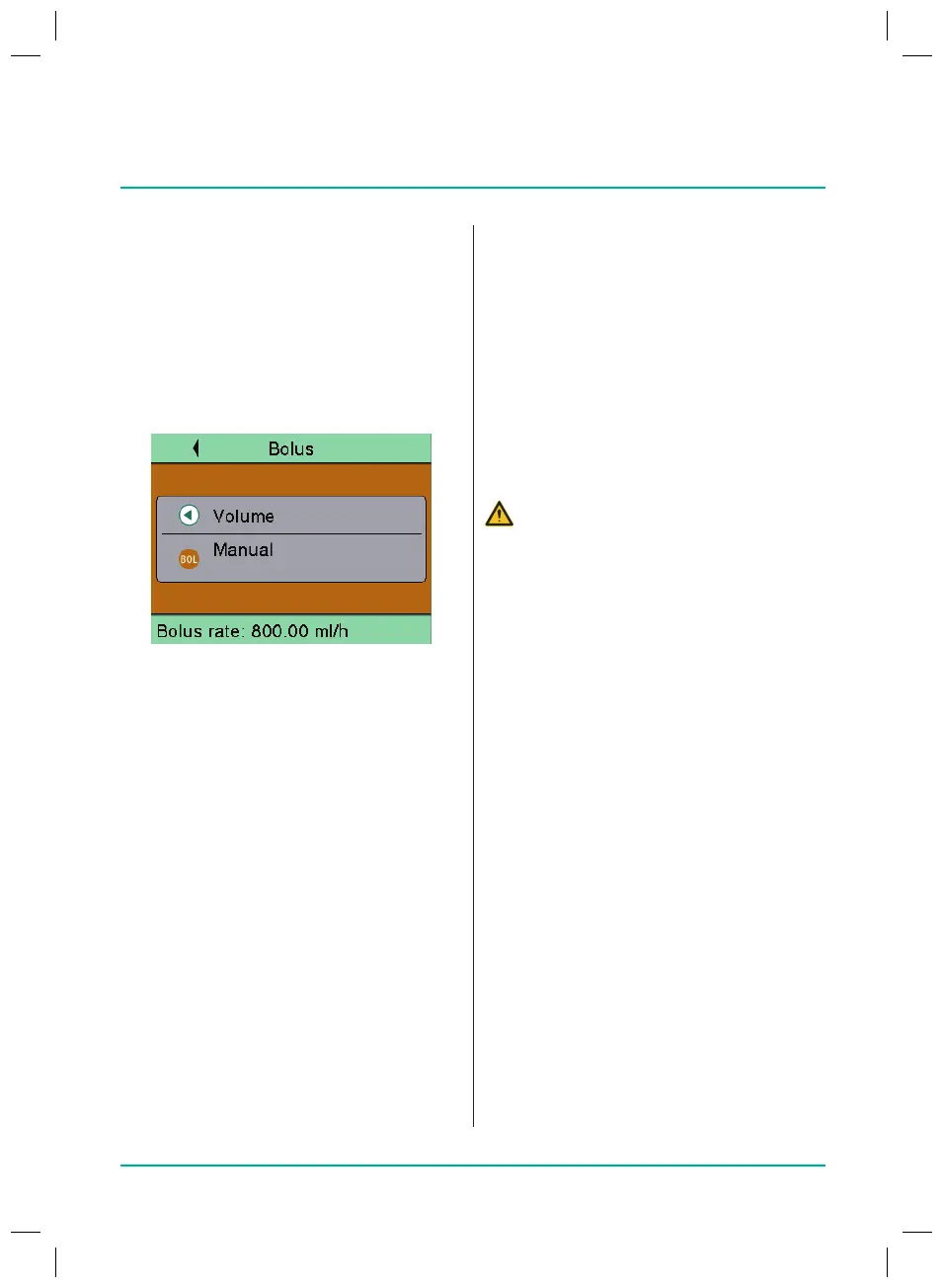
Press the Bolus key to call up the
bolus menu.
Entering the bolus volume
Q
Press the left arrow key and enter the
desired bolus volume.
Q
Press the Bolus key to start bolus
administration.
Entering the bolus duration (optional)
Q
Press OK to conrm the entry of the
bolus volume.
Q
Select Bolus duration and press OK
toconrm.
Q
Entering the desired bolus duration.
The bolus rate is calculated.
Q
Press the Bolus key.
The bolus administration is started.
After the time has elapsed, the bolus
administration is ended and the infu-
sion continued.
8.8
Administering a bolus
There are three dierent options for bolus
administration:
Q
Manual bolus
Q
Bolus with preselection of the bolus
volume
Q
Bolus with preselection of the bolus
volume and the bolus duration
Note: If the bolus administration is not
started after the Bolus key is pressed, the
device automatically returns to the delivery
screen for the ongoing infusion.
Note: The pressure alarm threshold is
automatically increased to 9 during bolus
administration.
8.8.1
Administering a manual bolus
Q
Press the Bolus key.
The “Bolus” screen is displayed.
Q
Press the Bolus key again and hold it
down.
Fluid is delivered as long as the key is
pressed or until the maximum duration/
dose have been reached. The delivered
bolus volume is displayed.
Q
Release the Bolus key.
The bolus administration is ended and
the infusion continued.
38932401_Infusomat_compactPlusP_EN_IFU_1020_v5.indd 30 15.10.2020 17:47:28















 To Next Page