5. Installing ClickShare
Necessary parts
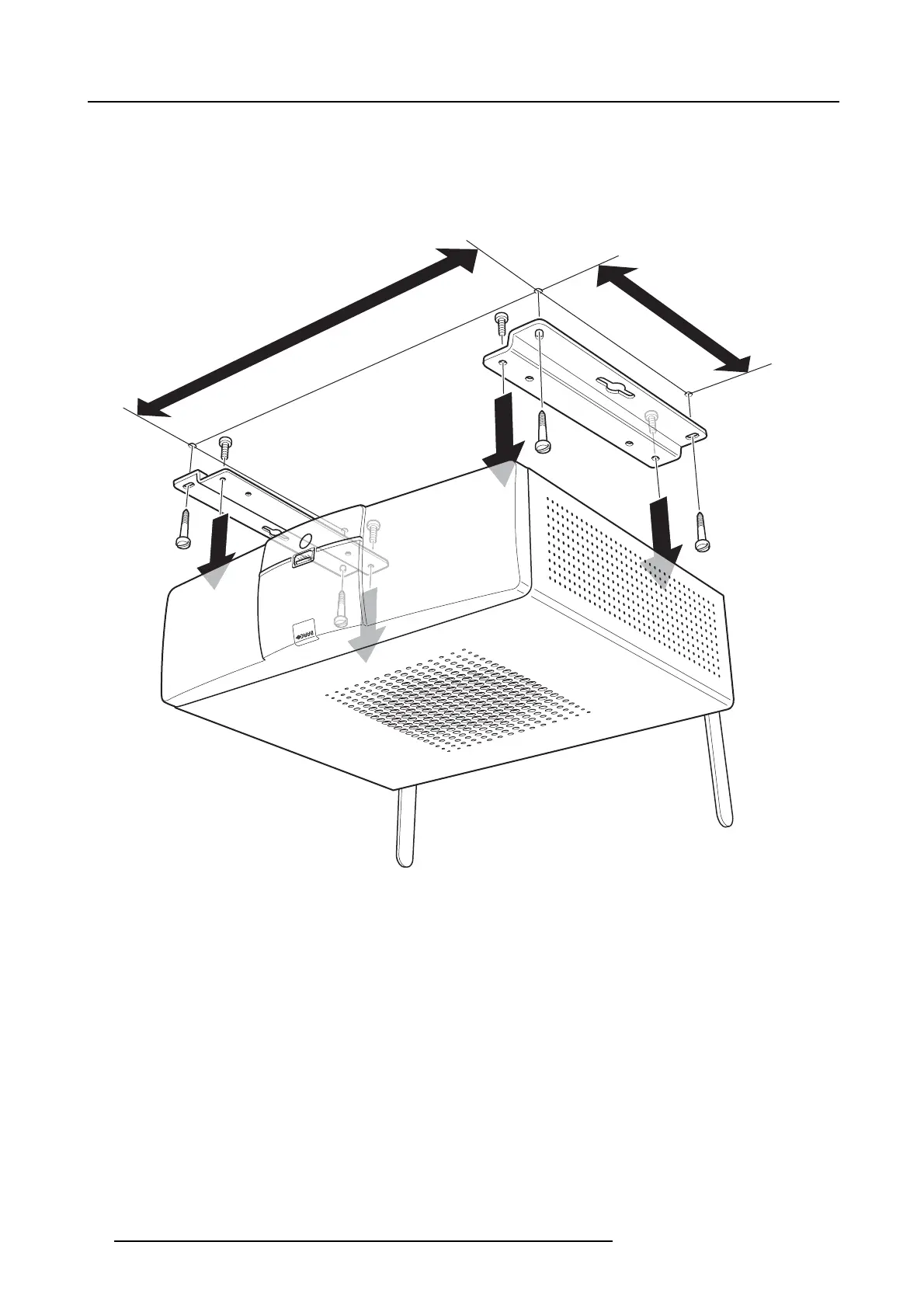
• Mounting brackets (included in the ClickShare box)
• 4 mounting screws and corresponding screwdriver (not included)
How to install
1. Drill four holes in the ceiling according to the dimensions indicated in the picture below (length: 277mm, depth: 157mm)
277mm
157mm
Image 5-2
Ceiling mount
2. Remove the four Pan Head T10 M3 screws at the bottom of the Base Unit.
26
R5900006 CLICKSHARE 04/12/2013















 To Next Page