601–0445 /05 Loki 103
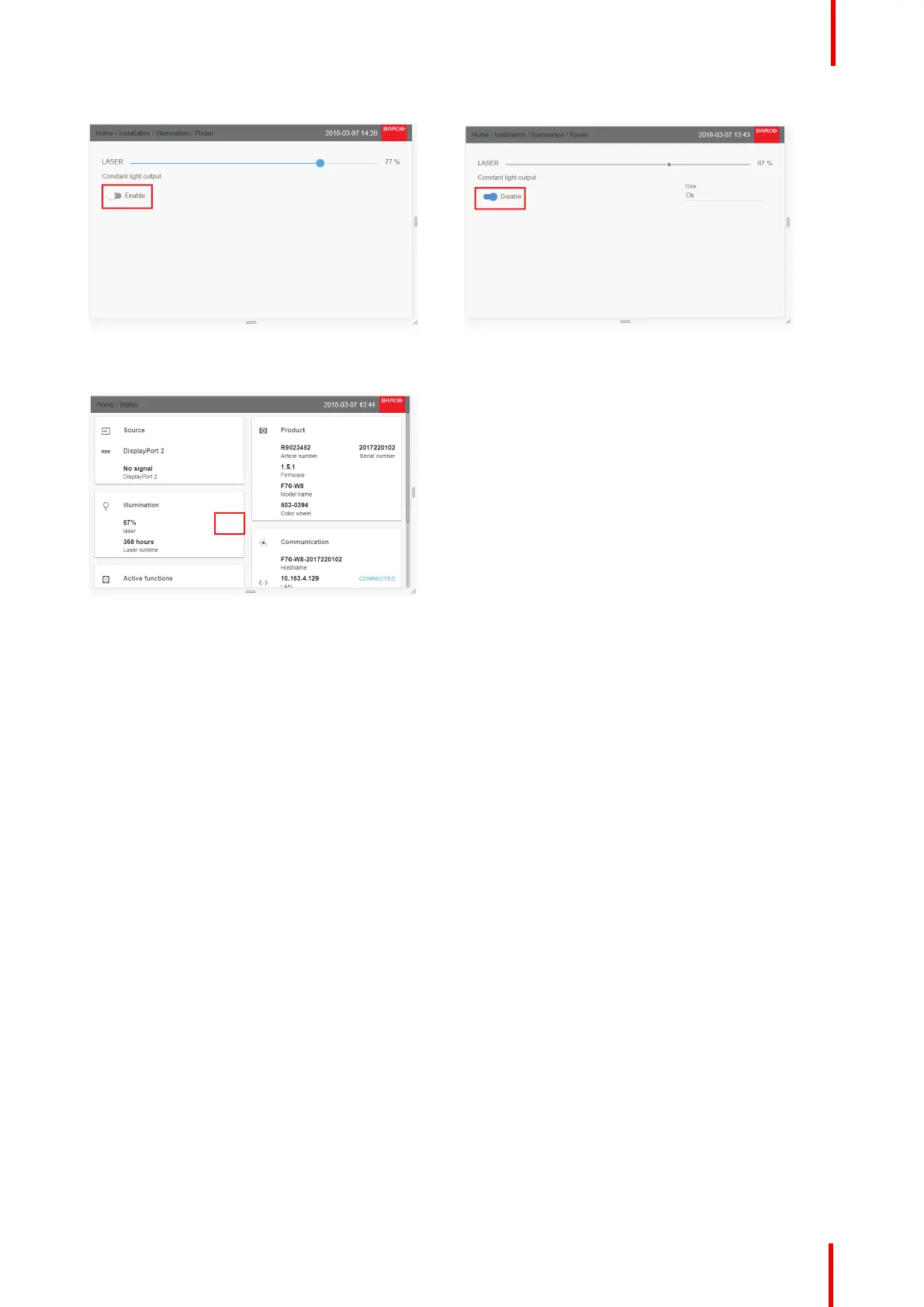
Image 8-62 Image 8-63
When the CLO is activated, this will be indicated in the status menu in both LCD and OSD.
Image 8-64
Dimmable CLO
This will enable the users to calibrate luminance, and not only laser power in both single and multi-channel
setup. This enables the CLO to maintain and adjust the light output. In multi-channel setup this make it
possible to be able to dim the entire image using the same scale value on all channels.
This functionality is particularly useful for multi-channel installations. Only available through API commands,
and is by that not accessible via the projectors User Interface.
8.8 Display setup
About
All sub-menus, except from the IG Pixel shift, are described in other topics in this manual, where they more
naturally belong.
8.8.1 IG Pixel shift
General
IG pixelshift is a feature where the Image Generator can process the image in two channels.
This two input channels have different positions of the pixelshift module. Channel 1 is displayed with module
position 1, and channel 2 is displayed with position 2. The result is a 4K rendering of the displayed image.
Max frequency pr channel. is 60 Hz.
Only DVI or Displayport inputs on the projectorcan be used for this purpose.
Installation menu



 To Next Page