8 Disassembly/Reassembly
8-6 FLO-GARD 6201 VOLUMETRIC INFUSION PUMP SERVICE MANUAL 07-19-B1-688
7. Reassemble the housings in the following order:
7.1 Replace the ground wire.
7.2 Stand the front housing up. Make sure that the connector flange
is unlocked and reconnect the ribbon cable connector. Push in
the flange to hold the cable in place. Use double sided tape as
necessary.
7.3 Reconnect CN1, CN751 and CN302 in that order.
7.4 Route the following wires between the front and rear housings
so that they are not pinched by internal components when the
housings are closed:
• Ground wire
• Battery harness
• Pump head harness
• Ribbon cable
7.5 Route the battery harness so that it is located over the battery
compartment and through the cut portion of the CPU and
Power Supply PCBs (Figure 11-2 , items 2 and 12).
7.6 Close the two housings by slightly lifting and moving the rear
housing slowly toward the front housing.
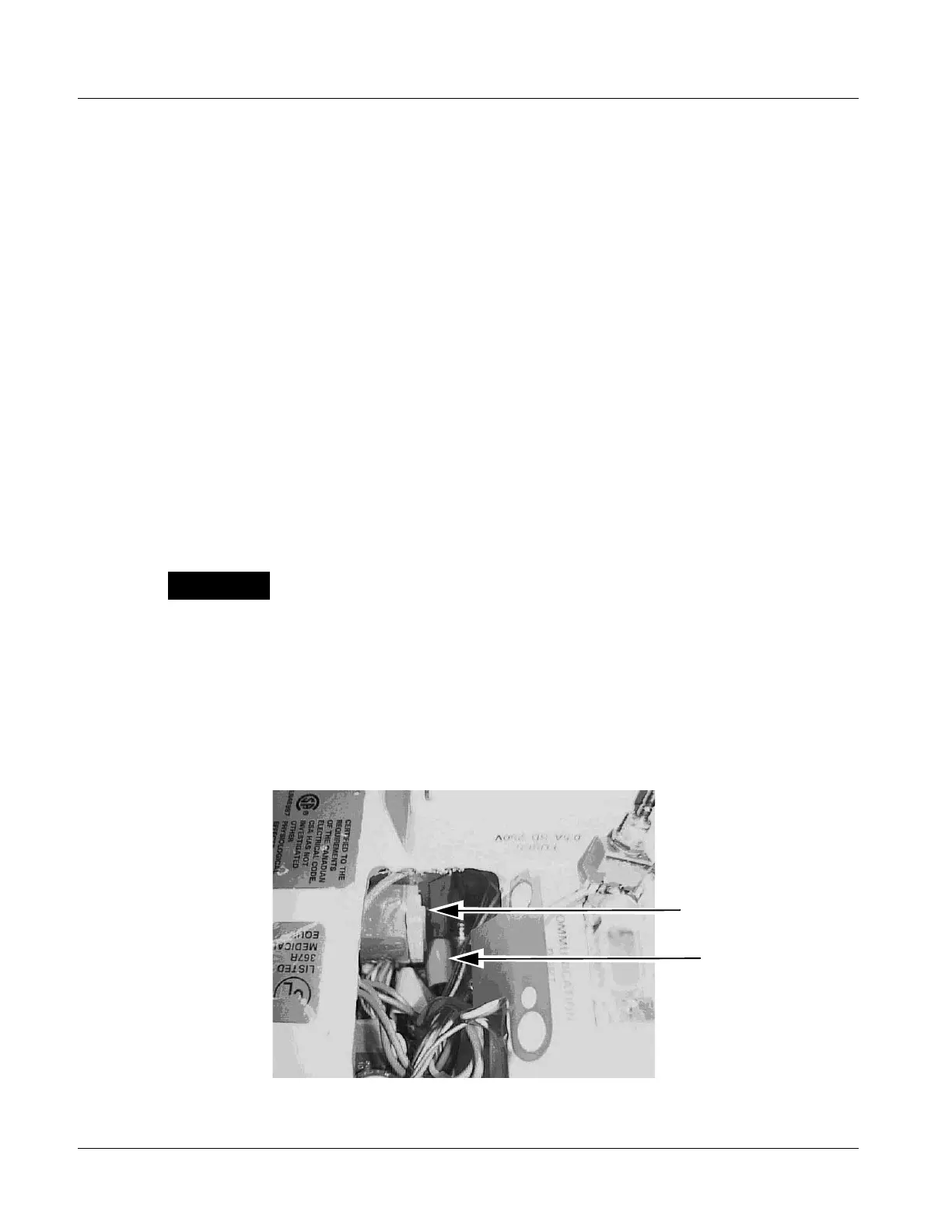
Note: Tilting the case halves apart or rocking them back and forth to align the cases
when the pump is standing up should be avoided. This action can cause the
corner of the transformer to snag the keypad ribbon. Figure 8-1 shows the
transformer and keypad ribbon.
Figure 8-1 Transformer and Keypad Ribbon Location
The CPU board (item 2) must be placed in the space between the battery
compartment and the power transformer mounting bracket. Do not hit the
EPROMs on the board against the battery compartment.



 To Next Page