MX680RD User’s Manual
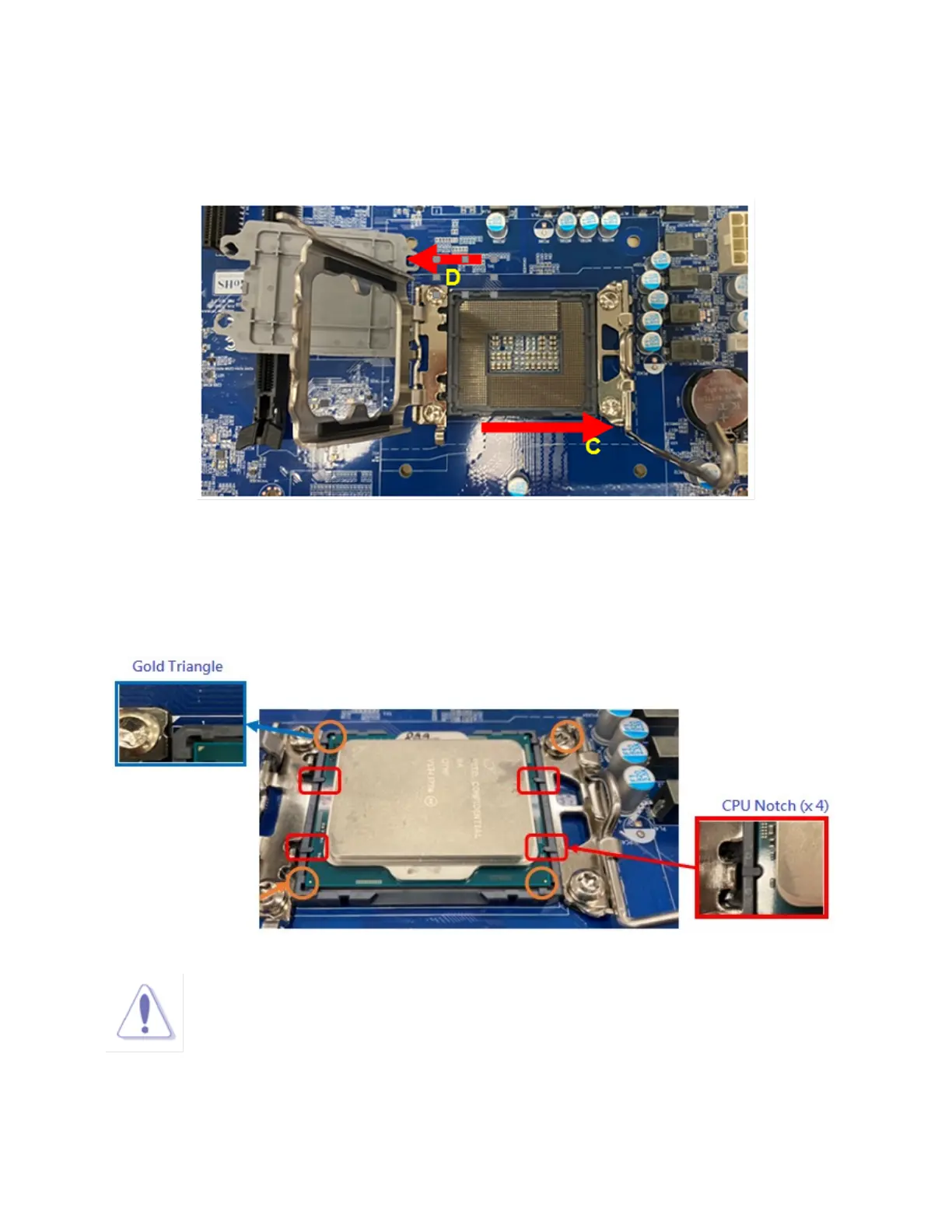
3. Lift the load lever with your thumb and forefinger to around 120º angle (C), then pull the CPU Socket
Cover (D) from the CPU socket.
4. Position the CPU over the socket, make sure that the gold triangle is on the top-left corner of the socket
Then fit the socket alignment key with CPU notch.
NOTE:
Do not discard this plastic “CPU socket cover”. Just in case if you need to RMA
this board in the future, you need to install this plastic protection cap in order to protect
the CPU socket.



 To Next Page