MX680RD User’s Manual
1.5.4 Uninstalling the CPU Heatsink and Fan
To uninstall the CPU heatsink and fan:
1. Disconnect the CPU fan cable from the CPU fan connector (“CPU_FAN1”) on the mainboard.
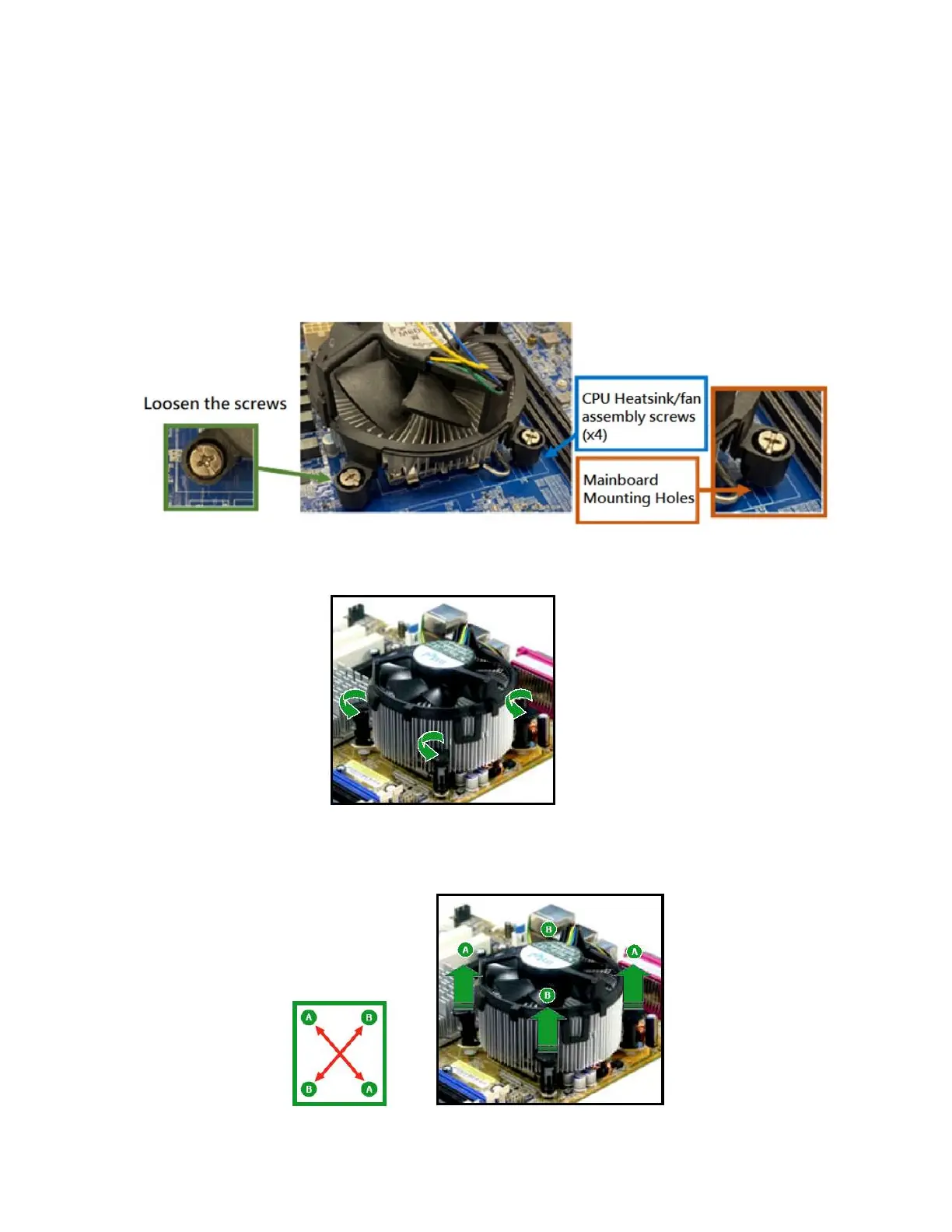
2A. If the heatsink/fan assembly is secured through 4 screws, loosen the screws. And then remove the
hestsink/fan and its mounting plate from the mainboard.
2B. If the heatsink/fan assembly is secured through the fasteners, rotate each fastener
counterclockwise.
And then pull up two fasteners at a time in a diagonal sequence to disengage the heatsink/fan
assembly from the mainboard.



 To Next Page