MX680RD User’s Manual
1.5.1 Installing the CPU
The CPU installation related information.
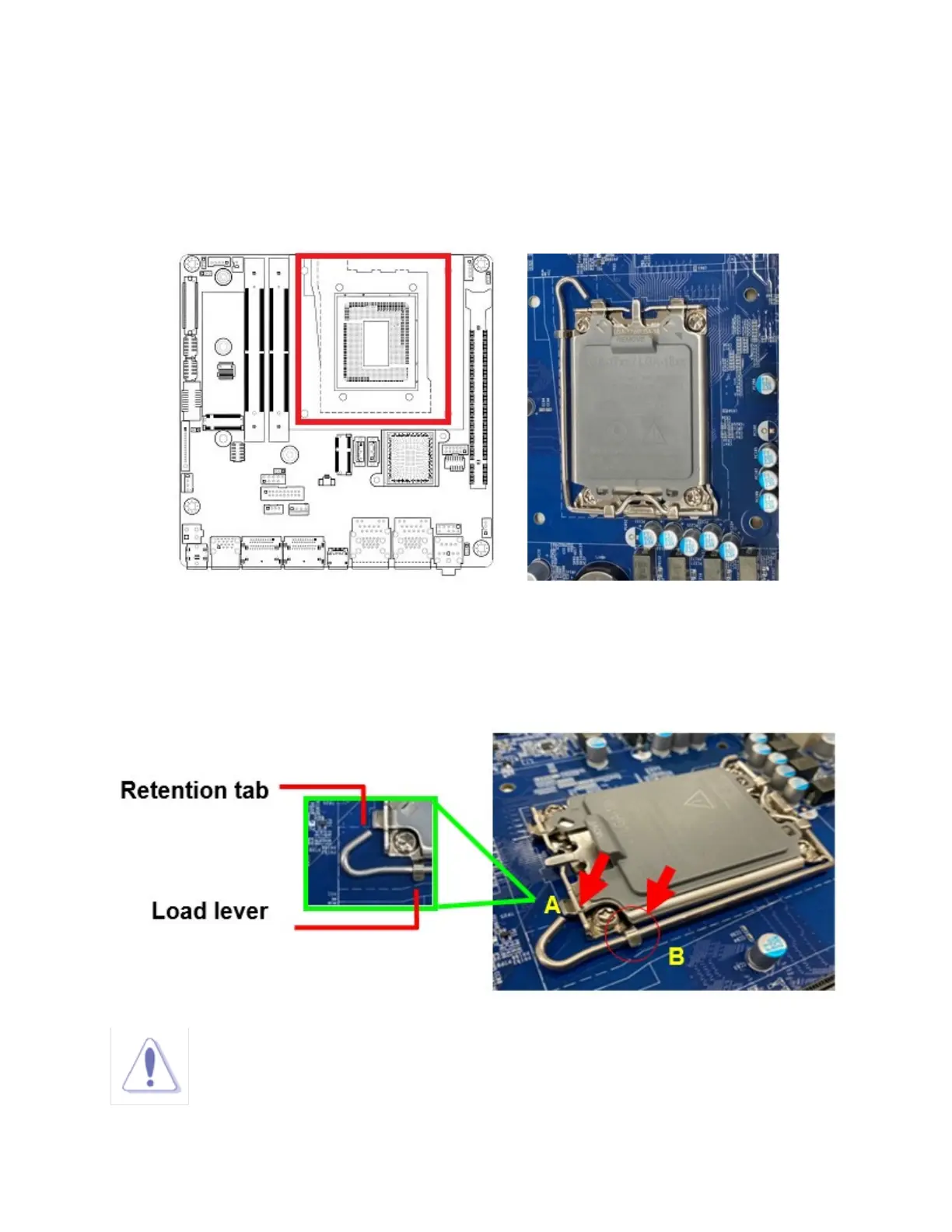
1. Locate the CPU socket (LGA1700 Socket) on the mainboard.
2. Press the load lever with your thumb at location (A), then move it toward right side (B) until it is released
from the retention tab.
NOTE:
To prevent damage to the socket pins, do not remove the “CPU Socket Cover”, unless
you are going to install a CPU.



 To Next Page