MX680RD User’s Manual
1.6.4 Uninstalling the DDR5 SODIMM
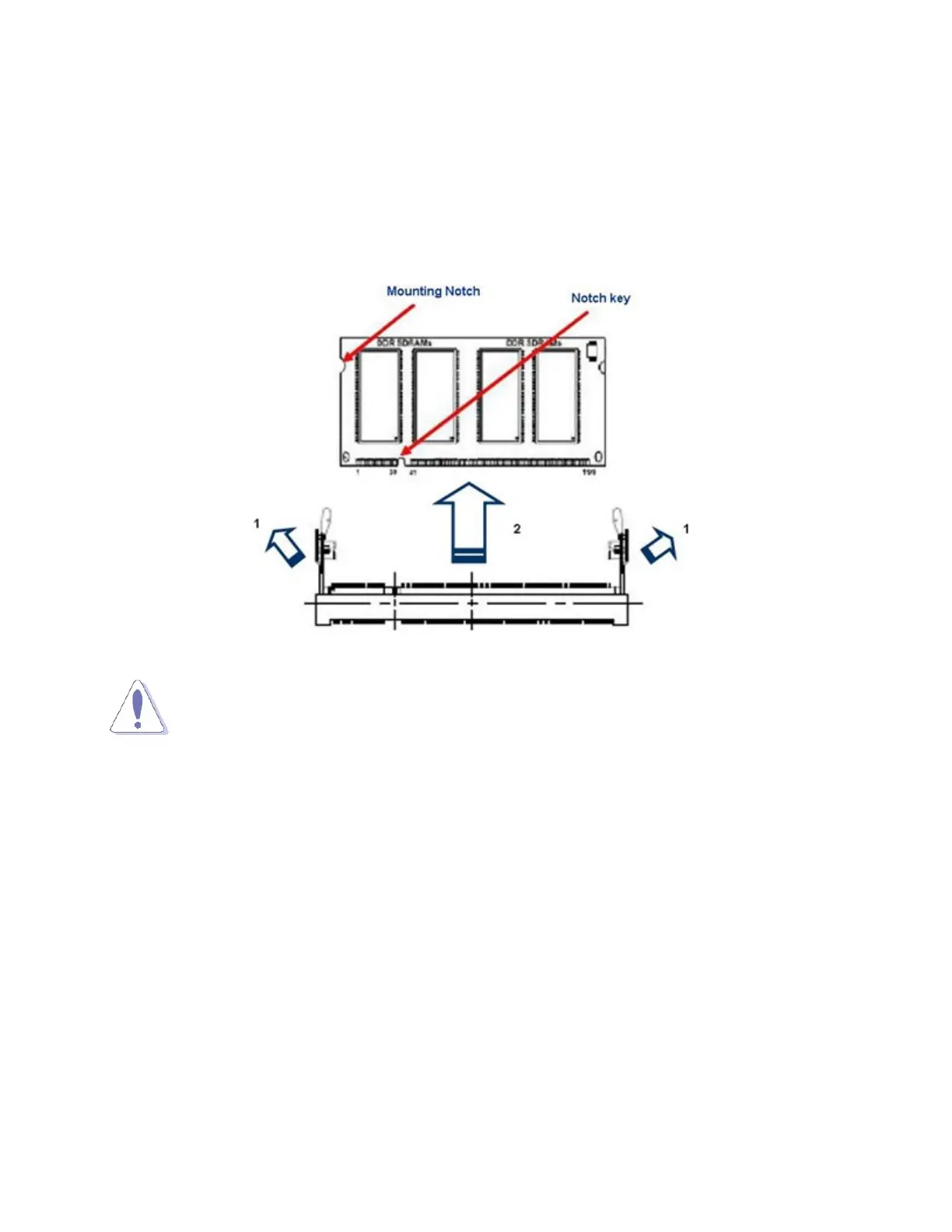
Follow these steps to remove SODIMM.
1. Press the two ejector tables on the socket outward simultaneously.
2. Pull out the SODIMM module from the socket.
NOTE:
Hold the SODIMM module gently when pressing the ejector tabs. The SODIMM might
get damaged when it flips out with extra force.
1



 To Next Page