BDCOM S6508 Switch Hardware Installation Guide
3.9 Removing the system Module
3.9.1 Removing steps
(1) Disconnect any network interface cables attached to the module.
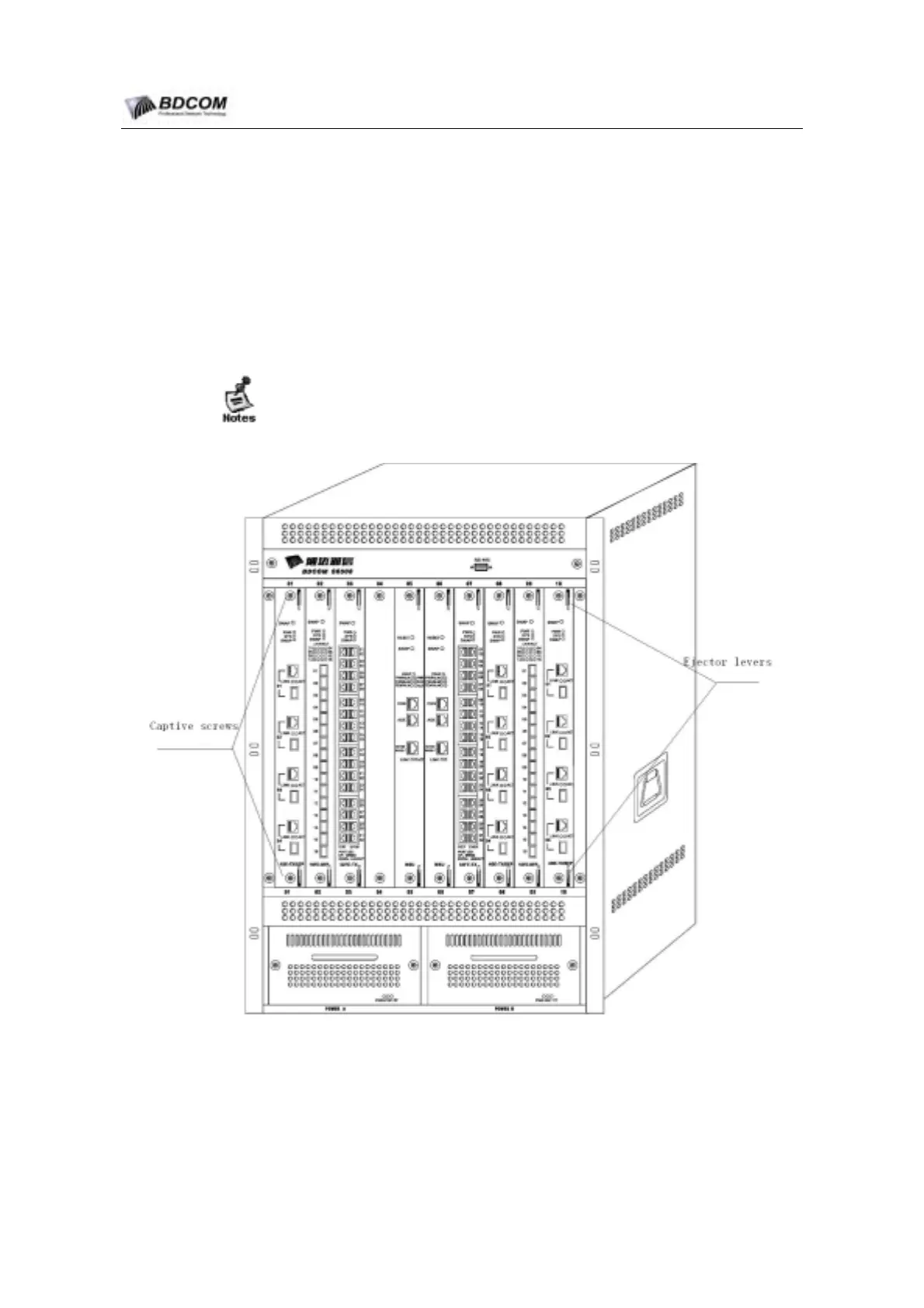
(2) Loosen the two captive screws on the module.
(3) Place your thumbs on the ejector levers, and simultaneously rotate the levers
outward to unseat the module from the backplane connector.
1) Before remove the module,confirm that ESD wrist have be worn.
2) Handle module by available handles or edges only; avoid touching the printed
circuit boards or connectors.
Figure 3-4 Captive Screws and Ejector levers view
- 38 -



 To Next Page