Embroidery preparation
28
2 Embroidery preparation
2.1 Accessory box
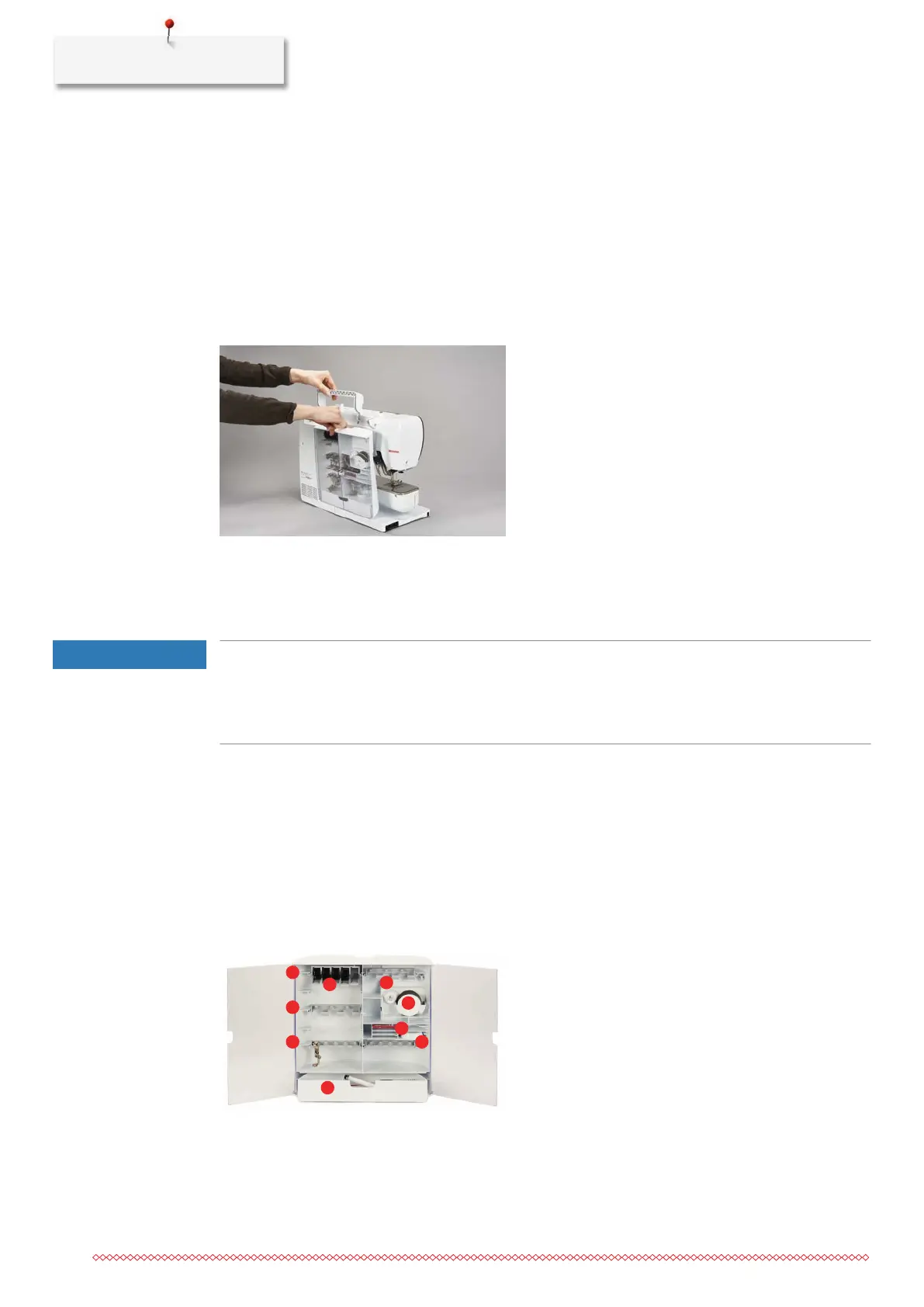
Removing and attaching the accessory box
The accessory box is fixed to the machine by means of four magnets. When attaching, the drawer has to be
integrated in the accessory box.
> Turn the carrying handle up and hold it in place.
> Tilt the accessory box slightly forward and pull it off.
> Close the doors of the accessory box.
> Attach the accessory box to the machine, having the back towards the machine.
Storing accessories
NOTICE
Incorrect sorting of the bobbin
The silvery sensor surface can get scratched.
> Make sure that the silvery sensor surfaces are on the right side when sorting the bobbins into the
accessory box.
> Insert the holders (1) for bobbins, feet and needles.
> Store small parts in the drawer (2), e.g. oiler.
> Insert the bobbins into the compartment (3) of the accessory box so that the silvery sensor surfaces are
on the right side.
> To remove a bobbin, press the compartment holder down.
> Place small and medium-sized spool discs onto the pen (4).
> Store foam pads in the compartment (5).
> Store the provided needle package in the special compartment (6).
> Store the embroidery feet (5.5mm or 9.0mm) in the holders (1).



 To Next Page