Creative embroidering
86
Changing the thread brand
> Select the embroidery motif.
> Touch the icon «Color information».
> Touch the icon «Alter color/brand».
> To show more thread brands, touch the icons «Scroll left» and «Scroll rights» in the upper part of the
screen.
> Touch the icon «Allocate thread brand».
– Any thread colors of the selected embroidery motif will be matched with the selected thread brand.
5.10 Embroidering the embroidery motif
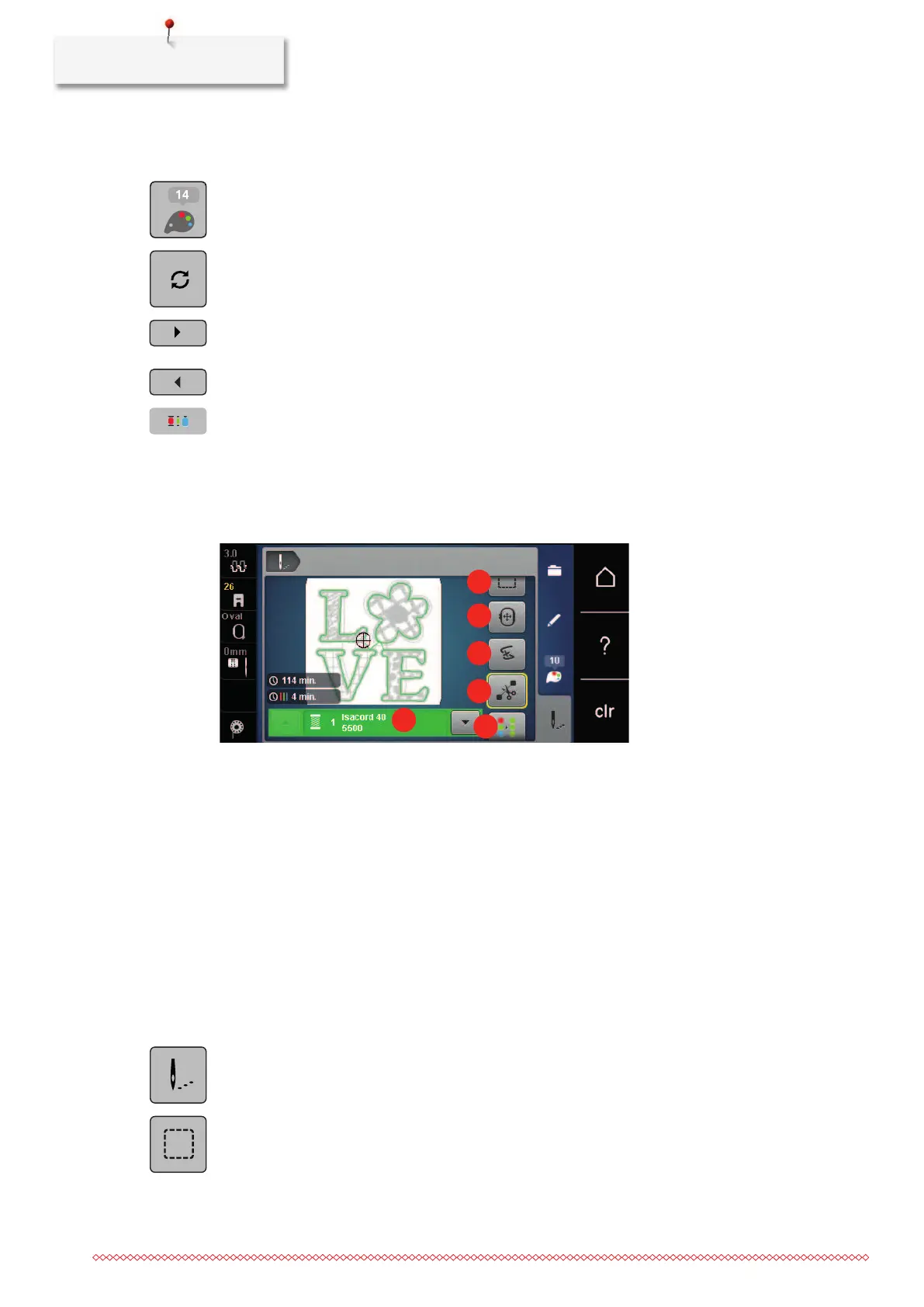
Overview Embroidery menu
1 Basting 6 Increasing the embroidery speed (appears by
scrolling)
2 Moving the hoop 7 Reducing color changes (appears by scrolling)
3 Embroidery sequence control when thread
breaks
8 Endless Embroidery (appears by scrolling)
4 Cutting connecting stitches 9 Color indication
5 Multi-colored embroidery motif on/off
(appears by scrolling)
Adding basting stitches
The basting stitches can be embroidered along the embroidery hoop or along the embroidery motif.
Therefore the connection between the fabric and the stabilizer can be improved.
> Select an embroidery motif.
> Touch the icon «Embroidering».
> Touch the icon «Basting» to embroider basting stitches along the embroidery motif.
> Touch the icon «Basting» again to embroider basting stitches along the embroidery hoop.
> Touch the icon «Basting» again to deactivate the basting stitches.



 To Next Page