Creative embroidering
74
Endless embroidery
When embroidering a trim, it is advantageous to use the «Mega Hoop» (optional accessory). The
embroidering project therefore does not have to be re-clamped as frequently. We recommend marking
guide lines on the fabric and using the pattern when clamping and re-clamping in the hoop. In doing so, the
guide lines must run parallel to the pattern. The following example uses the enclosed «
Oval Hoop».
> Select an embroidery motif.
> Touch the icon «i»-Dialog.
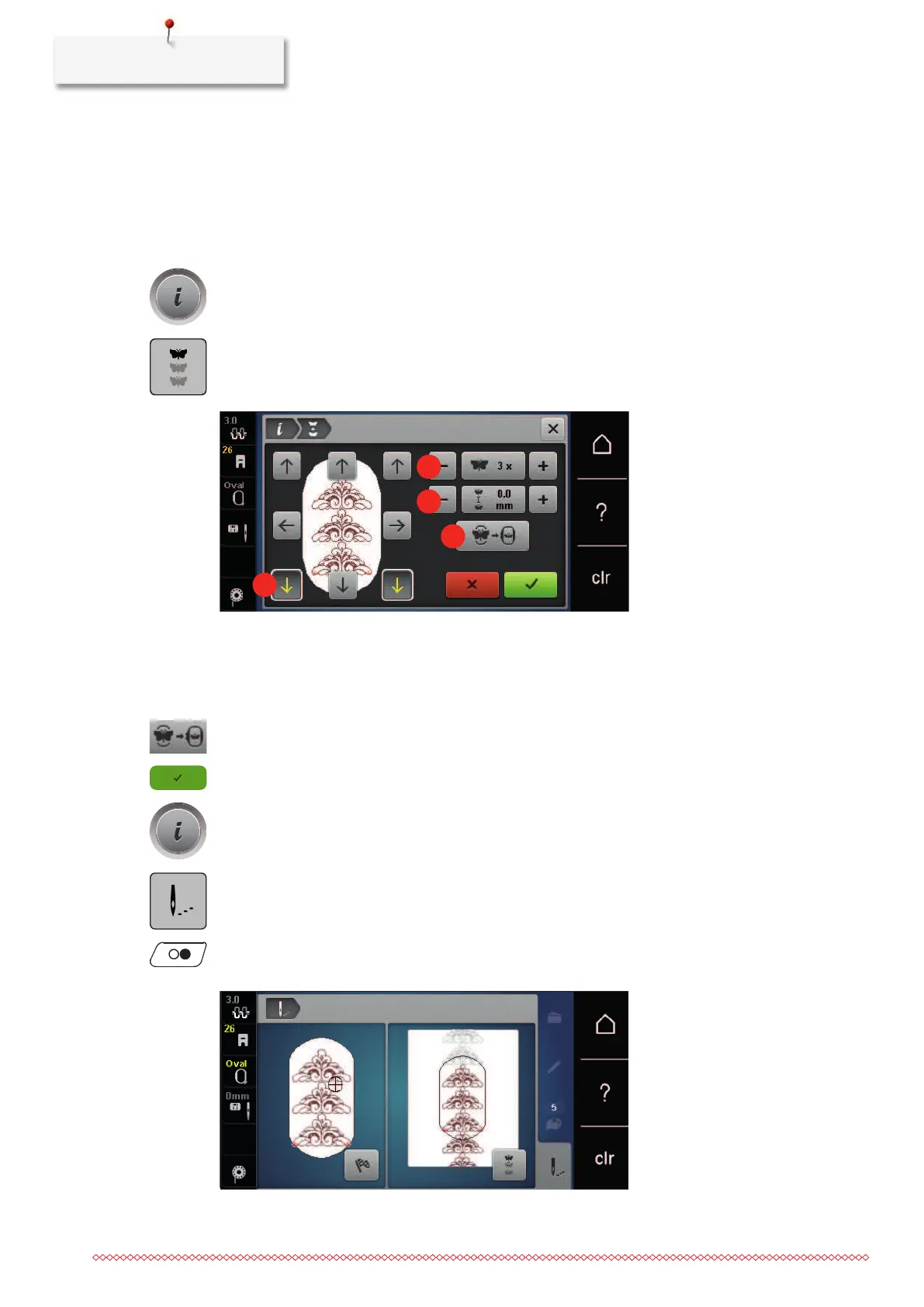
> Touch the icon «Embroider trims».
– The embroidery motif is duplicated to the optimum number, suitable for the hoop.
– The reference points, which are required when re-clamping the fabric, are inserted.
> If required, use the arrow icons (1) to insert additional reference points.
> Turn the «Upper multifunction knob» or
> touch the icons «-/+» (2) to set the number of embroidery motifs.
> Turn the «Lower multifunction knob» or
> touch the icons «-/+» (3) to set the distance between the embroidery motifs.
> Touch the icon «Adapt embroidery motif size to the hoop» (4) to automatically adapt all of the
embroidery motifs to the hoop.
> Touch the icon «Confirm».
> Touch the icon «i»-Dialog.
> Touch the icon «Embroidering».
> Touch the icon «Start/Stop» and embroider the trim.
– The embroidery motif must be embroidered already.



 To Next Page