Creative embroidering
76
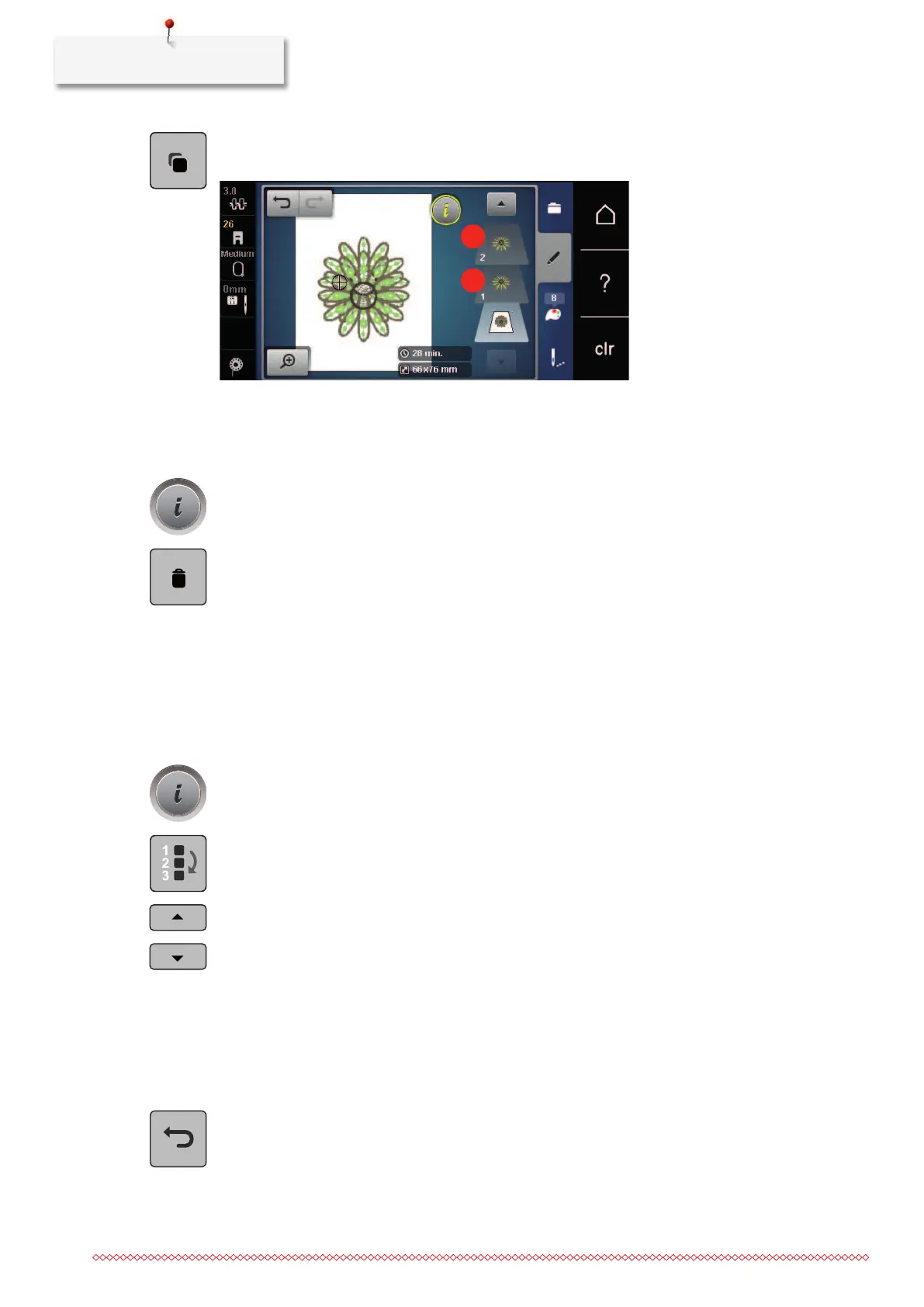
> Touch the icon «Duplicate».
– The embroidery motif (1) is duplicated (2).
Deleting an embroidery motif
The active embroidery motif is deleted.
> Select an embroidery motif.
> Touch the icon «i»-Dialog.
> Touch the icon «Delete».
Changing the sequence within an embroidery motif combination
The sequence of the embroidery motifs within the embroidery motif combination can be changed.
Prerequisite:
• The embroidery motif combination has been created or the motif has been ungrouped.
> Select the desired embroidery motif which is to be repositioned.
> Touch the icon «i»-Dialog.
> Touch the icon «New Allocation».
> Touch the icon «Scroll up» to position the selected embroidery motif further up within the sequence.
> Touch the icon «Scroll down» to position the selected embroidery motif further down within the
sequence.
Undoing entries
All entries can be undone and redone again step by step.
Prerequisite:
• An embroidery motif has been selected and alterations have been done.
> Touch the icon «Undo» to cancel the last entry.
> Touch the icon «Undo» several times to cancel the last entries step by step.



 To Next Page