Embroidery preparation
32
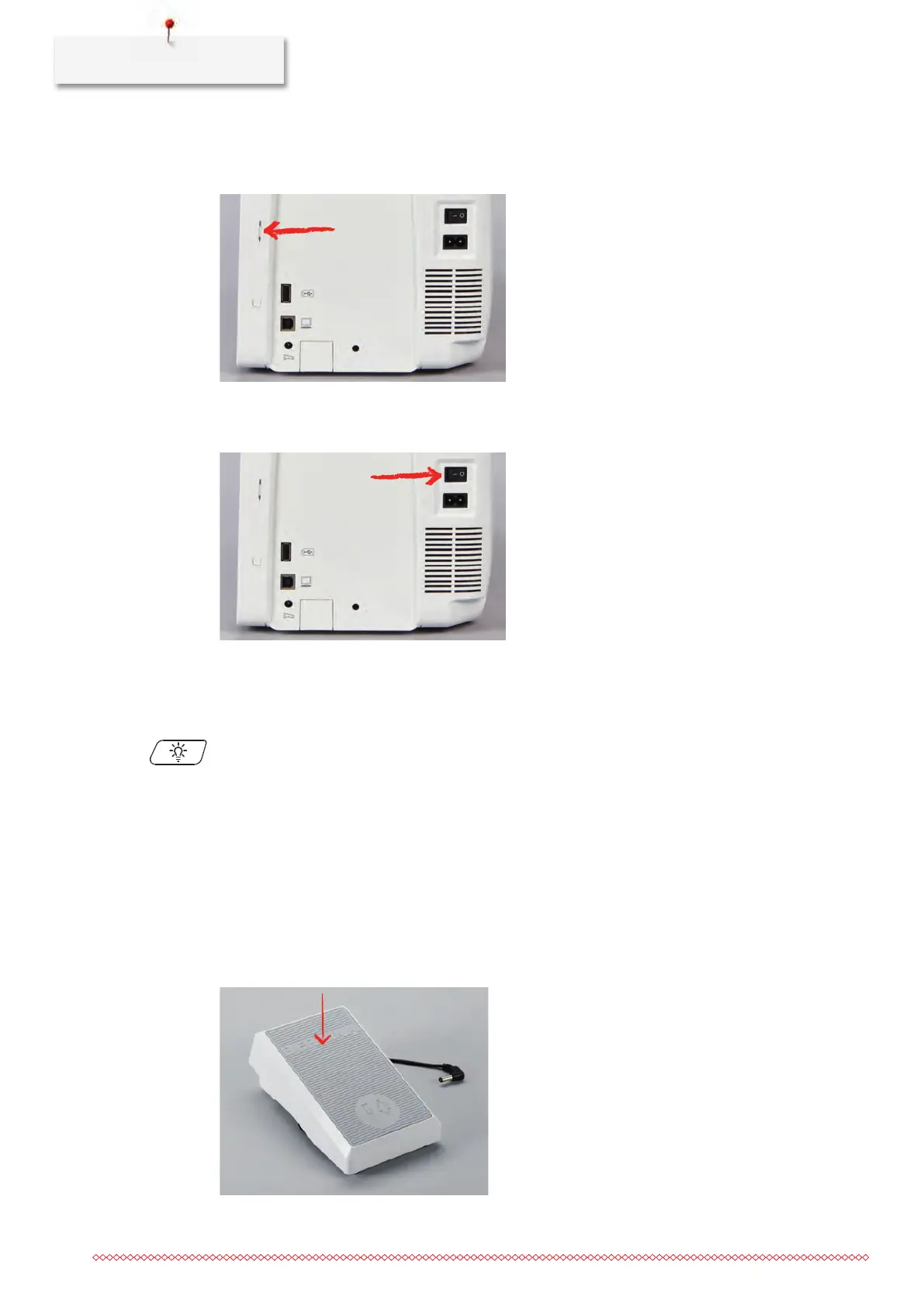
Fixing the touchscreen pen
> Store the touchscreen pen at the magnet holder.
Switching the machine on
> Switch on the machine at the main switch to «I».
Switching on the sewing light
Prerequisite:
• The sewing light has to be activated in the Setup Program.
> Push the button «Sewing light» to switch the sewing light off.
> Push the button «Sewing light» again to switch the sewing light on.
– The sewing light can also be switched on and off in the Setup Program. (see page60)
2.3
Foot control (Optional accessory)
Regulating the speed via the foot control
Via the foot control the speed can be adjusted steplessly.
> Press the foot control down carefully to start the machine.
> To embroider faster, press the foot control harder.
> Release the foot control to stop the machine.



 To Next Page