Creative embroidering
73
Changing the stitch type
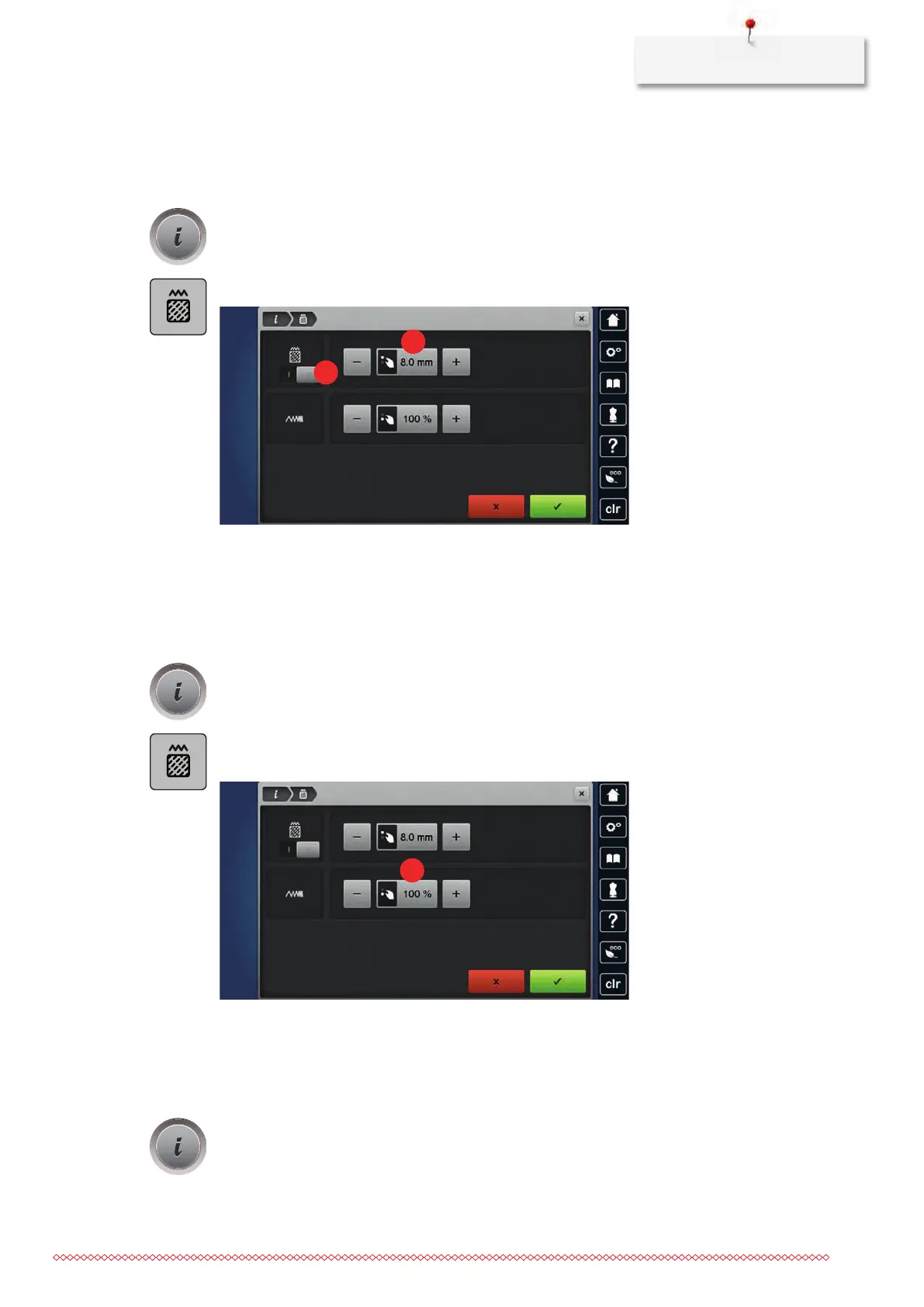
If the satin stitches are too long, they can be changed to step stitches.
> Select an embroidery motif.
> Touch the icon «i»-Dialog.
> Touch the icon «Change the stitch type».
> Touch the switch in the upper section of the display (1) to change the satin stitch to the step stitch.
> Adjust the desired stitch length (2) with the icons «-» or «+».
Altering the stitch density
If the satin stitches are embroidered too densely, the stitch density can be adjusted.
> Select an embroidery motif.
> Touch the icon «i»-Dialog.
> Touch the icon «Change the stitch type».
> Adjust the desired stitch density (1) with the icons «-» or «+».
Checking the embroidery motif size and position
It can be checked whether or not the embroidery motif matches the designated position/location on the
fabric. Points which are beyond the embroidery hoop are not traveled to.
> Select the embroidery motif.
> Touch the icon «i»-Dialog.



 To Next Page