Creative embroidering
92
The movability of the embroidery arm can be limited or impeded with very narrow tubes. Therefore please
make sure that the embroidery hoop can move forwards and backwards sufficiently. An impediment of the
embroidery arm caused by a tube which is too tight can result in embroidery motif offset or in damaging the
fabric.
Check the movability of the free arm
Please note: With tiny fabric tubes, deactivate the thread-away in the Setup Program if necessary.
> Open the embroidery motif on the machine and edit as desired.
> Mark the embroidery motif position and the size on the fabric in a suitable way.
> Select the embroidery hoop as small as possible.
> Hoop or stick the fabric along with the appropriate stabilizer in the embroidery hoop, depending on the
stabilizer.
> Pull the fabric tube carefully over the free arm of the machine and attach the embroidery hoop at the
clutch of the embroidery module.
> If necessary, reposition the embroidery motif.
> Previously check whether the embroidery hoop can be moved forwards and backwards according to the
embroidery motif size.
> Touch the icon «Check embroidery motif size».
> After the successful check of the embroidery motif size, start the embroidery process.
Detailed instructions about embroidery, the use of suitable materials or selecting the required embroidery
settings of the machine can be found in the «Tutorial» under embroidery techniques --> Embroidering.
5.12
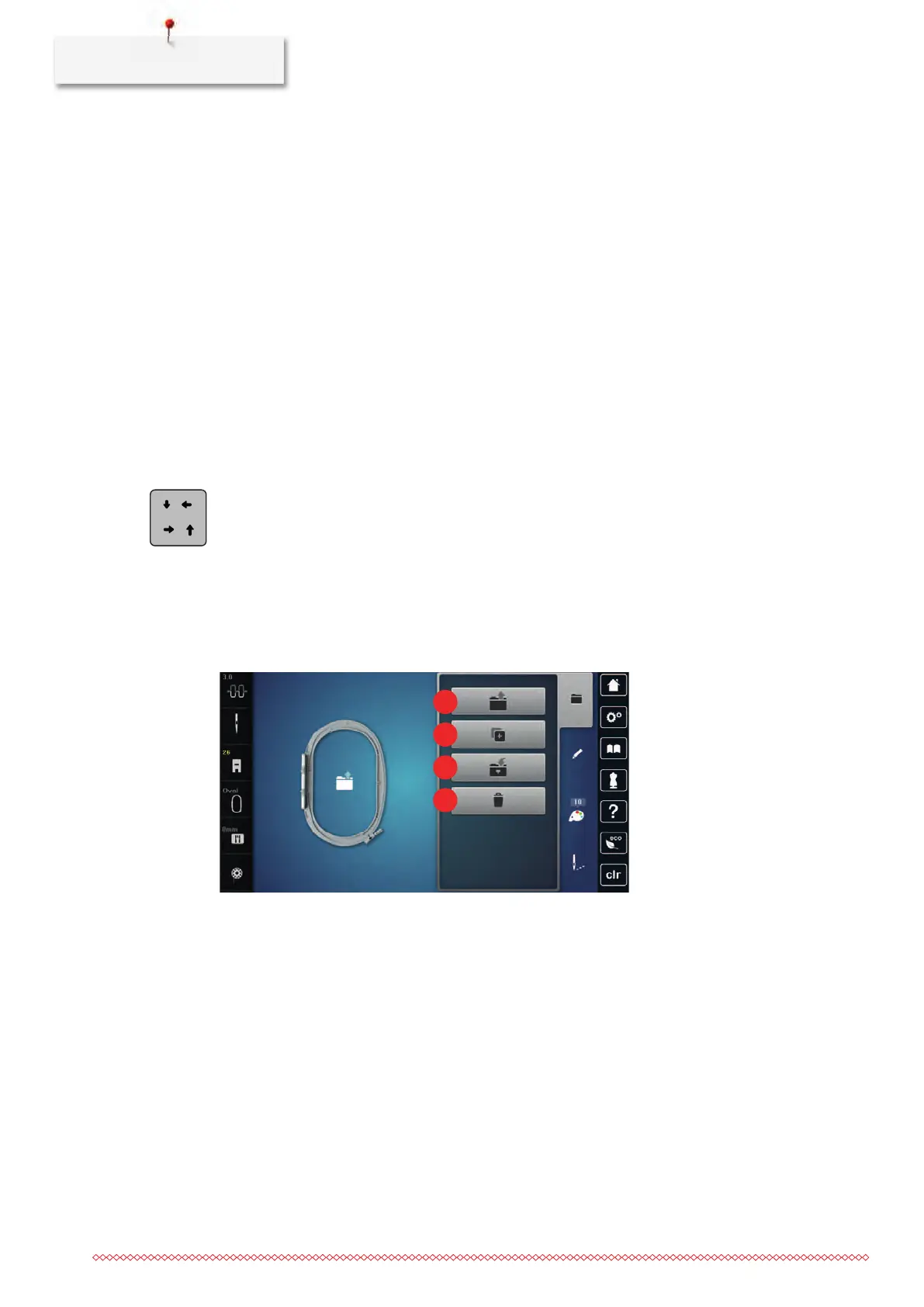
Administering embroidery motifs
Administering embroidery motifs
1 Loading the embroidery motif 3 Saving the embroidery motif
2 Adding an embroidery motif 4 Deleting



 To Next Page