Creative embroidering
87
> Touch the icon «Color selection by number» to select the color by entering the color number.
> Select the desired color.
> The color selection must be confirmed by touching the color bar on the right side.
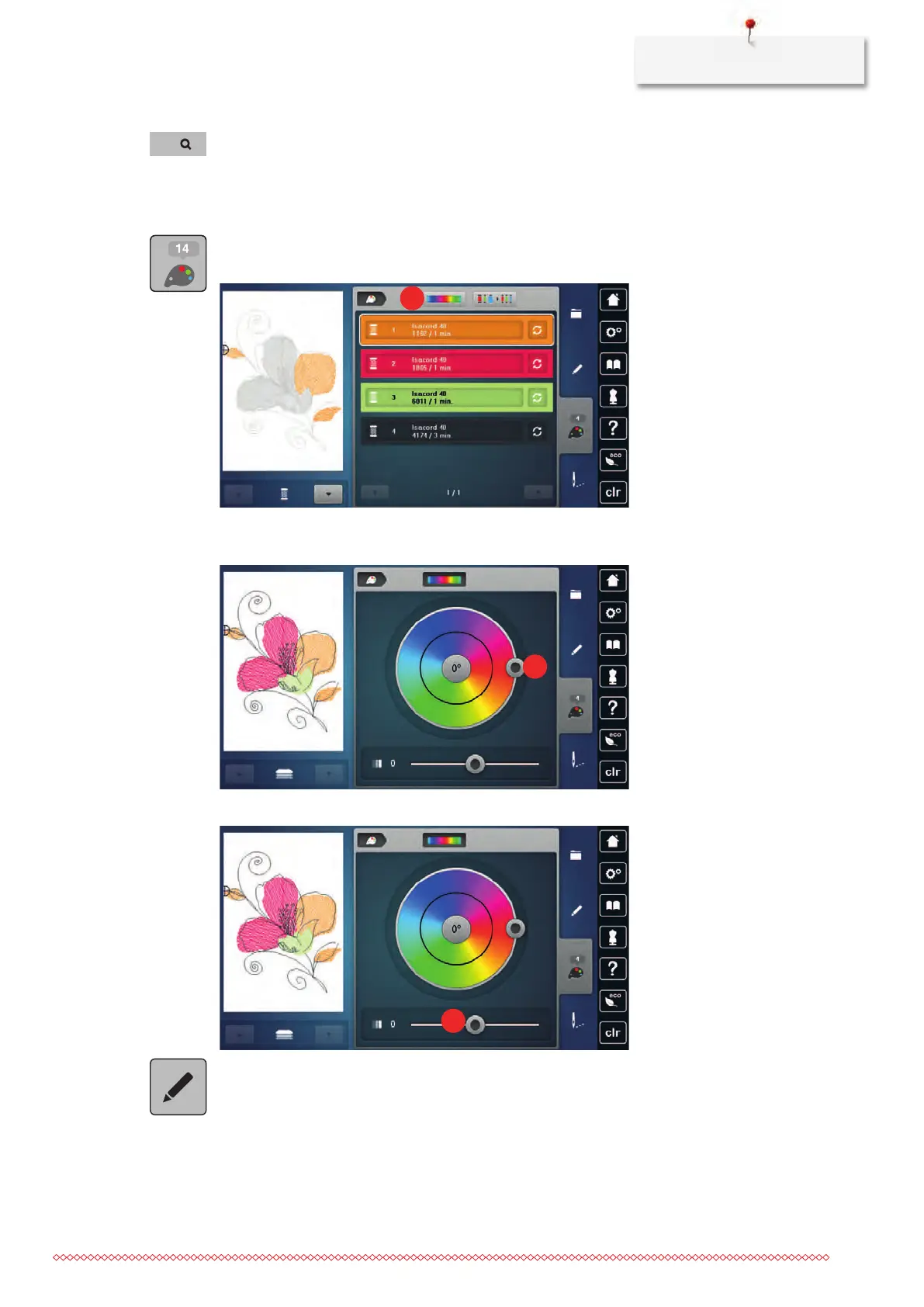
Altering the colors via the color wheel
> Touch the icon «Color information».
> Touch the icon «Color wheel» (1).
> Turn the round knob (2) with the the touchscreen pen/finger clockwise or counter-clockwise or turn the
«Upper Multifunction knob» to alter the colors of the embroidery motif.
> Move the slide (3) with the the touchscreen pen/finger to alter the brightness of the colors.
> Touch the icon «Edit».
– The embroidery motif appears in the new colors.



 To Next Page