Embroidery preparation
39
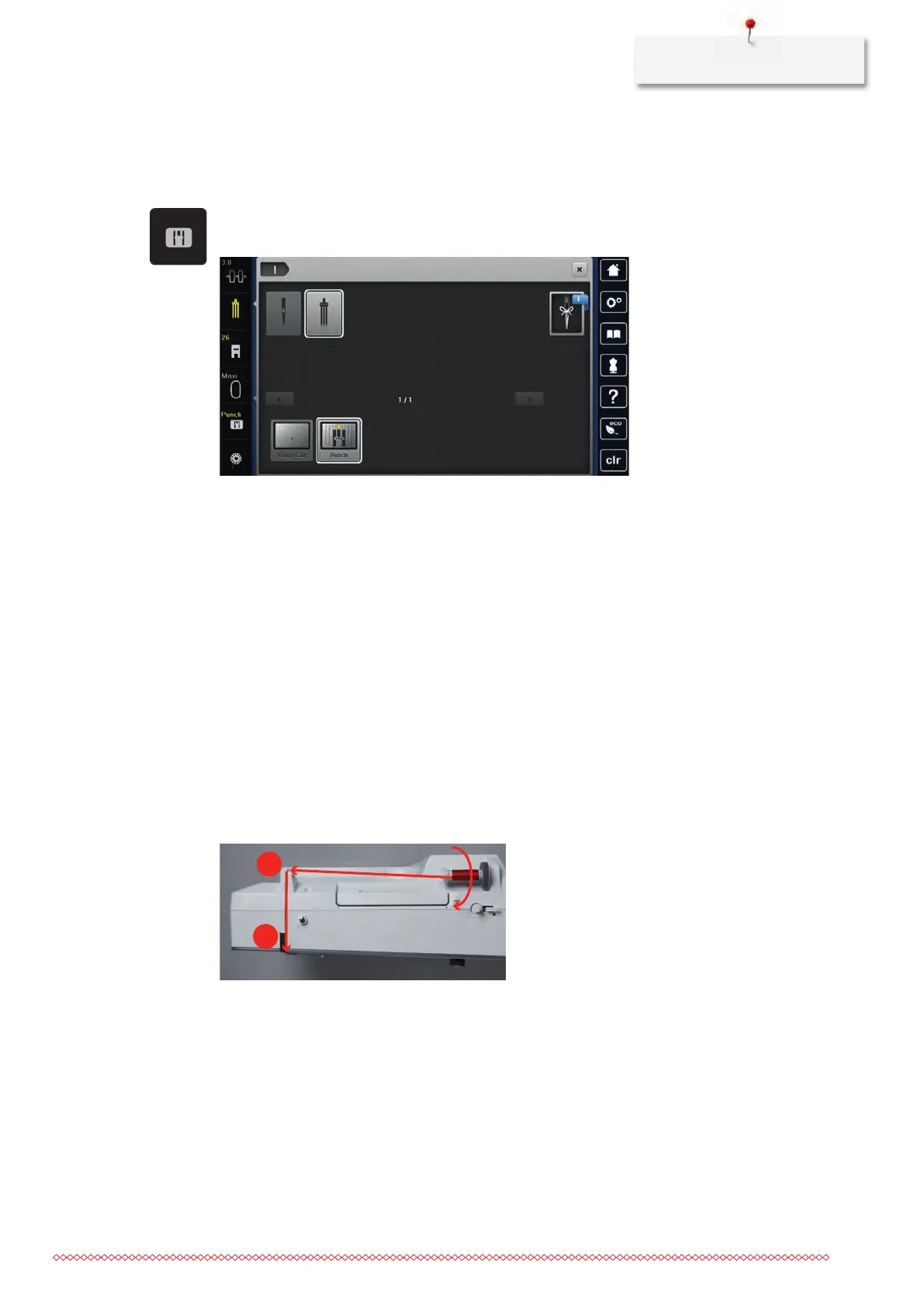
Selecting the stitch plate in the User Interface
After having replaced the stitch plate, it can be checked whether it can be used together with the selected
needle.
> Touch the icon «Stitch plate selection».
> Select the attached stitch plate (PunchWork, optional accessory).
– If the selected needle is suitable in combination with the stitch plate, embroidering can be started
– If the selected needle is not suitable in combination with the stitch plate, starting the machine is
automatically prevented
2.8
Threading
Threading the upper thread
Prerequisite:
• The needle and the presser foot are raised.
• The machine is switched off and disconnected from the power supply system.
> Place the foam pad on the spool holder.
> Place the thread spool on the spool holder so that the thread unwinds clockwise.
> Add the appropriate spool disc.
> Guide the thread in direction of the arrow through the rear thread guide (1) and hold the thread with the
hands so that it is taut and can be inserted into the thread tension.
> Guide the thread in direction of the arrow through the thread tension (2).
> Guide the thread downwards (3) around the thread take-up lever cover (4).
> Guide the thread upwards and insert into the thread take-up lever (5).



 To Next Page