Creative embroidering
71
Rotating motif
> Select an embroidery motif.
> Touch the icon «i»-Dialog.
> Touch the icon «Rotate the motif».
> Turn the «Upper Multifunctional knob» or the «Lower Multifunctional knob» to the right to rotate the
embroidery motif clockwise.
> Turn the «Upper Multifunctional knob» or the «Lower Multifunctional knob» to the left to rotate the
embroidery motif counter-clockwise.
> Touch the icon «Rotate the motif +90°» to rotate the embroidery motif in 90°-steps.
Altering the embroidery motif size proportionally
Enlargements or reductions of the motif size up to maximum 20% achieve the best results.
If the motif size is to be altered by more than 20%, the motif should be adapted in a separate
embroidery software and then reloaded onto the machine.
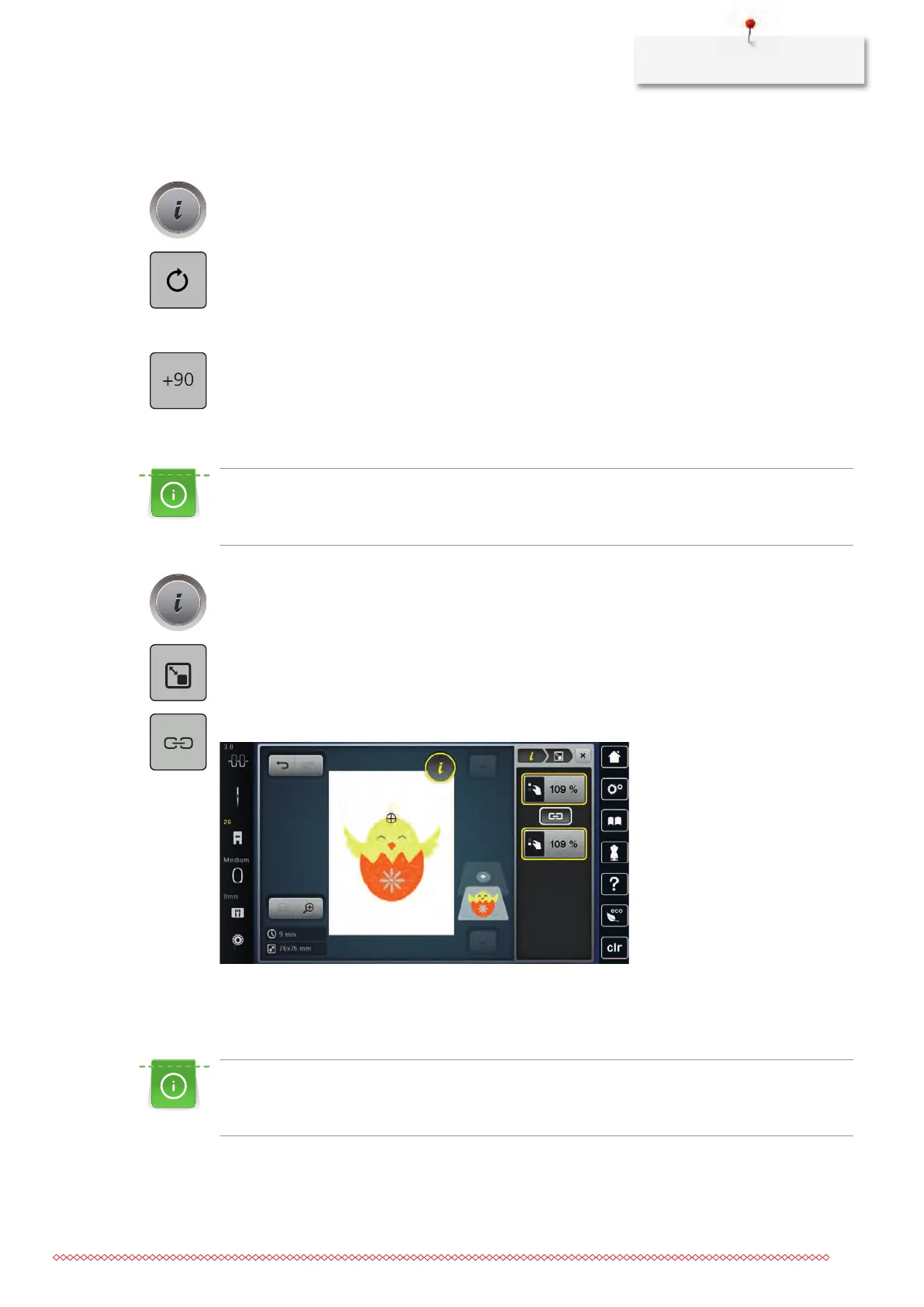
> Select an embroidery motif.
> Touch the icon «i»-Dialog.
> Touch the icon «Alter the embroidery size».
> Touch the icon «Retain the proportions» so that the icon is outlined in white.
> Turn the «Upper/Lower Multifunction knob» to the right to scale up the embroidery motif proportionally.
> Turn the «Upper/Lower Multifunction knob» to the left to downsize the embroidery motif proportionally.
Altering the embroidery motif size disproportionally
Enlargements or reductions of the motif size up to maximum 20% achieve the best results.
If the motif size is to be altered by more than 20%, the motif should be adapted in a separate
embroidery software and then reloaded onto the machine.
> Select an embroidery motif.



 To Next Page