Embroidery preparation
43
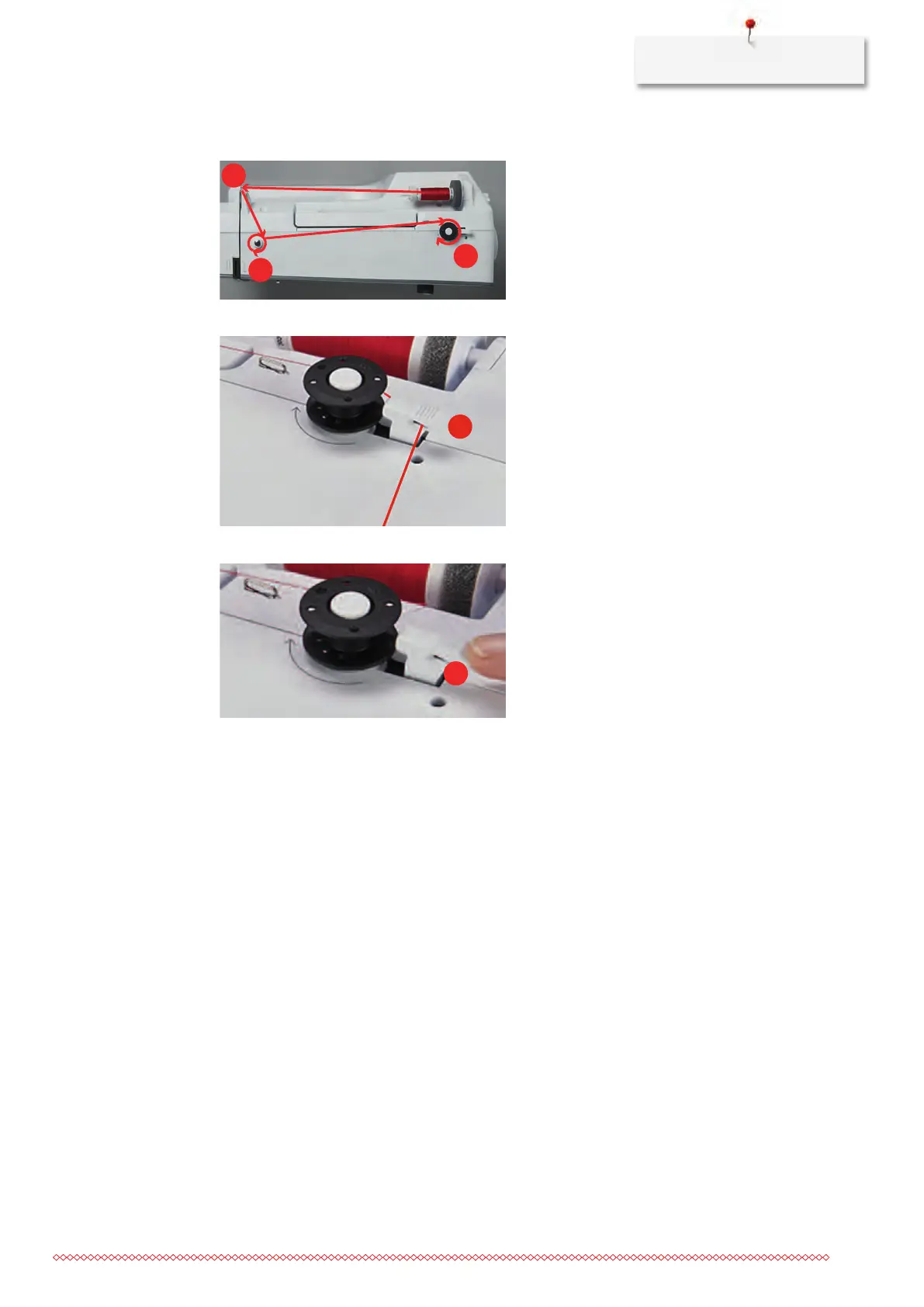
> Wind the thread clockwise 2 to 3 times around the empty bobbin (4).
> Pull the excess thread over the thread cutter at the engaging lever (5) and cut.
> Push the engaging lever (6) towards the bobbin.
– The machine winds and the display to wind the bobbin appears.
> Move the slide on the display using the touchscreen pen/finger to adjust the winding speed.
> To stop the winding process, the engaging lever must the pressed to the right.
> Push the engaging lever towards the bobbin again to continue the winding process.
– As soon as the bobbin is full, the machine stops the winding process automatically.
> Remove the bobbin and cut the thread using the thread cutter at the engaging lever.



 To Next Page