LB 470 Level 7 Main Menu Device Setup
56925BA2 Rev. 03, 11/2017
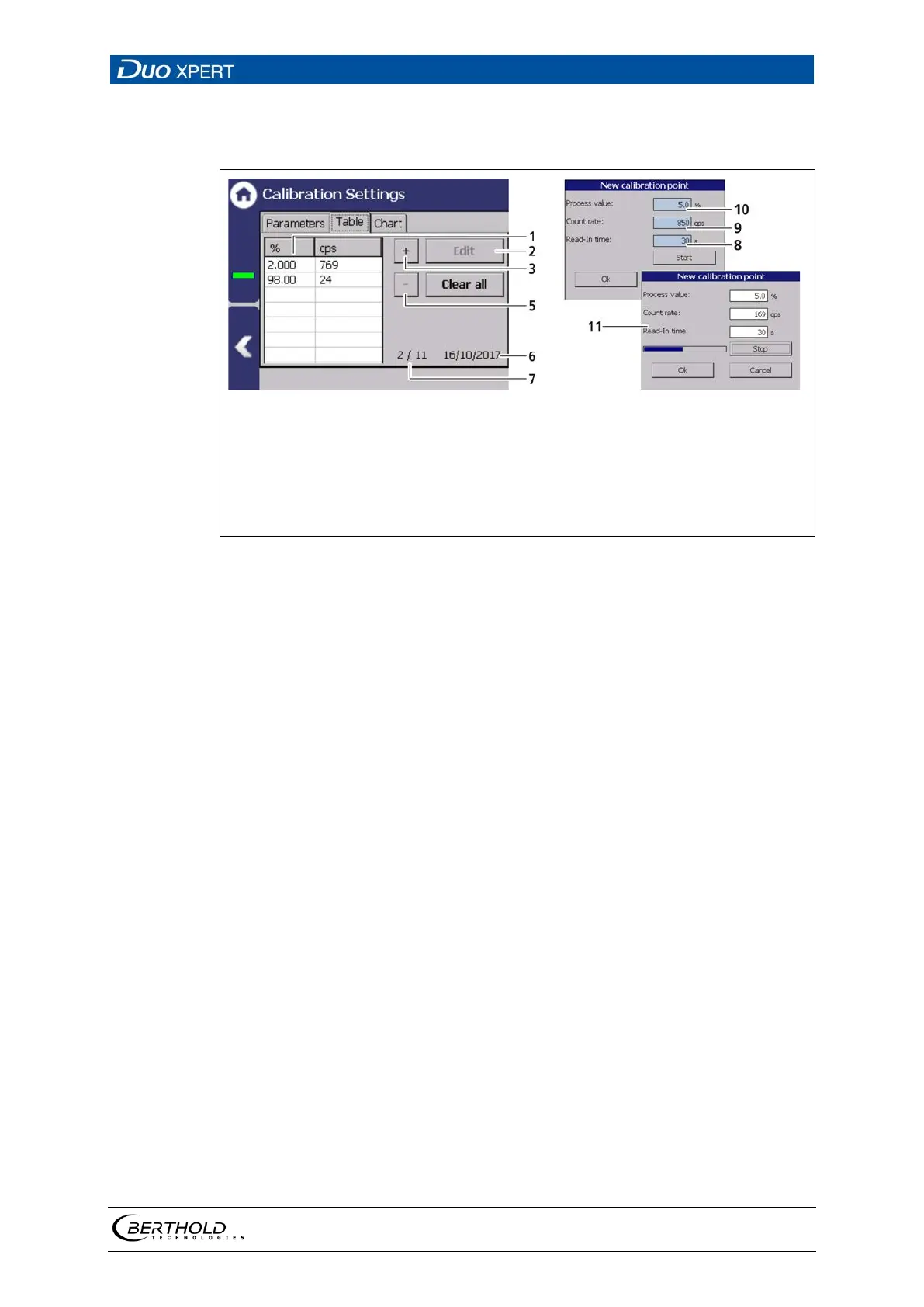
Calibration Settings: Table (linear calibration type)
Device settings | Setup | Calibration | Calibration Settings
Table calibration
Button <Edit>
Button Add measuring point < + >
Button Completely delete points
<Clear All>
Button Delete point < - >
Date of the last editing
Count of the calibration points
(e.g. 2 of max. 11)
Measuring Duration [s]
Count rate [cps]
Process value [%]
Determine new calibration point
85 Calibration parameters (Table linear calibration type)
Add new calibration point
1. Click on the button < + > (Fig. 85, item 3).
The window ″New calibration point″ (Fig. 85, item 8 - 10) opens.
2. Click on the input field ″Process value″ (Fig. 85, item 10) to open the input
field.
3. Specify the current, actual level in percent and confirm with the Enter key.
4. Click on the input field ″Read-In-Time″ (Fig. 85, item 8) to open the input
field.
5. Specify a measurement time and confirm with the Enter key.
6. Click on the button < Start >.
The Window “New calibration Point” (Fig. 85, item 11) opens and the count
rate is determined.
7. Click on < OK > to confirm the new calibration point.
The new calibration point is recorded in the table.


 To Next Page