7 Main Menu Device Setup LB 470 Level
56925BA2 Rev. 03, 11/2017
Calibration Settings: Nuclide
Device settings | Setup | Calibration | Calibration Settings
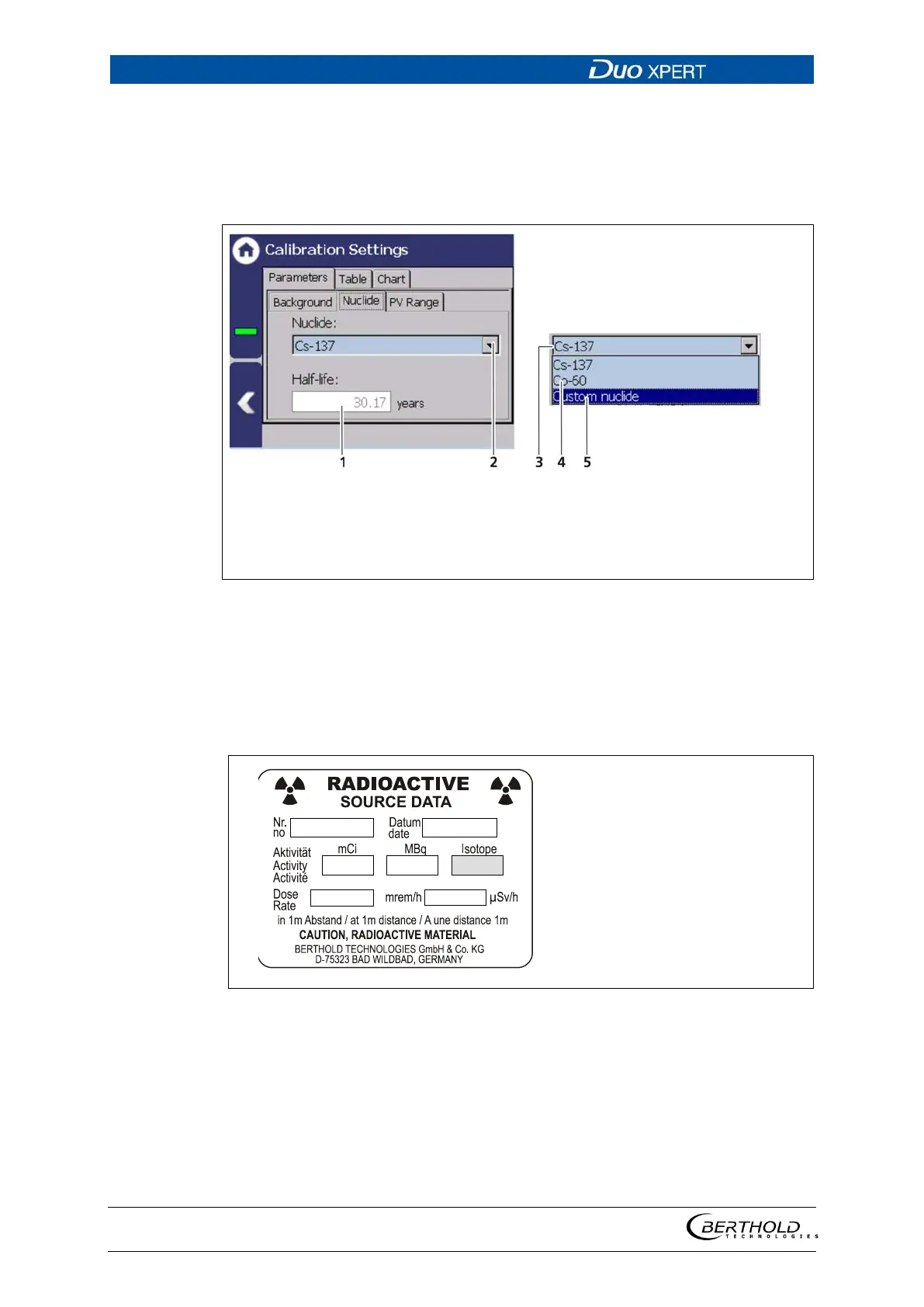
The isotope used can be selected in the ″Nuclide″ tab. The half-life of the isotope
is shown on the display field (Fig. 83, item 1).
Display field half-life [years]
Selection arrow Nuclide
Selection Caesium-137
Selection Cobalt-60
Custom nuclide
83 Calibration parameters: Nuclide
1. Click on the selection arrow (Fig. 83, item 2).
2. Select the isotope used. Cs-137 (Fig. 83, item 3) or Co-60 (Fig. 83, item 4). The
isotope of the source is on the type plate of the screen (Fig. 84).
3. When selecting ″Custom nuclide″ (Fig. 83, item 5), the half-life of the isotope
can be entered.
84 Type plate source



 To Next Page