LB 470 Level 7 Main Menu Device Setup
56925BA2 Rev. 03, 11/2017
Adjust: Standard Adjust
Device settings | Setup | Calibration | Adjust
Use the functionality after source exchange or after entering a theoretical, normal-
ized multi-point calibration (e.g. a Radical calculation) to adjust the table in the
measuring set.
That will keep the shape of the curve, because all calibration points are extrapo-
lated as percentage of the difference between the old- and the new calibration
points.
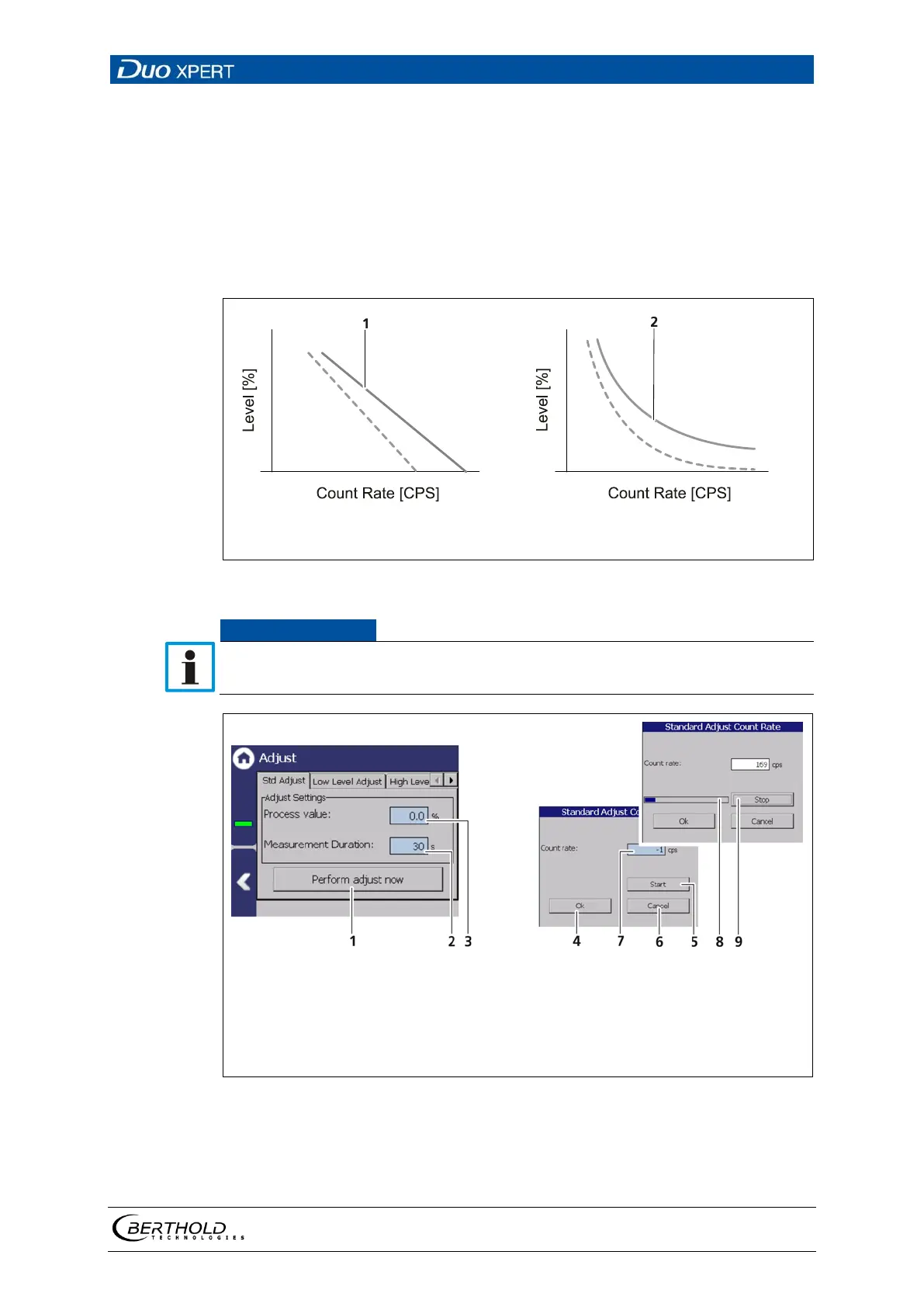
Adjusted curve (linear calibration type)
Adjusted curve (exponential calibration type)
91 Adjusted curves
During the Standard Adjust, level and pressure must remain constant.
Button < Perform adjust now >
Input field
″
″
″
″ %
Button < Ok >
Button < Start >
Button < Cancel >
″
″
[cps]
Process bar
Button < Stop >
92 Standard adjustment



 To Next Page