LB 470 Level 7 Main Menu Device Setup
56925BA2 Rev. 03, 11/2017
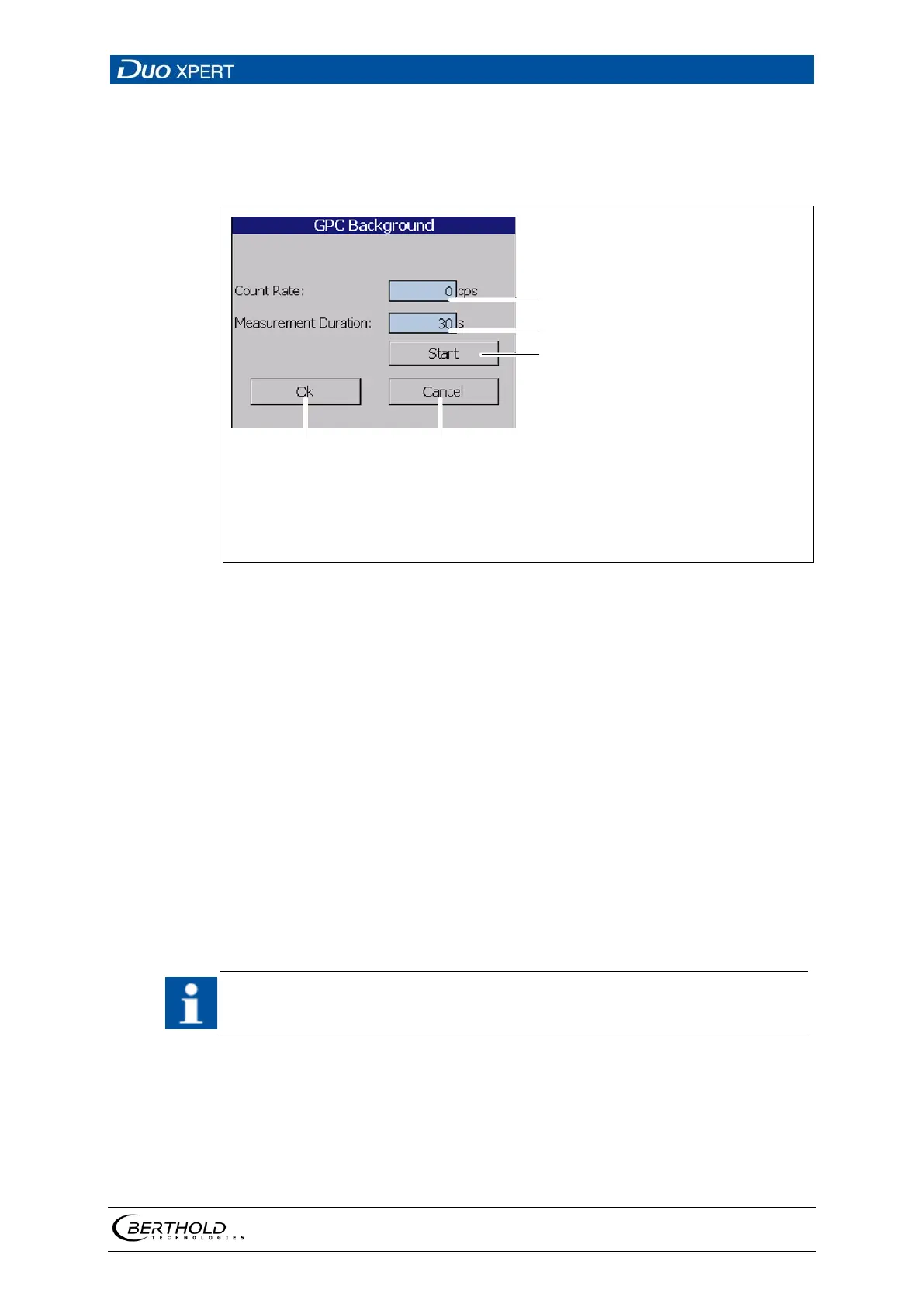
GPC calibration: Background
The background count rate (Fig. 99, item 3) indicates the natural background radi-
ation of the gas density detector if no radiation source is installed. This count rate
is compensated for by the system.
Input field count rate [cps]
Input field measuring Duration [s]
Button < Start >
Button < Ok >
Button < Cancel >
101 GPC calibration background
Determine background
1. Click on the text field "Background" (Fig. 99, item 3).
A new window "Background" opens to determine the background radiation
(Fig. 101
).
2. Click on the ″Read-In-Time″ field and specify the duration of measurement in
seconds. The higher you set the measurement time, the more accurate the
result.
3. Confirm with the Enter key and click on the button <Start> to start the meas-
urement.
The measurement is performed.
4. Click on <OK> to accept the count rate.
The value of the count rate can be entered manually (Fig. 101, item 1) if a de-
termination of background radiation without foreign radiation effects is not
possible.



 To Next Page