7 Main Menu Device Setup LB 470 Level
56925BA2 Rev. 03, 11/2017
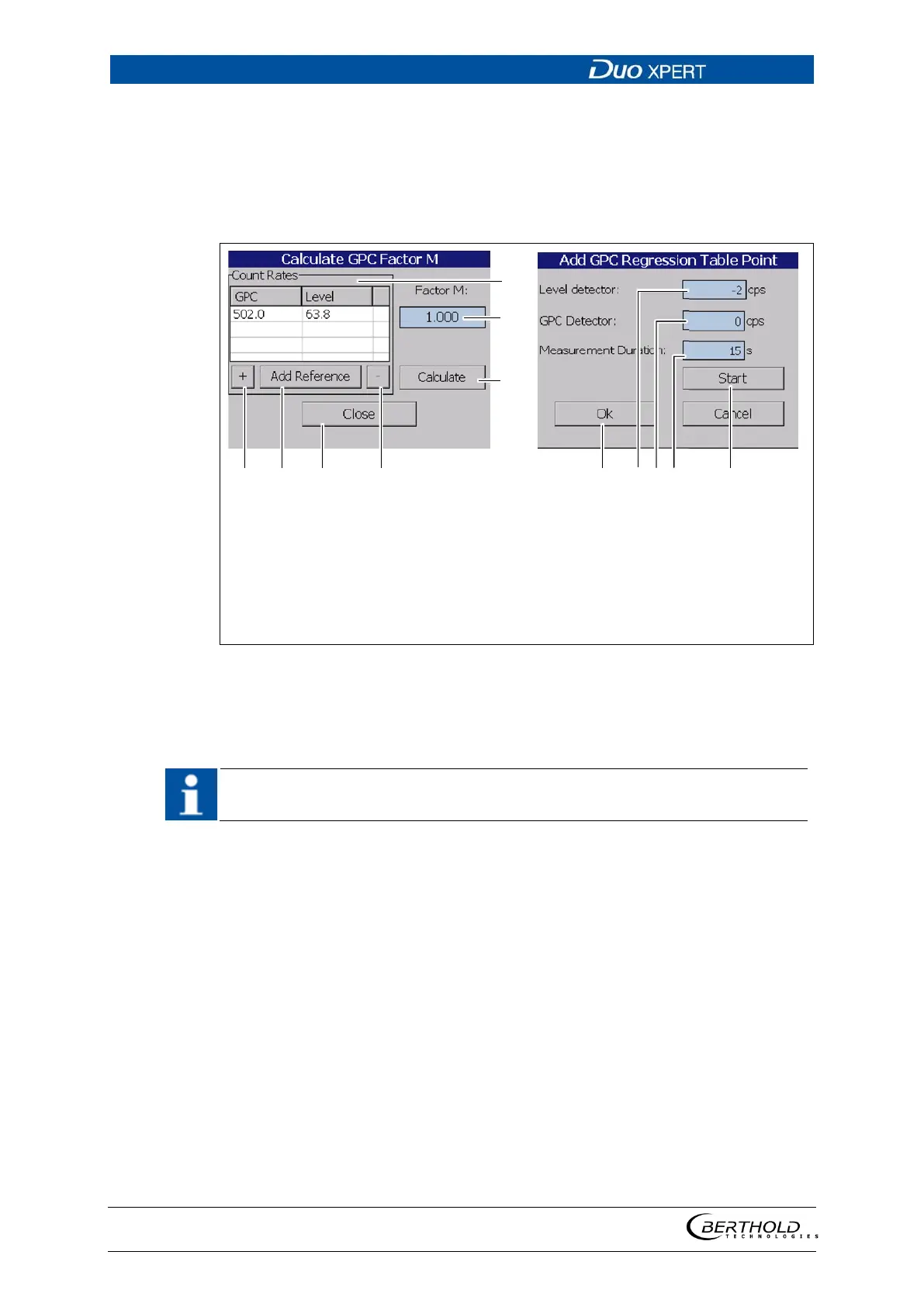
GPC calibration: Factor M
For complex applications, differences in geometry between level measurement and
density measurement may exist and/or highly different absorption coefficients (e.g.
by different nuclides) may occur. In this case, an adjustment for at least 2 (up to 10)
different gas densities is necessary to determine the manual correction factor (M).
No adjustment needs to be performed for standard applications.
List GPC count rates
Input field Factor M
Button <Calculate>
Button <+> (manual adding count
rates)
Button <Add Reference> (current
calibration value)
Button <Close>
Button < - > (removal of the point)
Button <Ok>
Input field level detector
Input field GPC detector
Measuring Duration
Button <Start>
102 GPC calibration: Calculate factor M
Capturing the count rates
If it is not possible to capture the count rates, the values may be entered man-
ually into the input fields (Fig. 102, item 9, item 10).
1. Click on the < + > button (Fig. 102, item 4) to add a new point.
2. Click on the input field "Read-In-Time" (Fig. 102, item 11) and enter a meas-
urement time. Confirm with the Enter key.
3. Click on the button <Start> (Fig. 102, item 12). Make sure that the actual
level in the container does not change during the measurement time.
Repeat the capture for at least one other level.
4. A new point is added when clicking on the button <Add Reference> (Fig.
102, item 5), which takes over the count rates of the measurement during
calibration.


 To Next Page