7 Main Menu Device Setup LB 470 Level
56925BA2 Rev. 03, 11/2017
Brightness / Timeout
Device Setup | Setup | System | interfaces | Local Display | Brightness / Timeout
″
″
″
″
Input field Display switch off
″
″
Input field Display switch off
″
″
Input field menu time out
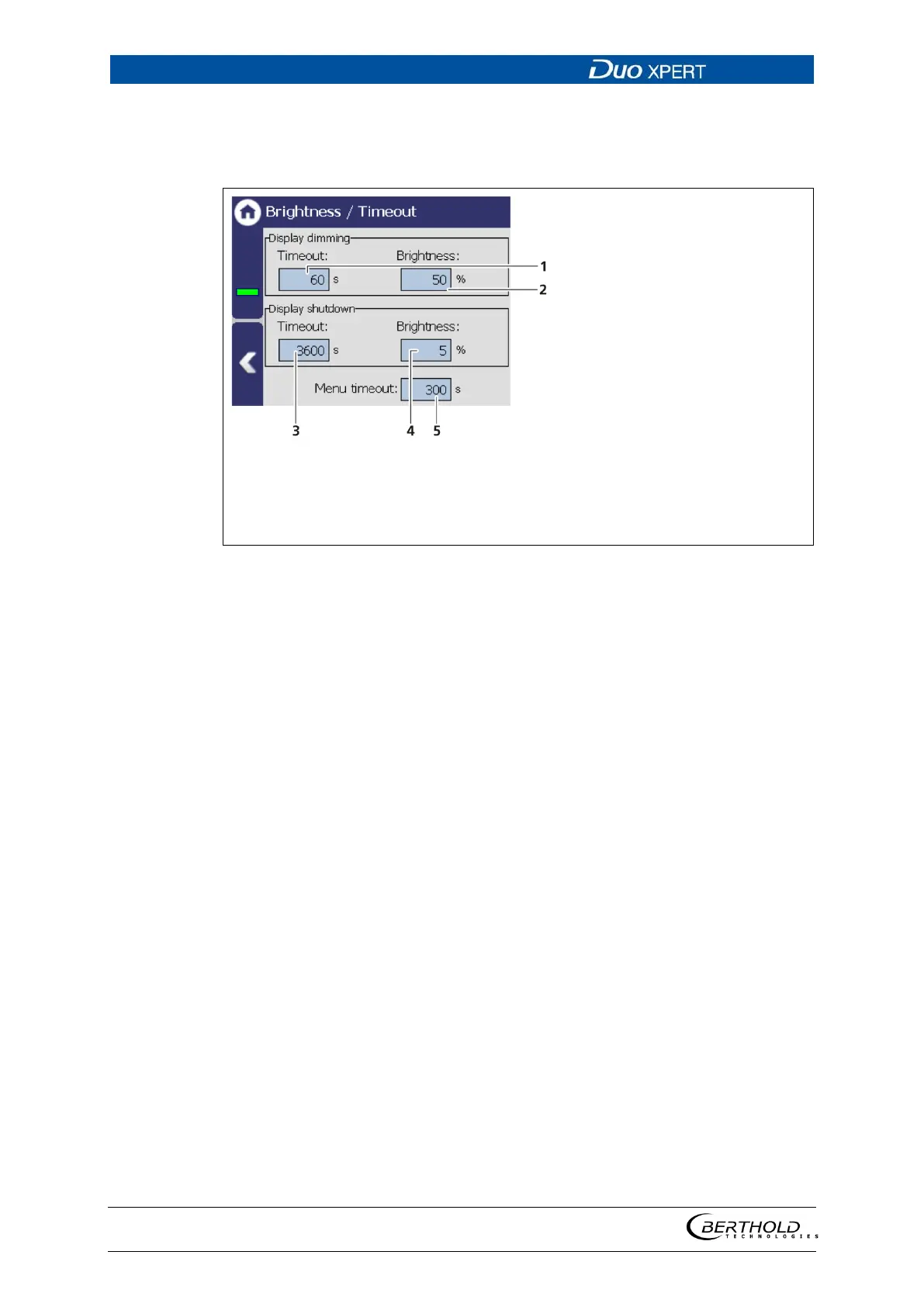
49 Brightness / Time out settings
“Time out” refers to the period of time during which the display is not operated.
The value “Time out display brightness” cannot be set greater than the value at
“Time out display switch-off”.
In the field Display dimming, clicking the input fields
allows the entering of the brightness (Fig. 49, item
2) in percent, that is set after expiry of the time (Fig.
49, item 1).
In the field Display shutdown, clicking the input
fields allows the entering of the brightness (Fig. 49,
item 4) in percent, that is set after expiry of the time
(Fig. 49, item 3).
Under "Menu Timeout" clicking on the input field
(Fig. 49, item 5) changes the time period (seconds) in
which the menu view changes to the standard view.



 To Next Page