LB 470 Level 7 Main Menu Device Setup
56925BA2 Rev. 03, 11/2017
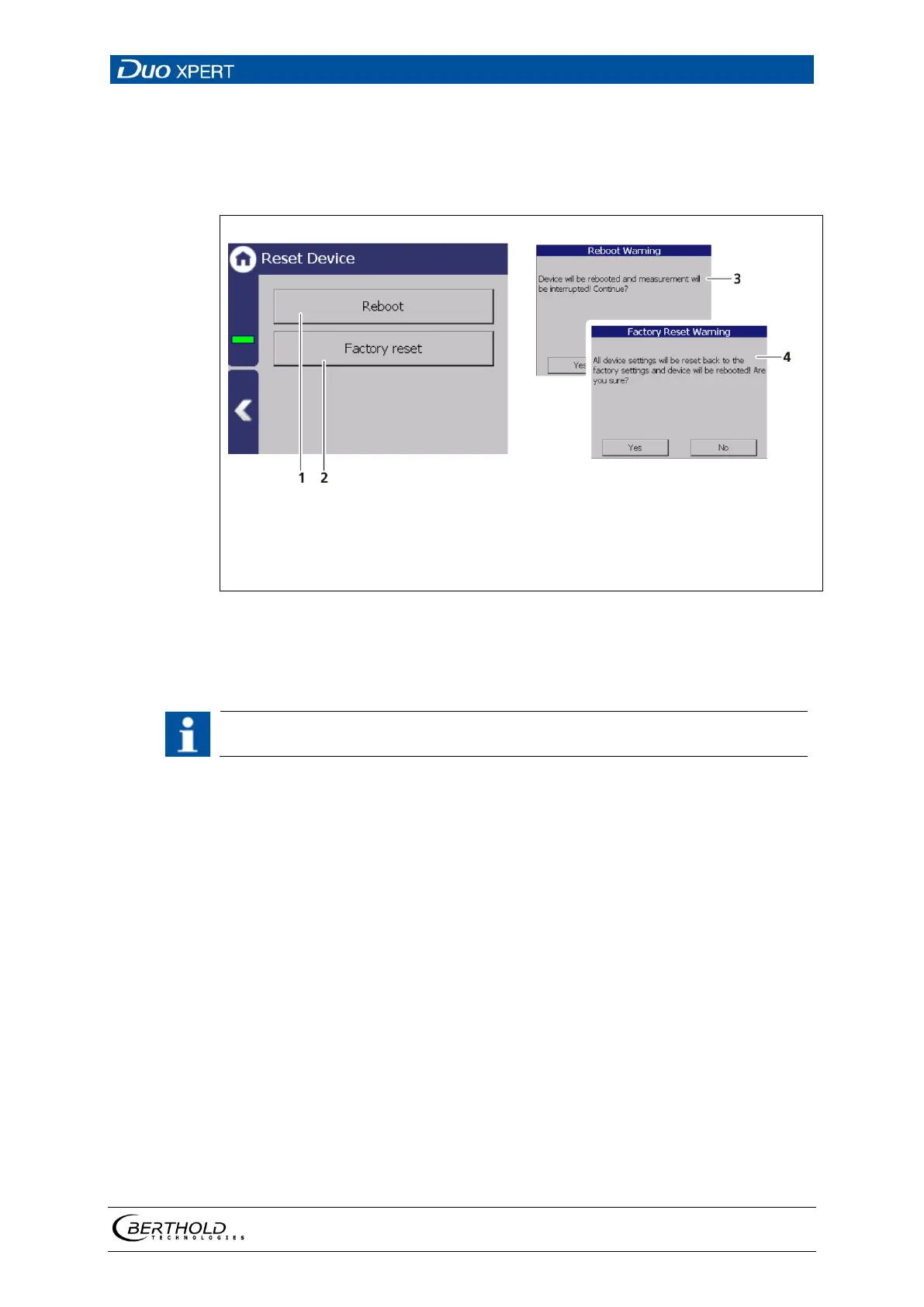
Reset Device (evaluation unit)
Device settings | Setup | System | Reset Device
The evaluation unit can be restarted and reset to factory settings in the submenu
"Reset device".
Button Reboot
Button Factory settings
Window "Warning: Reboot"
Window "Warning: Factory Reset"
57 Reset device
Restart the device
The measurement is interrupted during a restart!
1. To restart the device, click the button <Restart> (Fig. 57, item 1).
A window with a warning "Restart" (Fig. 57, item 3) opens.
2. Click on <Yes> to confirm.
The device is restarted.



 To Next Page