USER MANUAL
TD069-O&M-001
REVISION 6
Page 32 of 80
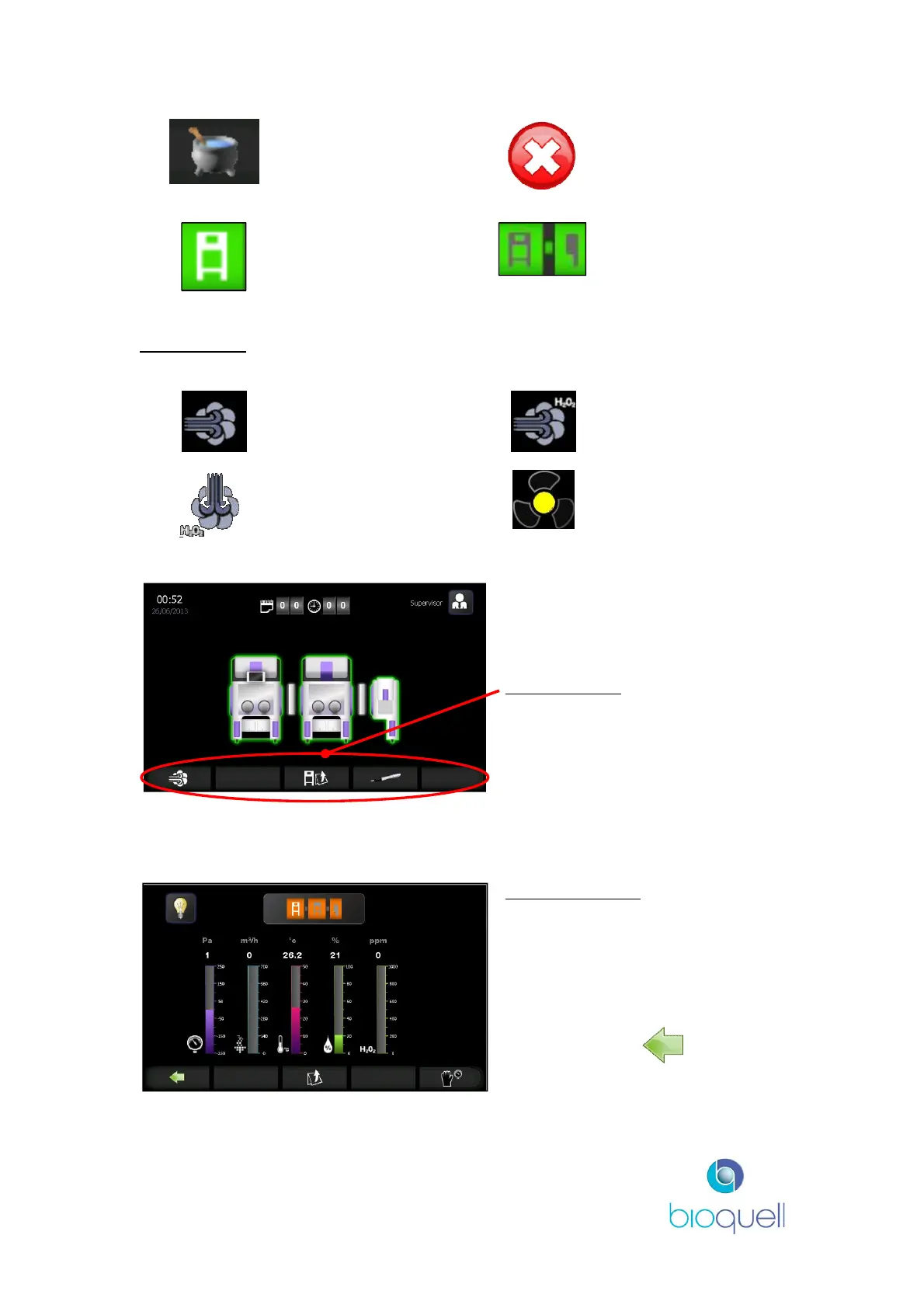
Cycle recipes Process stop
A white icon
depicts the
currently selected
module (shown on
Info Page)
A grey icon
depicts modules
that are not
currently selected
(shown on Info
Page)
Phase Icons
Conditioning Gassing
Gassing dwell Aeration
Navigation Bar
Keys within this bar enable access
to additional screens and functions.
By pressing the module icon at any time the following information screen is
displayed:
The information displayed
represents the chamber pressure,
airflow, temperature, relative
humidity and Hydrogen Peroxide
concentration.
At any time the button
returns to the Home Page.


 To Next Page