USER MANUAL
TD069-O&M-001
REVISION 6
Page 53 of 80
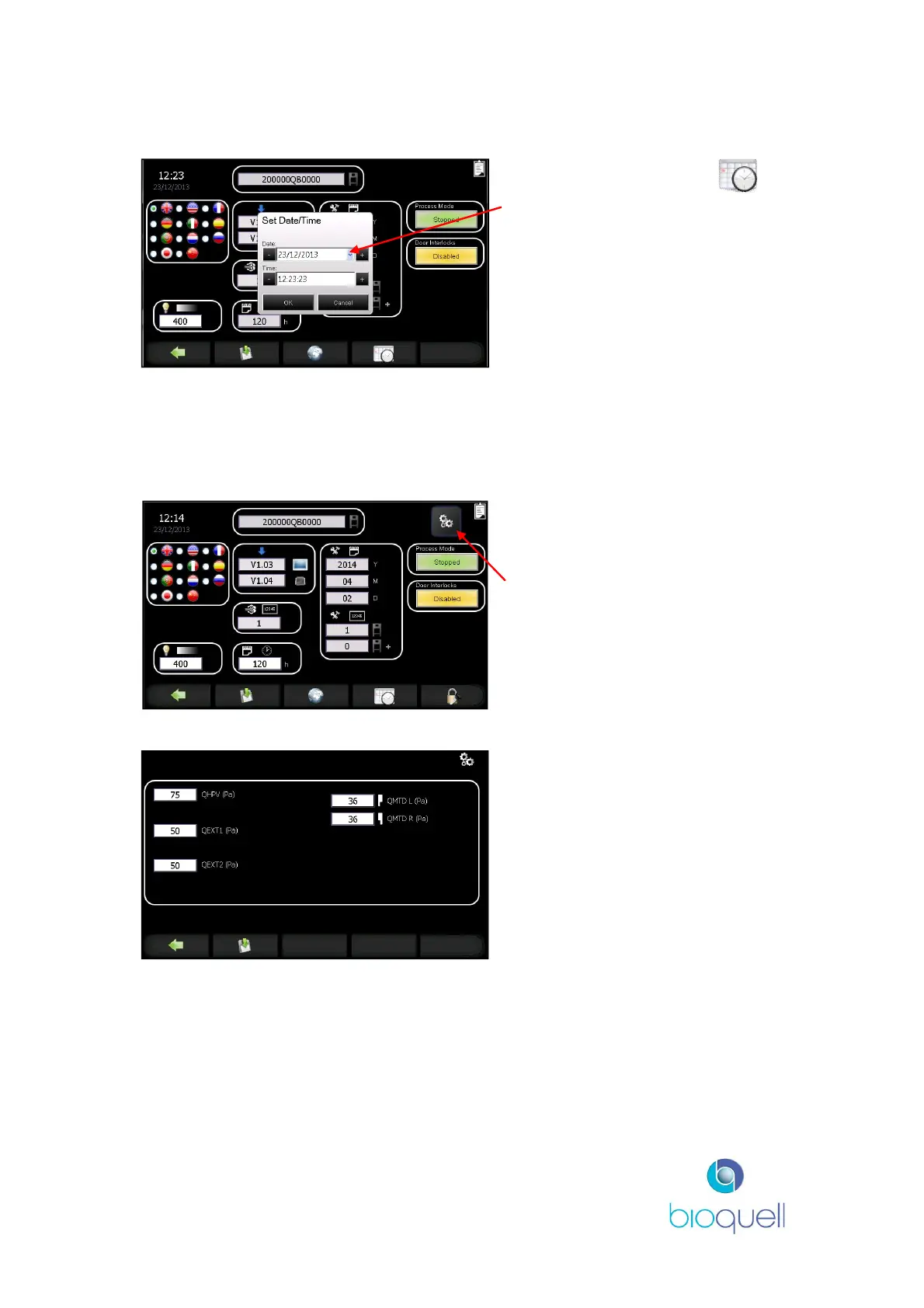
5.3.4Date and Time
To set the date, press the
button.
Use the “-“ or “+” buttons or press
the drop down arrow to access the
calendar.
Use the “-“ or “+” buttons to
increase or decrease the time in
minutes.
Click OK to accept.
5.4 ADMINISTRATOR editable functions
5.4.1Pressure Setpoints
Press to enable editing of module
pressure setpoints. Button is not
visible at Operator and Supervisor
access levels.
Edit to set the pressure regime of
individual modules.
Ranges:
-60 to +75Pa (for QHPV, QEXT1,
QEXT2)
0 to +100Pa (for QMTDL and
QMTDR)


 To Next Page