USER MANUAL
TD069-O&M-001
REVISION 6
Page 33 of 80
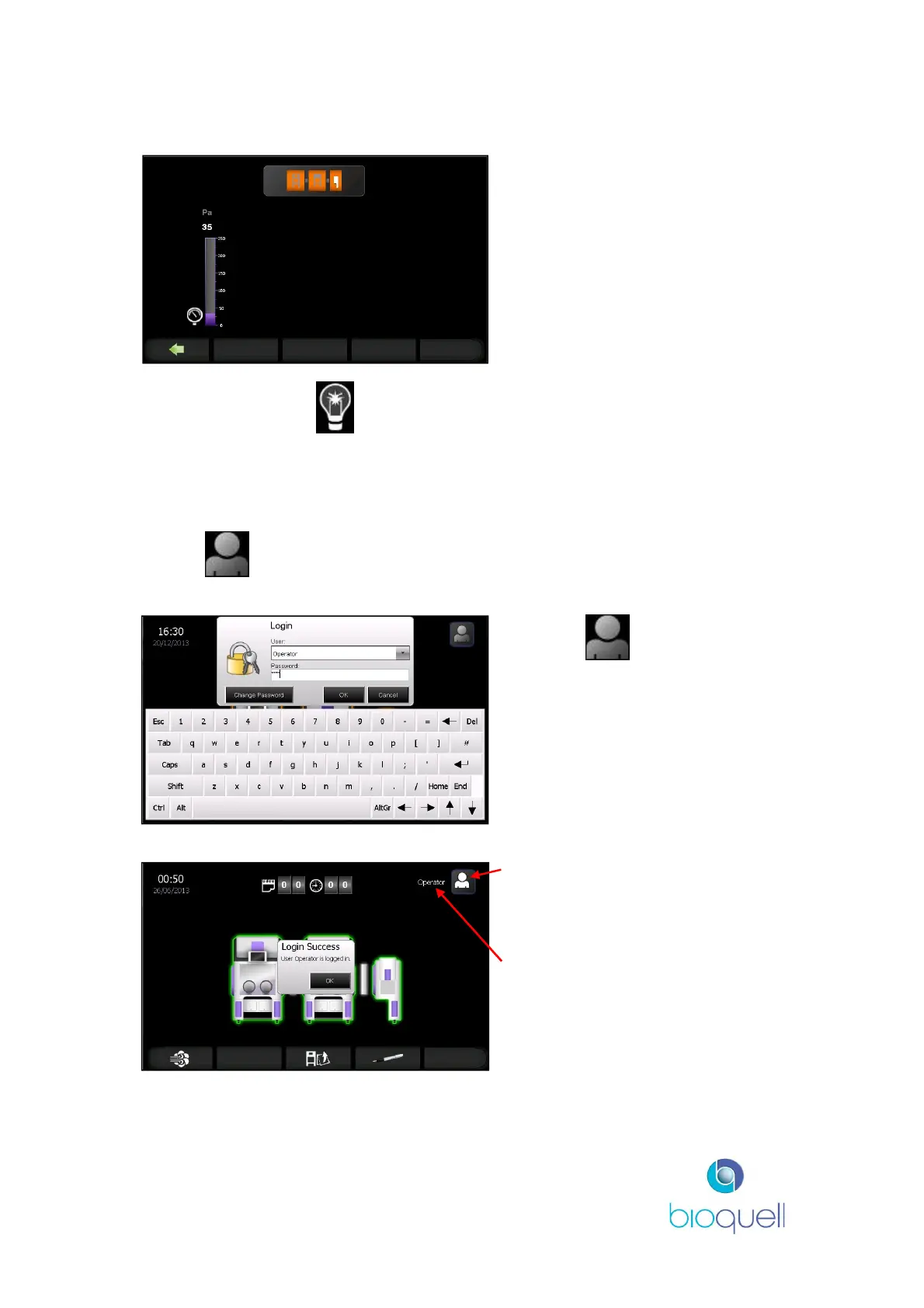
A similar page will display the pressure status of the QMTD, if selected:
At any time press the button to toggle the light ON and OFF for the selected
module (not during cycle).
4.2 Logging ON
Initially “No User” is displayed in the top right of the screen.
Press the icon to log on.
Use the drop down arrow to select
the User.
Enter password and click OK.
(refer to Screen Navigation,
Section 11, for access levels for
different functions)
User Name
If the details have been entered
correctly then the “Login Success”
box is displayed.
Click OK.


 To Next Page