USER MANUAL
TD069-O&M-001
REVISION 6
Page 50 of 80
5 SYSTEM ADMINISTRATION
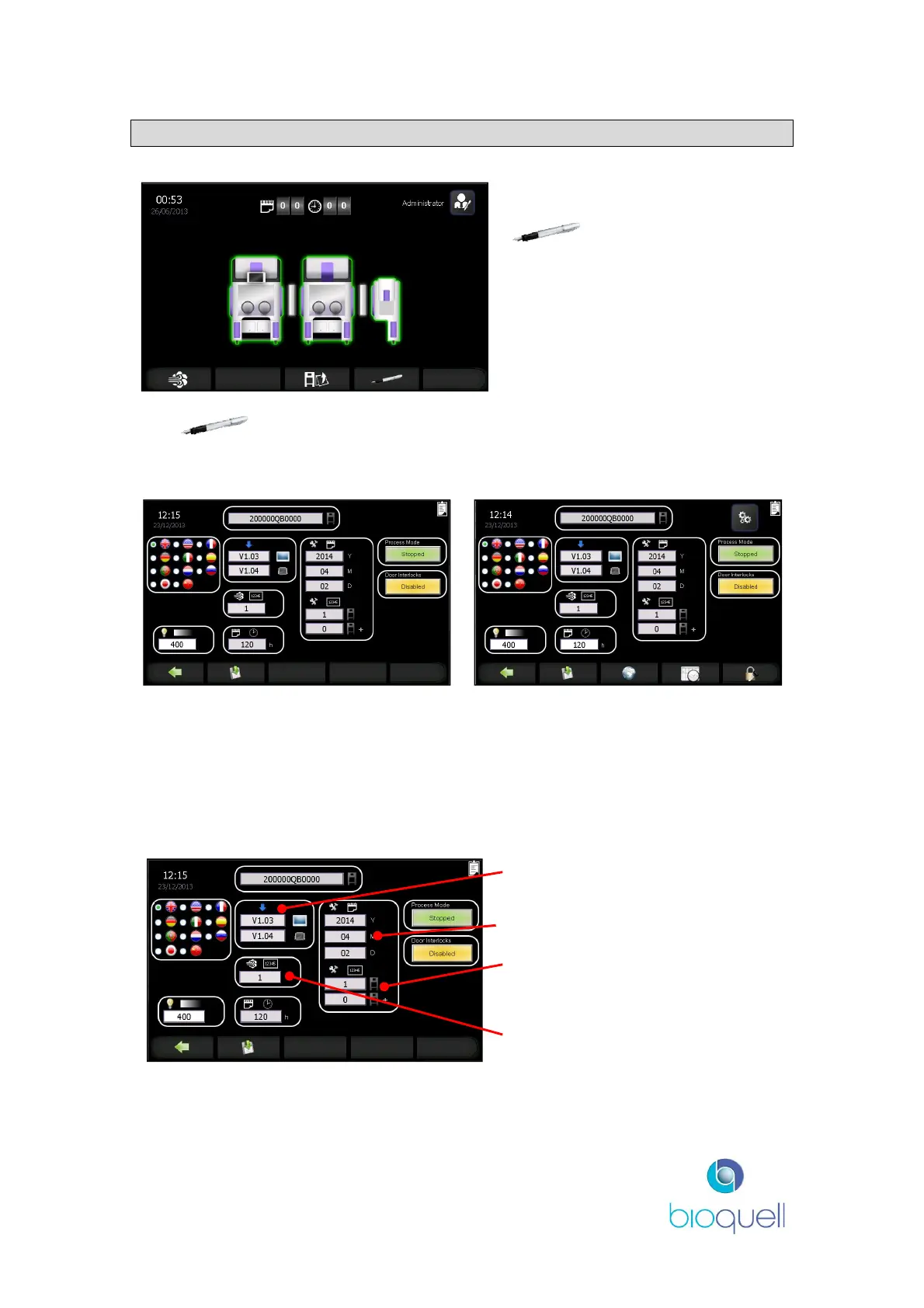
From the Home Page press the
button to display the
Administration Page.
The button is only visible when LOGGED ON and once pressed displays
the following screens (dependent upon access level):
Operator access level screen
Administrator access level screen
Only the white boxes (language and light level) are editable by an Operator.
Other options require higher level access, i.e. change date and time, manage
passwords and user access, and view system information.
5.1 System Information (only viewable)
Software versions for the HMI
(top) and controller (bottom).
Service due date
Number of cycles since last service
on QHPV unit only (top) and
system (bottom).
Total cycle count (all cycles).


 To Next Page