USER MANUAL
TD069-O&M-001
REVISION 6
Page 39 of 80
Note: If the Hydrogen Peroxide is not going to be used for more than 3 days it is
recommended that the bottle is removed, cap replaced and it is stored in a
refrigerator or cool dark place.
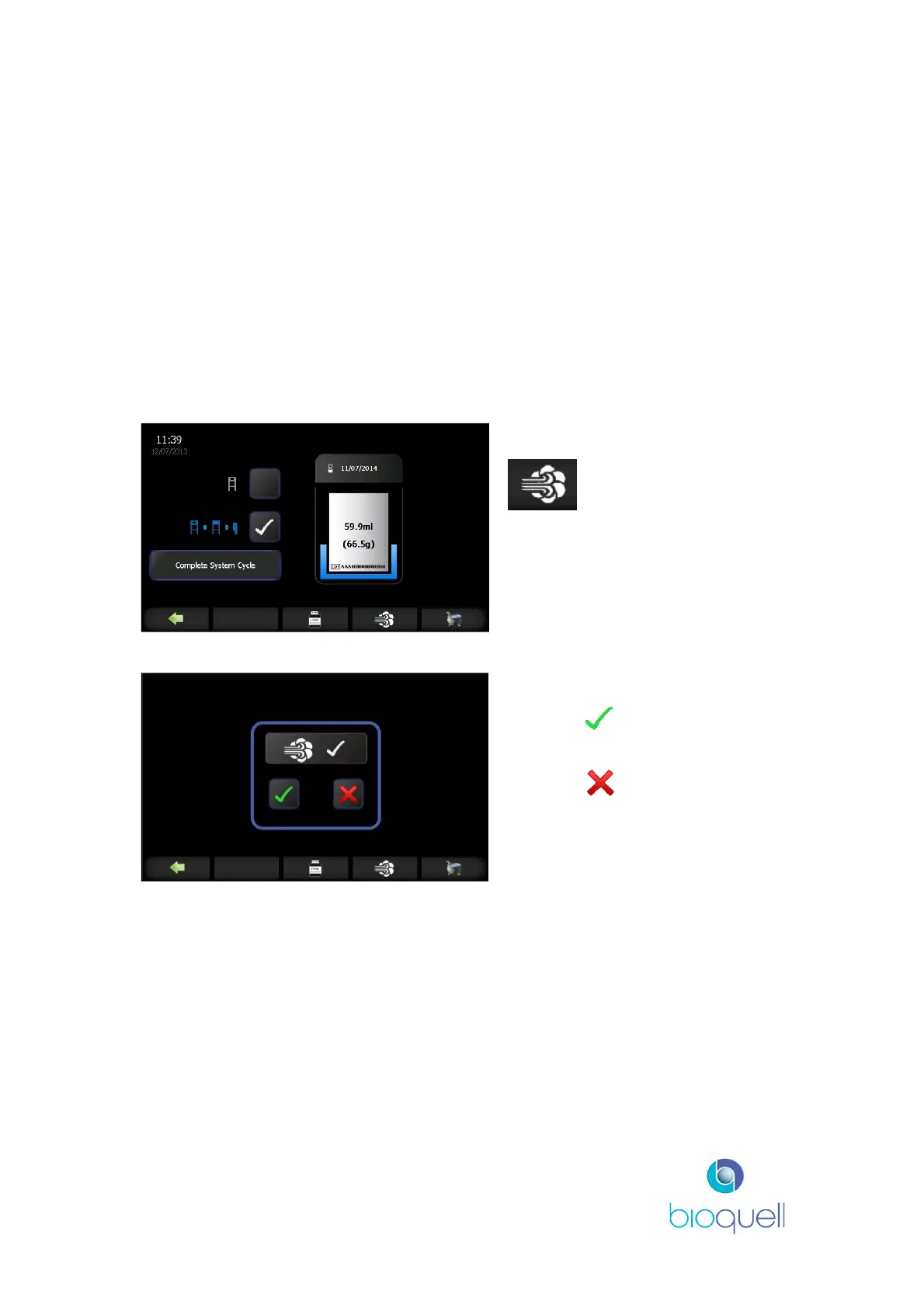
The coloured surround to the bottle icon is a level indicator showing how much
Peroxide is in the bottle. It is coloured blue if there is sufficient peroxide and
amber if there is insufficient peroxide for the currently selected cycle.
A representation of the volume of Hydrogen Peroxide left in the bottle is displayed
in the centre of the bottle icon, in ml and g. The Lot No. of the peroxide is shown
at the bottom of the bottle and the expiry date at the top. If the date has expired
the icon will flash amber.
4.3.3Running a Cycle
To run the selected cycle press the
button.
Press the to start the currently
loaded cycle.
Or, press to cancel the
request.
When confirmation is received the timer will automatically start and display the
phase count down, as shown in the following screens.
4.3.4Cycle Phases
The progress bar colour displayed is an indication of the cycle phase (white while
pressurising and green during actual pressure decay test; blue for conditioning
and gassing phases; amber for the aeration phase). Progress of the coloured bar
indicates the time to complete the phase. The progress bar turns green at the
end of aeration.


 To Next Page