USER MANUAL
TD069-O&M-001
REVISION 6
Page 54 of 80
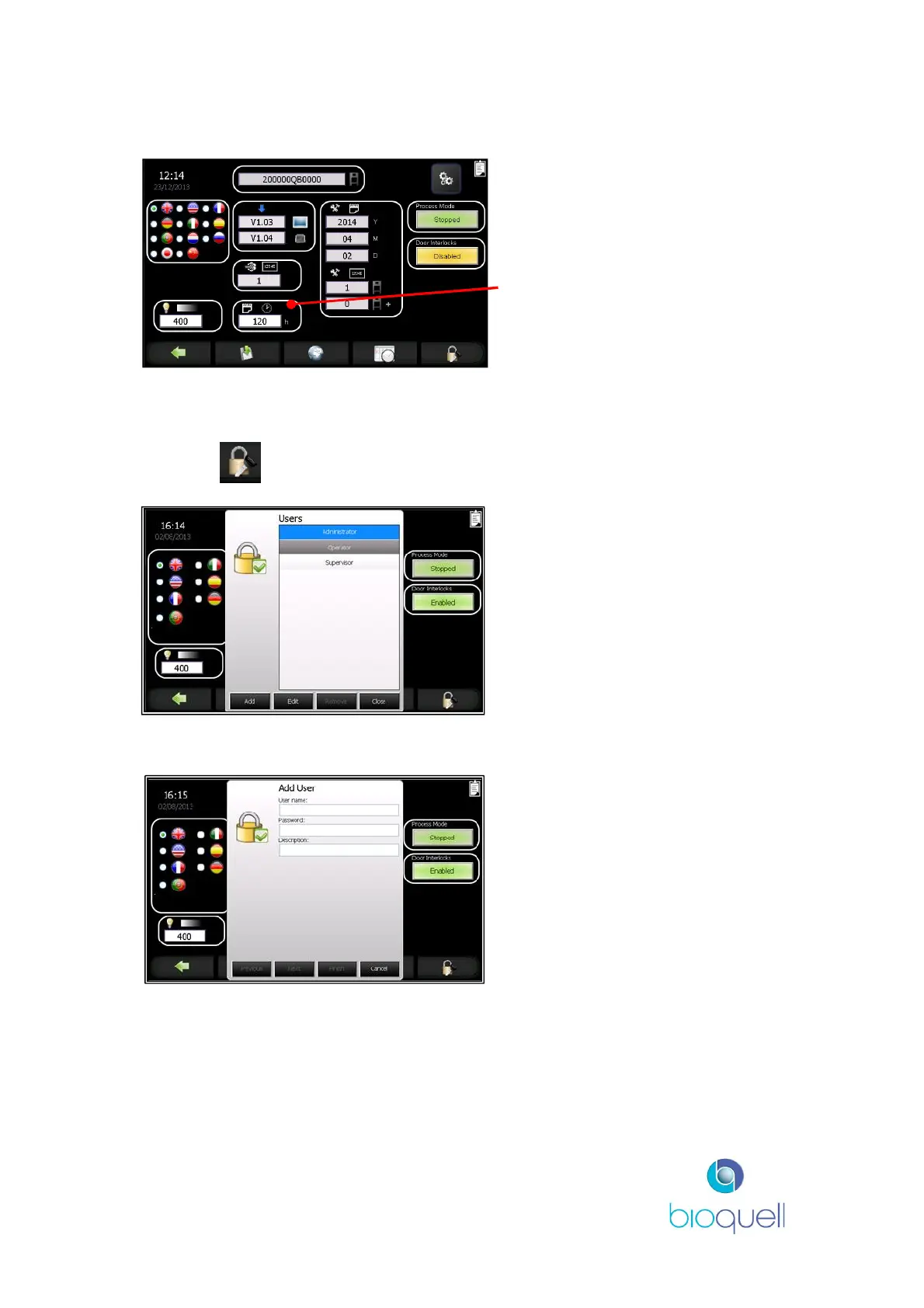
5.4.2Maximum Aseptic Hold Period
To alter the maximum aseptic hold
period (in hours) after gassing
press the white box and enter new
time into keypad.
5.4.3Manage Users
This access level is required to edit passwords and user access levels.
Press the button to access the functions.
The list of Users is displayed.
At any time the User can return to
the Administration Page by
selecting ‘Close’.
5.4.3.1 Adding New Users
In the displayed boxes enter the
User’s name and password.
The ‘Description’ box may be left
blank or a reference may be
added.
The password chosen must be unique to each individual, and contain a minimum
of 3 and a maximum of 24 alphanumeric characters. Note: More characters may
be entered but only the first 24 characters will be displayed.
Select ‘Next’ to proceed to the next screen or ‘Cancel’ to return to the
Administration Page.


 To Next Page