USER MANUAL
TD069-O&M-001
REVISION 6
Page 55 of 80
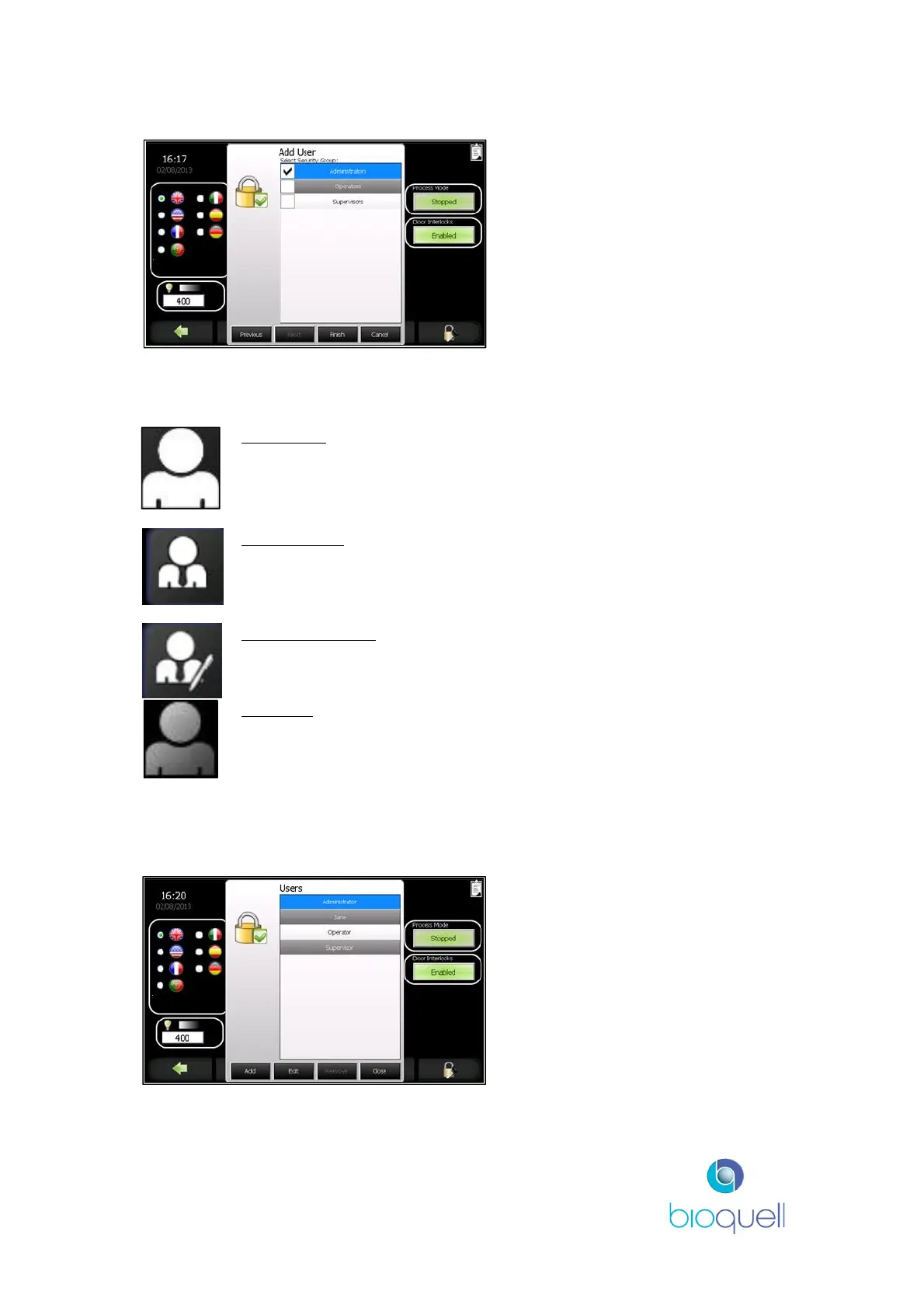
Select the access level the new
User is to be given.
There are three user groups that a person can be put in; these are listed below:
Someone in this group can start and stop a pre
programmed recipe; run the glove tester; open
QHPV door; adjust chamber light intensity; start
active air sampler; load Hydrogen Peroxide.
type plus additional administrative functions
described in 5.3.
recipes and additional administrative functions
described in section 5.4.
and Information Page is permitted, but all
navigation keys are disabled.
Note: ‘NO USER’ is not selectable.
5.4.3.2 Changing Access Level
Select the person’s name for which
access level is to be changed.
Select ‘Edit’.


 To Next Page