877-877-2269 | blackbox.com
Page 24
Chapter 4: Quick Installation Guide
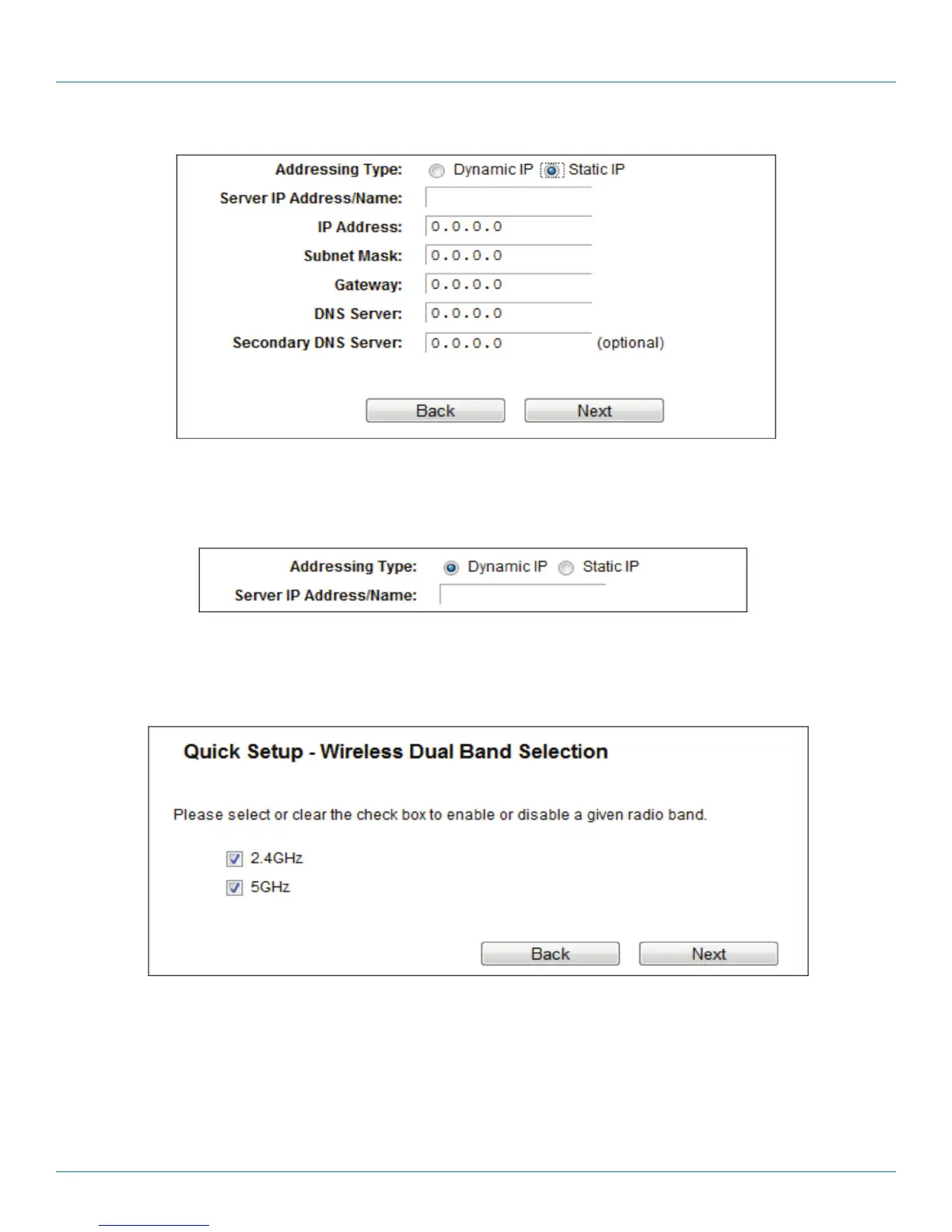
Figure 4-14. Static IP screen.
Select Dynamic IP if none of the above parameters are provided. Then you just need to enter server IP address or domain name
provided by your ISP.
Figure 4-15. Dynamic IP screen.
6. After you select the WAN Connection Type, the Dual Band Selection page will appear. Here we take “2.4 GHz and 5 GHz” for
example. Click “Next” to continue.
Figure 4-16. Quick Setup—Dual Band Selection.
• 2.4 GHz - You can use the 2.4 GHz band to connect to many classic wireless devices like gaming consoles, laptops, DVRs, etc.
• 5 GHz—This band is less crowded and is used for time-sensitive music, video streaming or gaming. Using this band can avoid
interference with 2.4GHz networks or noisy devices like cordless phones and microwave ovens.



 To Next Page