Page 25
877-877-2269 | blackbox.com
Chapter 4: Quick Installation Guide
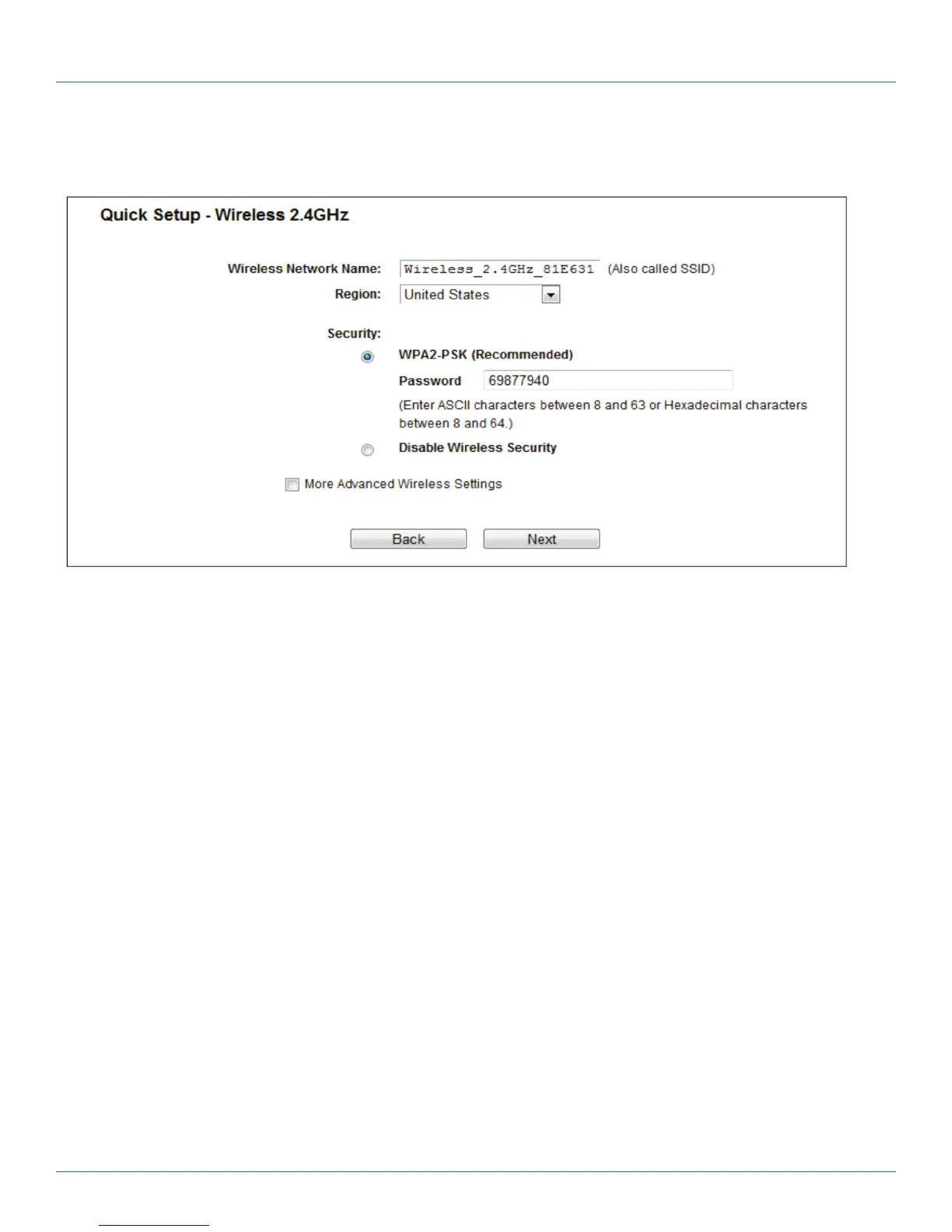
7. Configure the basic parameters for 2.4 GHz wireless network in the following screen as shown in Figure 3 13, and then click
Next.
Figure
4-17. Quick Setup—Wireless 2.4 GHz.
• Wireless Network Name—Also called the SSID (Service Set Identification). Enter a value of up to 32 characters. The same name
must be assigned to all wireless devices in your network. The default SSID is set to be Wireless_2.4GHz_XXXXXX. This value is
case-sensitive. For example, TEST is NOT the same as test.
• Region—Select your region from the drop-down list. This field specifies the region where the wireless function of the router can
be used. It may be illegal to use the wireless function of the router in a region other than one of those specified in this field. If
your country or region is not listed, please contact your local government agency for assistance.
NOTE: Limited by local law regulations, version for North America does not have region selection option.
• Security—
- Enable Security (WPA-PSK/WPA2-PSK)‚—It’s selected by default, with the default PSK password the same as the default PIN
code.
- Disable Wireless Security—The wireless security function can be enabled or disabled. If disabled, the wireless stations will be
able to connect the router without encryption.
The above settings are only for basic wireless parameters. For advanced settings, check “More Advanced Wireless Settings” and
then you can set the following parameters.



 To Next Page