Page 27
877-877-2269 | blackbox.com
Chapter 4: Quick Installation Guide
• Region—Select your region from the drop-down list. This field specifies the region where the wireless function of the router can
be used. It may be illegal to use the wireless function of the router in a region other than one of those specified in this field. If
your country or region is not listed, contact your local government agency for assistance.
NOTE: Limited by local law regulations, version for North America does not have region selection option.
• Security
- Enable Security (WPA-PSK/WPA2-PSK)—It’s selected by default, with the default PSK password the same as the default PIN
code.
- Disable Security—The wireless security function can be enabled or disabled. If disabled, the wireless stations will be able to
connect the router without encryption.
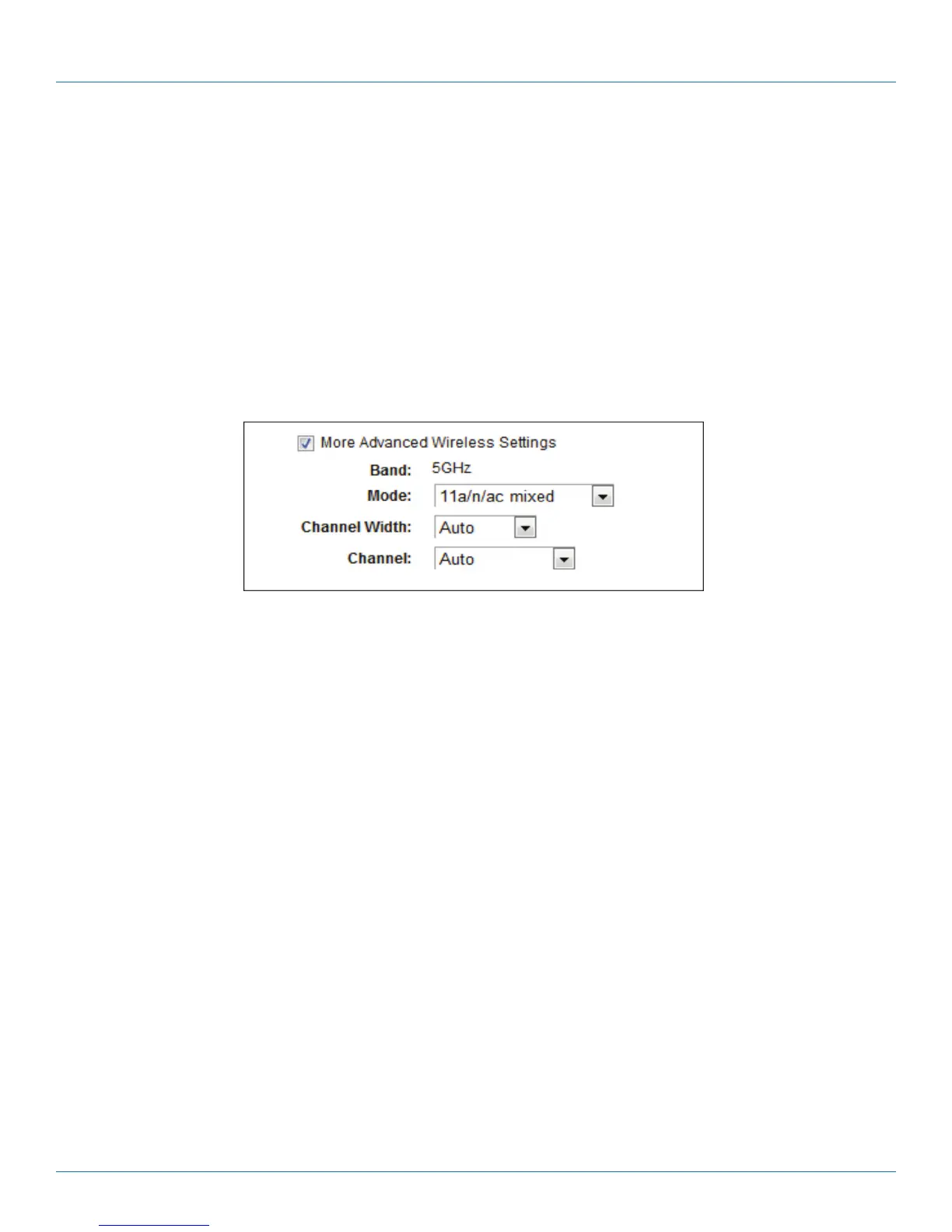
The above settings are only for basic wireless parameters. For advanced settings, check “More Advanced Wireless Settings” and
then you can set the following parameters.
Figure 4-20. More Advanced Wireless Settings page.
• Band—This field displayed the operating frequency being configured.
• Mode—This field determines the wireless mode that the router works in.
- 11an mixed—Select if you are using both 802.11a and 802.11n wireless clients.
- 11a/n/ac mixed—Select if you are using 802.11a, 802.11n and 802.11ac wireless clients.
• Channel Width—Select any channel width from the drop-down list. The default setting is “Auto,” which can adjust the channel
width for your clients automatically.
• Channel—This field determines which operating frequency will be used. It is not necessary to change the wireless channel
unless you notice interference problems with another nearby access point. If you select “Auto,” then the AP will select the best
channel automatically.
9. Confirm the parameters and click the “Save” button to make the settings take effect.



 To Next Page