29
Using ATEM Software Control
Iris/Pedestal Control
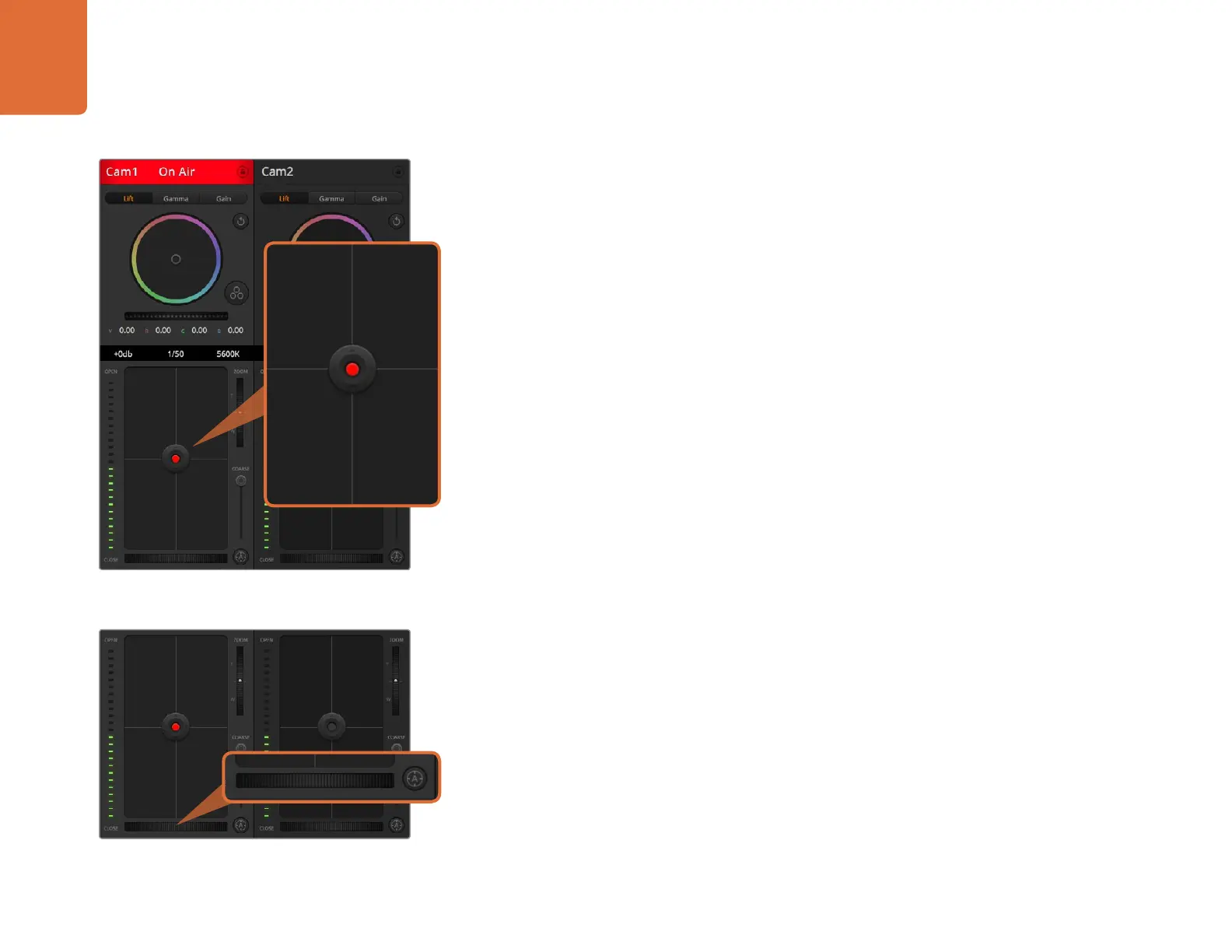
The iris/pedestal control is located within the cross hairs of each camera controller. The control
illuminates red when its camera is on air.
To open or close the iris, drag the control up or down. Holding the shift key allows only iris adjustments.
To darken or lift the pedestal, drag the control left or right. Holding the command key on a Mac, or
the Control key on Windows, allows only pedestal adjustments.
Zoom Control
When using compatible lenses with an electronic zoom feature, you can zoom your lens in and out
using the zoom control. The controller works just like the zoom rocker on a lens, with telephoto on
one end, and wide angle on the other. Click on the zoom control, located above the coarse slider,
and drag up to zoom in, or drag down to zoom out.
If your lens does not have active lens control or your camera does not support zoom control via the
SDI camera control protocol then these settings will have no affect. If you are using Blackmagic Studio
Camera or Blackmagic Studio Camera 4K, please make sure you have updated your camera software
to v1.9.11 or later to ensure your camera has support for controlling MFT lenses with active zoom.
Coarse Setting
The coarse setting is located to the left of the iris/pedestal control and is used to limit the iris range.
This feature helps you prevent over exposed images from going to air.
To set your coarse threshold, completely open the iris using the iris control, then drag the coarse
setting up or down to set optimum exposure. Now when you adjust the iris, the coarse threshold will
prevent it from going above optimum exposure.
Iris Indicator
The iris indicator is located to the right of the iris/pedestal control and displays a visual reference
so you can easily see how open or closed the lens aperture is. The iris indicator is affected by the
coarse setting.
Auto Focus Button
The auto focus button is located at the bottom left corner of each camera controller. Press to
automatically set the focus when you have an active lens that supports electronic focus adjustments. It's
important to know that while most lenses support electronic focus, some lenses can be set to manual
or auto focus modes, and so you need to ensure your lens is set to auto focus mode. Sometimes this
is set by sliding the focus ring on the lens forward or backward.
Click on the auto focus button or drag the manual focus
adjustment left or right to focus a compatible lens.
The iris/pedestal control illuminates red when its
respective camera is on air.













 To Next Page