Integrus Transmitters
The transmitter is the central element of the Integrus system. It accepts asymmetrical audio
sources from a maximum of 32 external channels (dependent on the transmitter type) and can
be used with the DCN Next Generation conference system. It can also be used with analogue
discussion and interpretation systems (e.g. CCS 900 with up to 12 interpreter desks), or as a
stand-alone system distributing external audio sources.
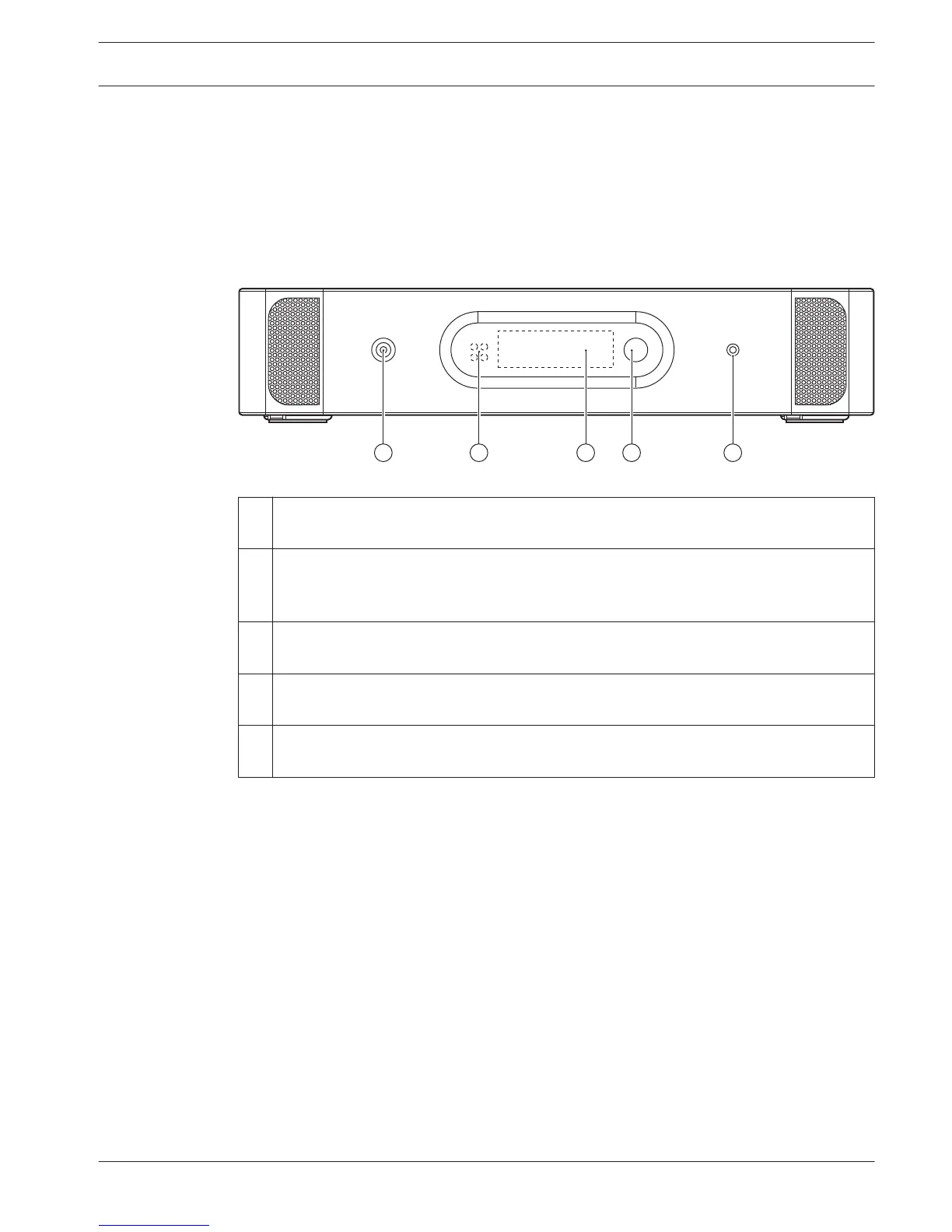
Transmitter front view
Figure 3.2: Transmitter, front view
1
Mains on/off switch - After switching the mains on, the transmitter starts up and the
display (3) will light-up.
2 Mini IR-radiator - Four IREDs, transmitting the same infrared signal as the radiator
output. This can be used for monitoring purposes. They can be disabled via the
configuration menu.
3 Menu display - A 2x16 character LCD-display gives information about the transmitter
status. It is also used as a an interactive display for configuring the system.
4 Menu button - A turn-and-push button to operate the configuration software in
combination with the display (3)
5 Monitoring headphone output - A 3.5 mm (0.14 inch) jack socket to connect a
headphone for monitoring purposes. It can be disabled via the configuration menu
3.2
Language Distribution System System Overview | en 11
Bosch Security Systems B.V. Operation manual 2013.11 | V1.4 |















 To Next Page