54
ZTKS0156 / Z31820 / Rev.: 03
Assembling
4.3.3 Mounting the Cryogenic Refrigerator Parts
4.3.3.1 Mounting the Cold Head
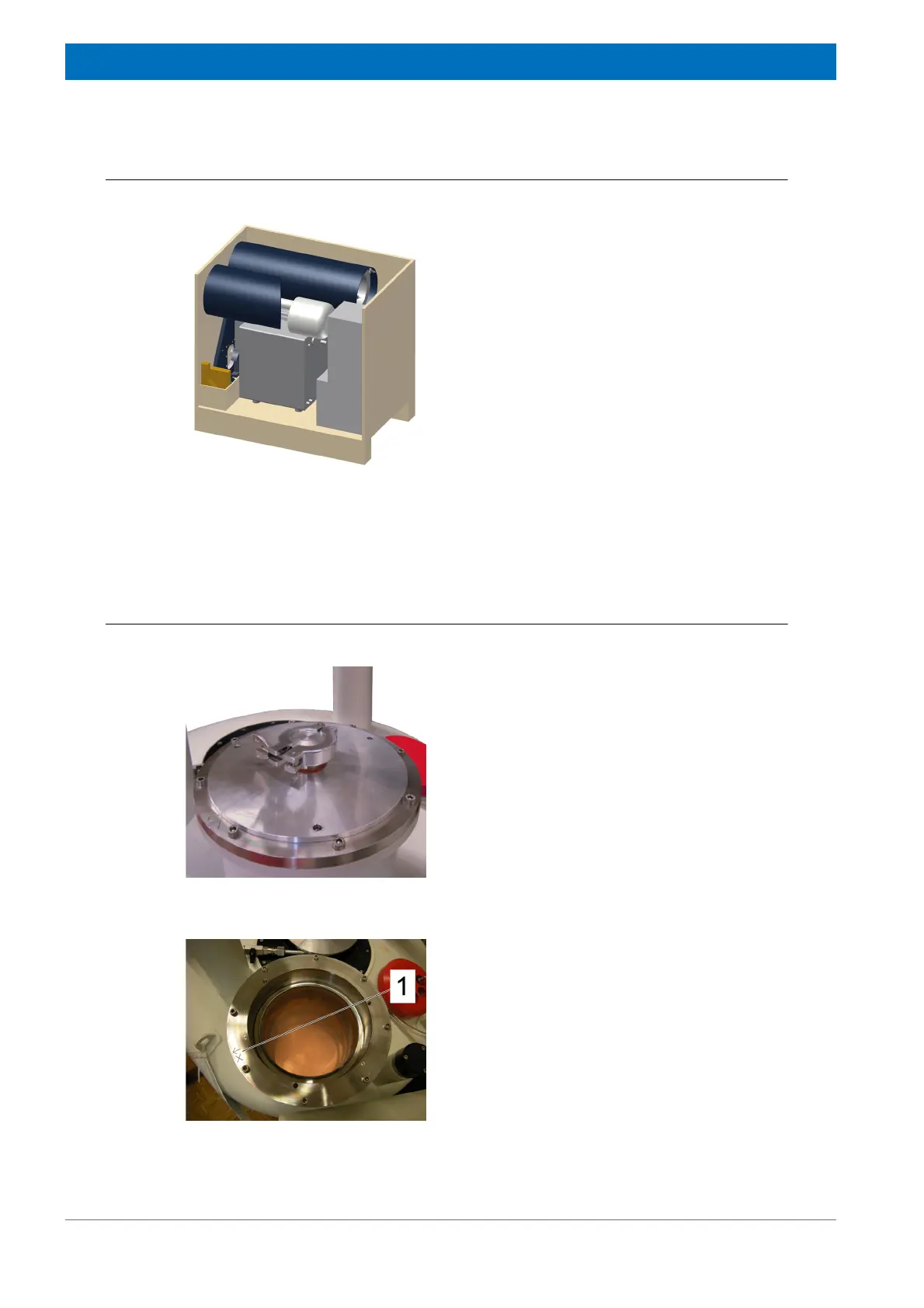
Figure 4.32: Cryogenic Refrigerator Parts - General View
Remove the top and the front panel of the box of
the Cryogenic Refrigerator box like shown.
Figure 4.33: Mounting the Cold Head - step 1
1. Remove the service flange from the cold
head turret.
Keep the service flange for further service or
transportation inside the box of the cold head.
Figure 4.34: Mounting the Cold Head - step 2
2. Check if the cold head turret inside is dry
and clean. Clean it if necessary.
3. Clean the mating surface from cold head
turret top flange.
4. The cold head turret flange is marked with
an “X“ (1) for the following steps.



 To Next Page